
Build a Custom Report: Dogs in Custody Over 10 Days
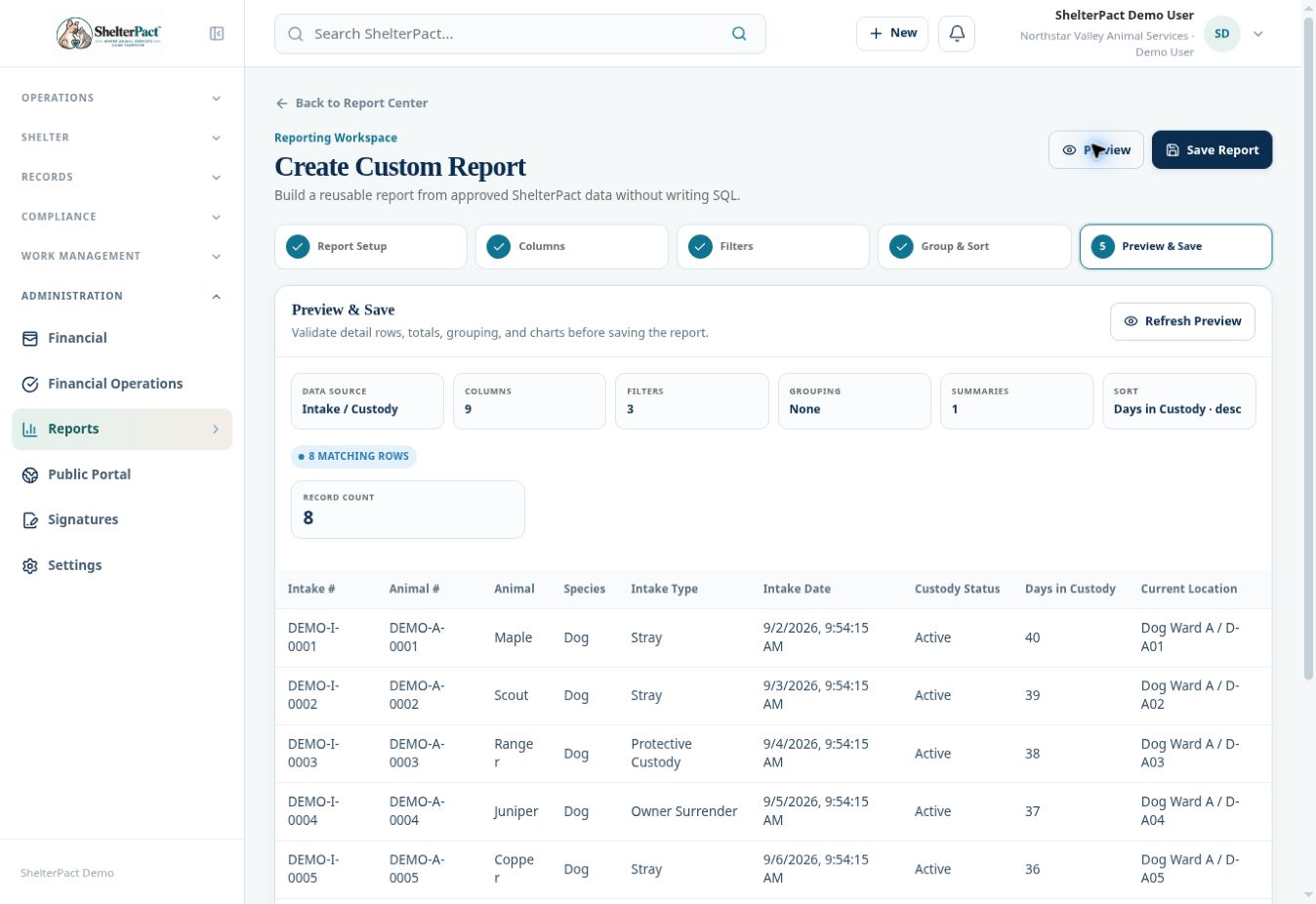
This example was previewed in the demo using Intake / Custody, three filters, and descending length-of-stay sorting. It provides a reproducible pattern for a practical operational report.
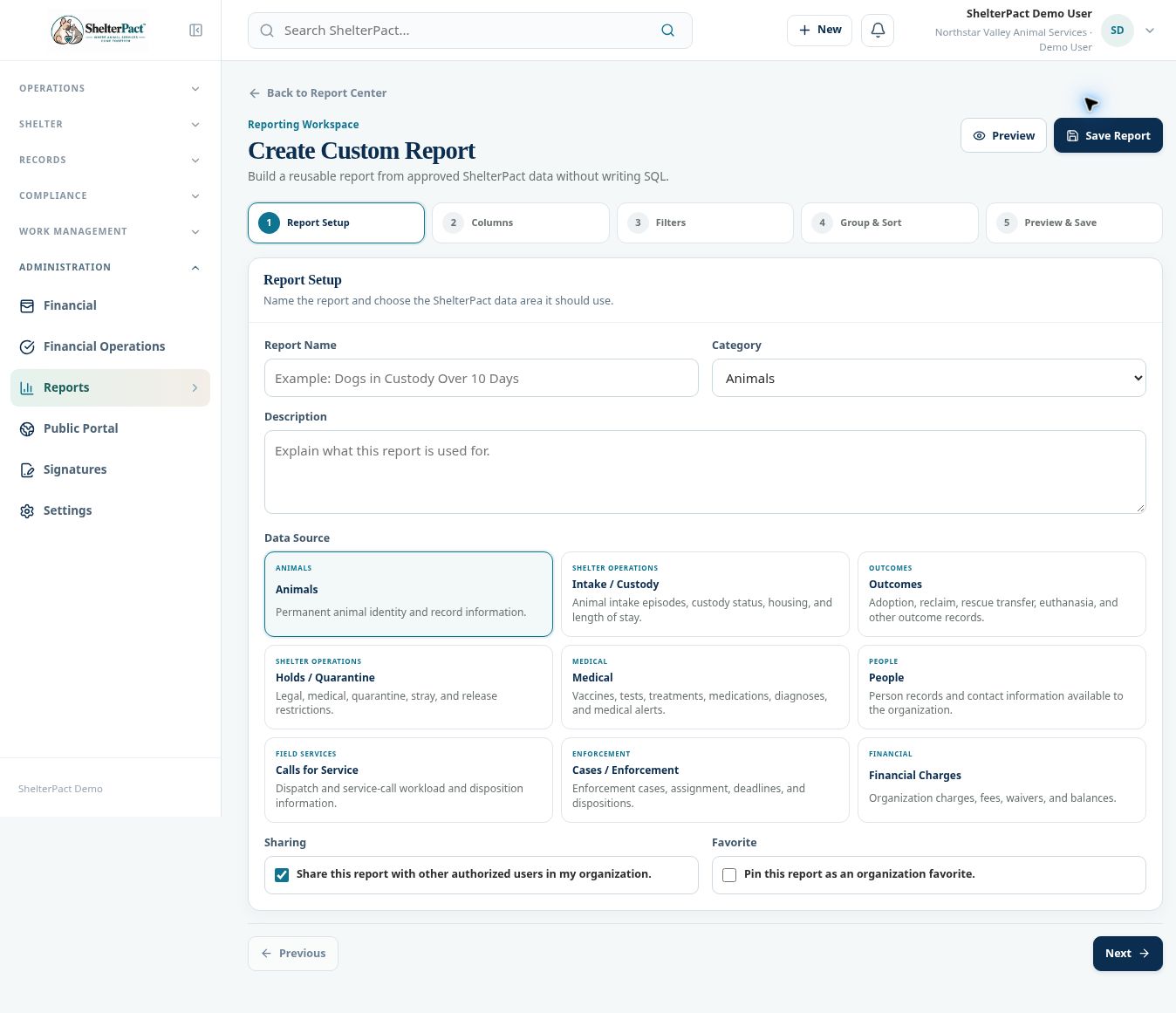
Before you beginOpen Report Center → Create Report. Use a meaningful report name and choose whether it should be shared with authorized organization users.
Step-by-step instructions
- At Report Setup, enter Dogs in Custody Over 10 Days, choose an appropriate category, and describe its purpose. Select Intake / Custody as the Data Source.
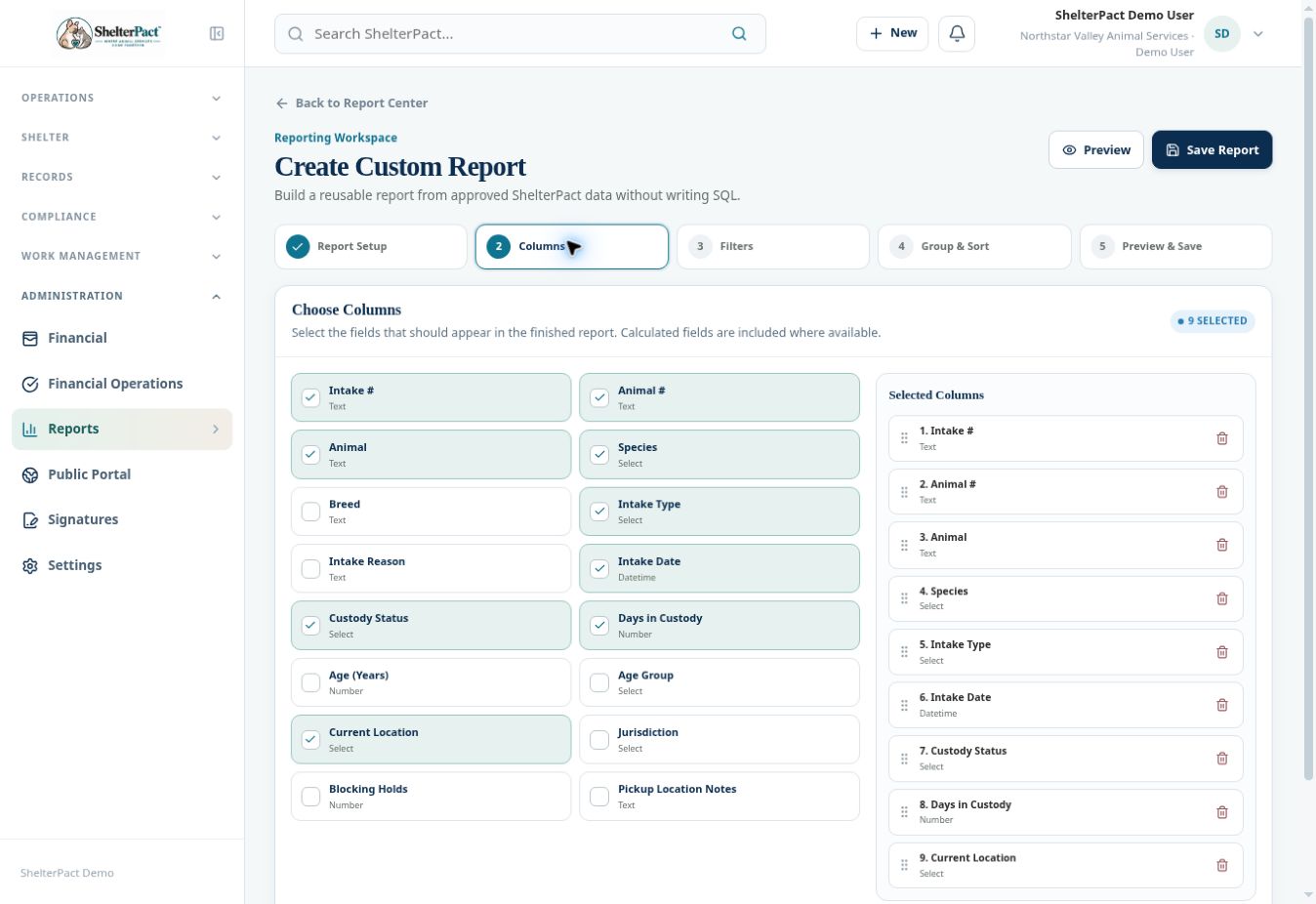
- At Columns, select the fields staff need: animal number/name, species, intake date, custody status, days in custody, and current location. The example retained the source’s default nine columns.
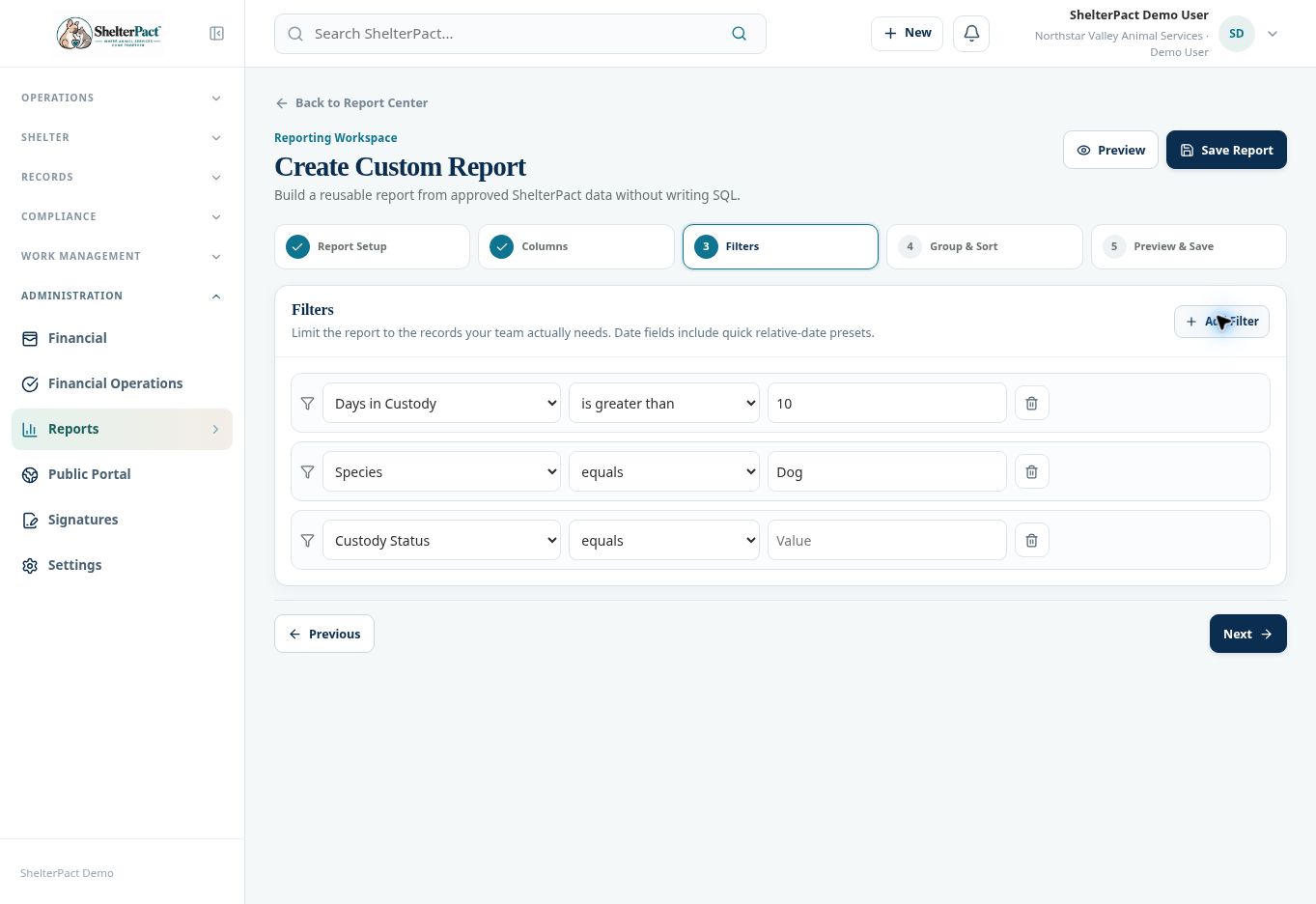
- At Filters, select Add Filter. Choose Days in Custody, is greater than, and enter 10.
- Add a second filter: Species equals Dog. Add a third: Custody Status equals Active.
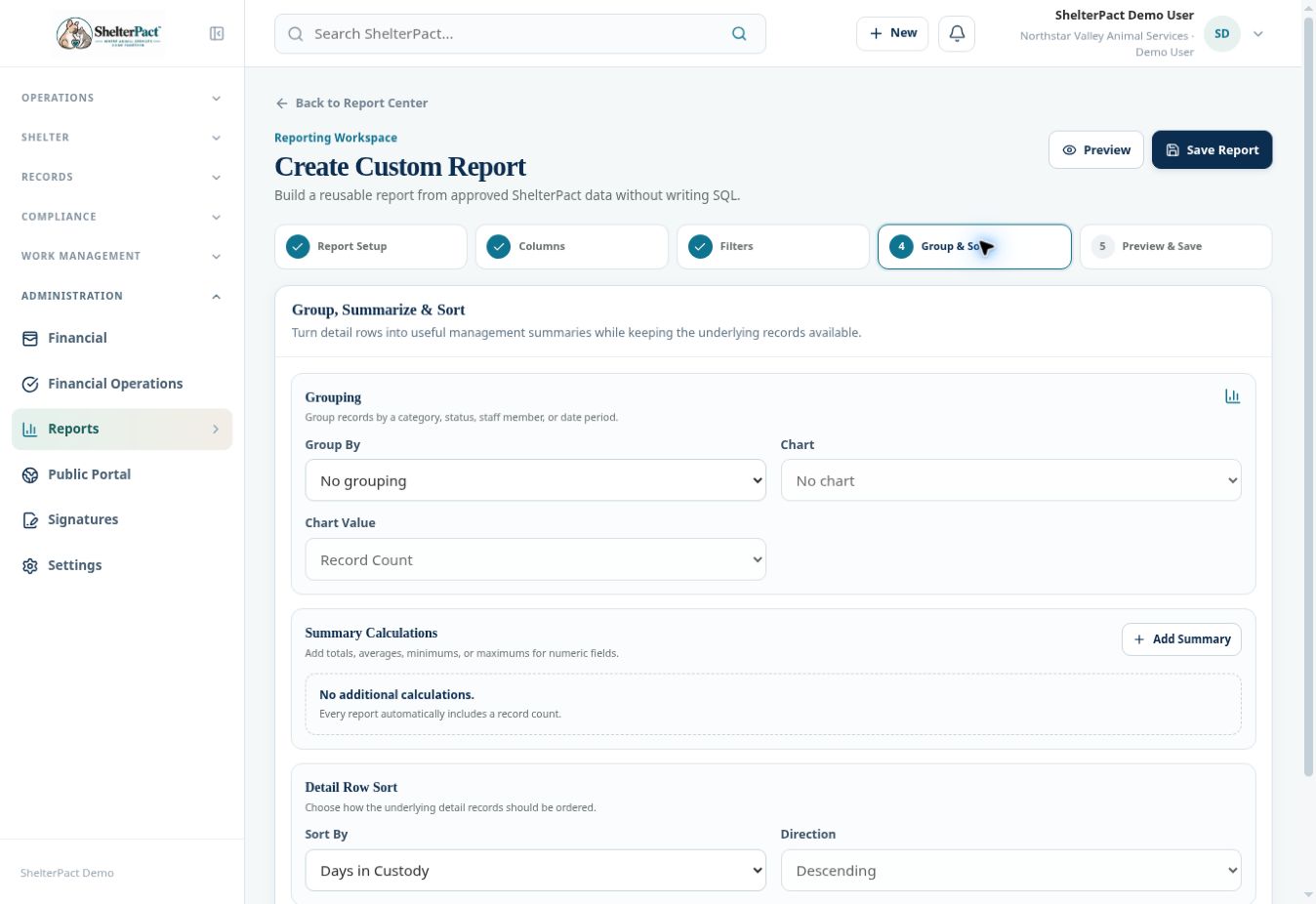
- At Group & Sort, leave Group By at No grouping for a detail list. Choose Sort By Days in Custody and Direction Descending.
- Select Preview. Review the source, columns, three filters, grouping, summaries, sort, matching rows, and record count.
- Check sample rows against their custody episodes. Dogs staying exactly 10 days are excluded by is greater than; use is at least for a different threshold.
- Choose sharing and favorite settings intentionally, then Save Report when the definition is ready. Reopen it from Report Center and confirm its result and name.
Fields and meanings
| Field / control | What to review |
|---|---|
| Data Source | Intake / Custody |
| Filter 1 | Days in Custody is greater than 10 |
| Filter 2 | Species equals Dog |
| Filter 3 | Custody Status equals Active |
| Sort | Days in Custody, Descending |
| Expected interpretation | A list of qualifying active episodes, not all historical dog identities. |
Screenshots
Practical checks
Demo counts change as data resets or records change. Verify the criteria and representative rows rather than expecting the same count in your organization.
Troubleshooting
| What you see | What to check |
|---|---|
| Historical outcomes appear | Confirm the Active custody filter and source. |
| Cats or other species appear | Confirm Species equals Dog rather than a broad text filter. |
| The result is empty | Check spelling, operators, and actual source values in known records. |