
Group, Summarize, and Chart Report Data
Grouping turns detail records into summaries while retaining the underlying rows. Choose the correct source and numeric fields before adding totals or averages.
Before you beginOpen a custom report or create one with the required columns and filters. Decide the question you want the summary to answer.
Step-by-step instructions
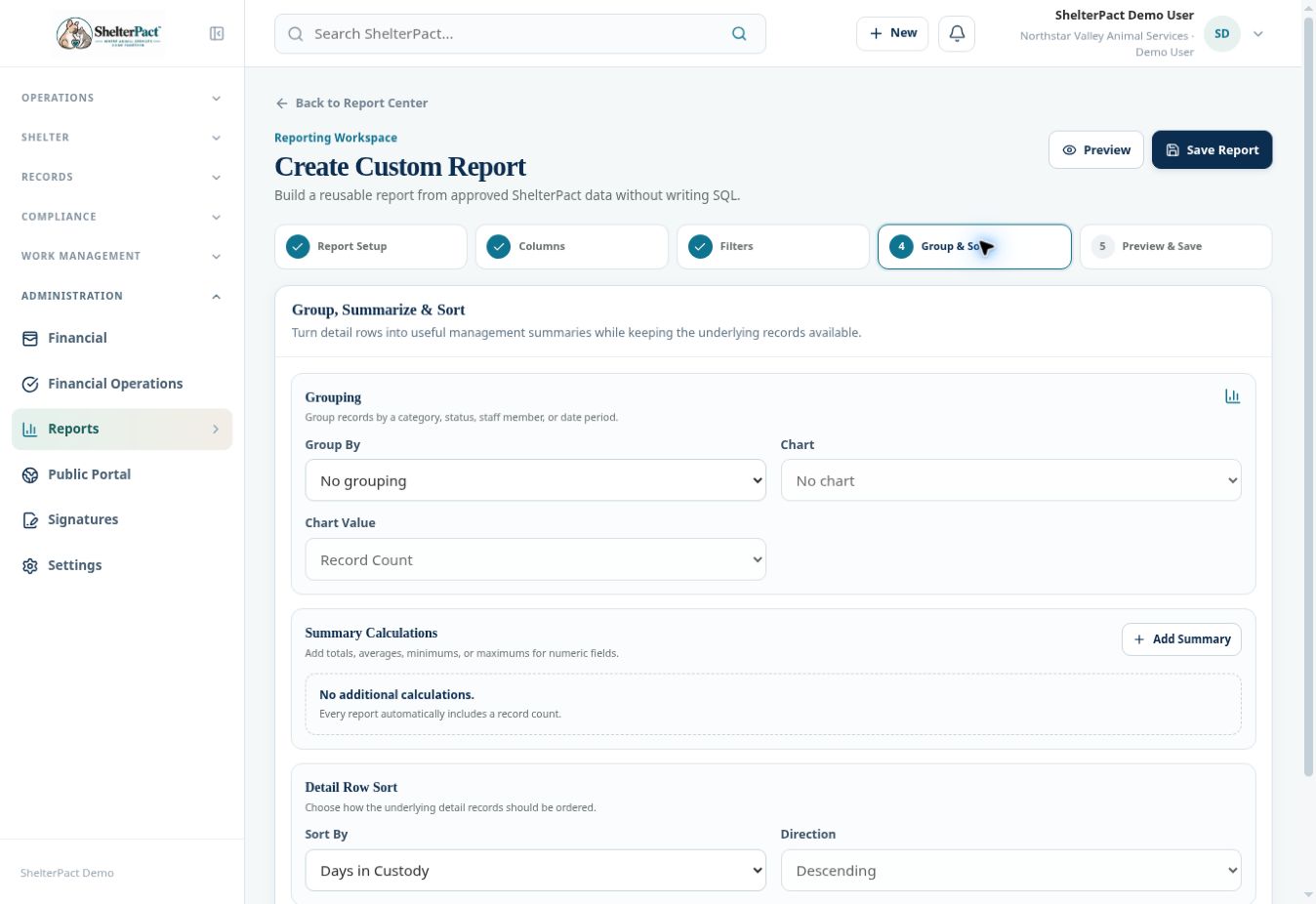
- At Group & Sort, select Group By, such as species, status, location, staff, or an available date period.
- Select Chart when a supported grouped chart is appropriate. The inspected builder provides No chart or Bar chart and a Chart Value selector.
- Use Add Summary for a supported total, average, minimum, or maximum on a numeric field. Record Count is included automatically.
- Select a detail-row Sort By and Direction so the supporting list remains understandable.
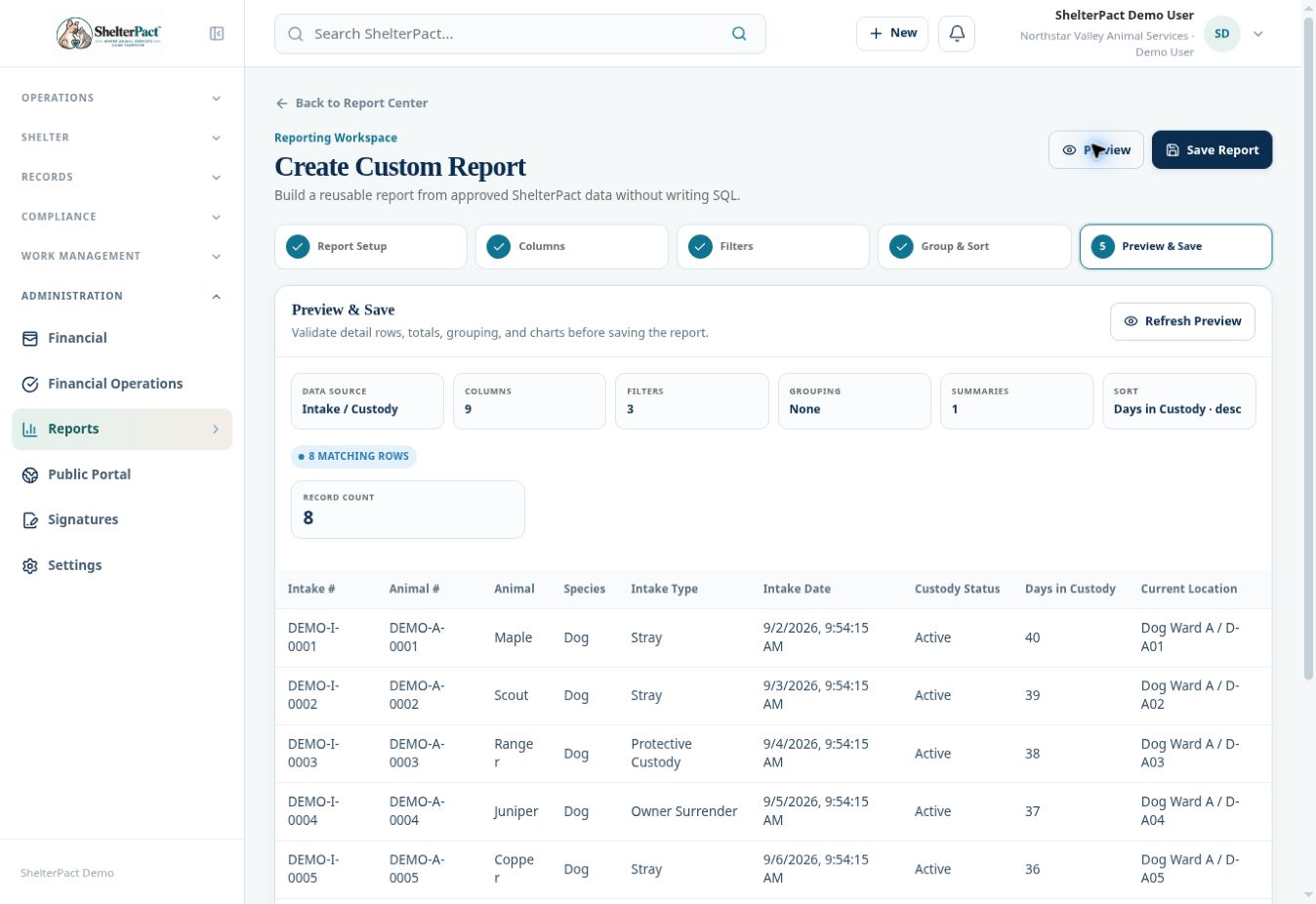
- Preview the report. Compare summary count and representative detail rows, and check whether a numeric measure represents days, an amount, or another unit.
- Verify that your source supports the intended interpretation. Financial Charges measures assessed charges and balances; it should not be described as a payment-collection report.
- Save only after summaries and charts answer the intended question. Give the report a description explaining its scope and units.
Screenshots
Practical checks
Summing days in custody is different from average length of stay. Choose the calculation that actually answers the question.
Troubleshooting
| What you see | What to check |
|---|---|
| Chart controls are disabled | Choose a supported grouping first. |
| A total seems too large | Review the source’s row unit, historical scope, filters, and the selected summary calculation. |