
Collect a Payment and Allocate It to Outstanding Items
Collect Payment reviews a person’s eligible outstanding items and creates one auditable receipt. Confirm the payer, selected charges, and amounts before recording anything.
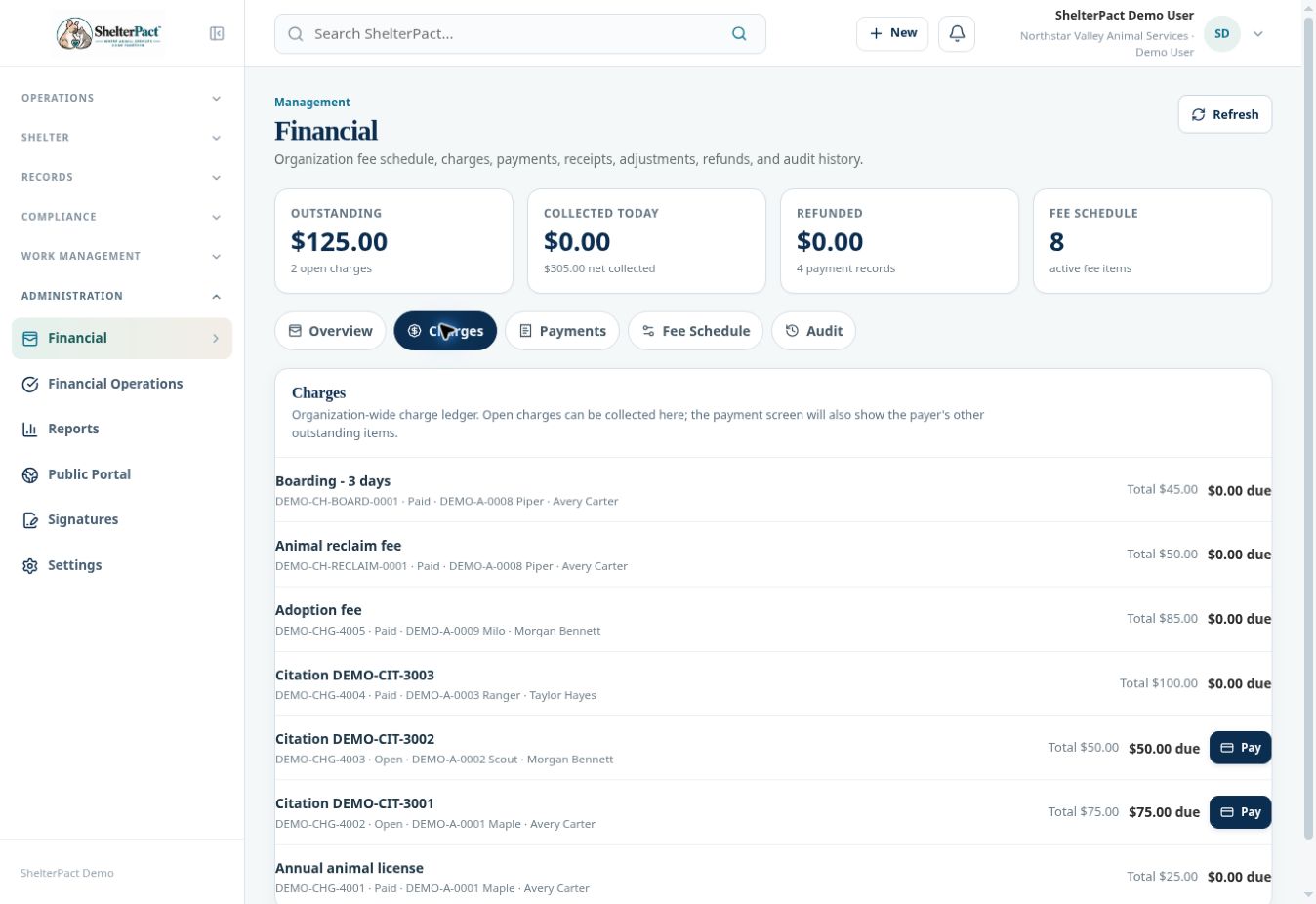
Before you beginOpen a Pay link from Financial, a linked record, or an eligible citation. Verify the actual payment according to your agency’s cashier process.
Step-by-step instructions
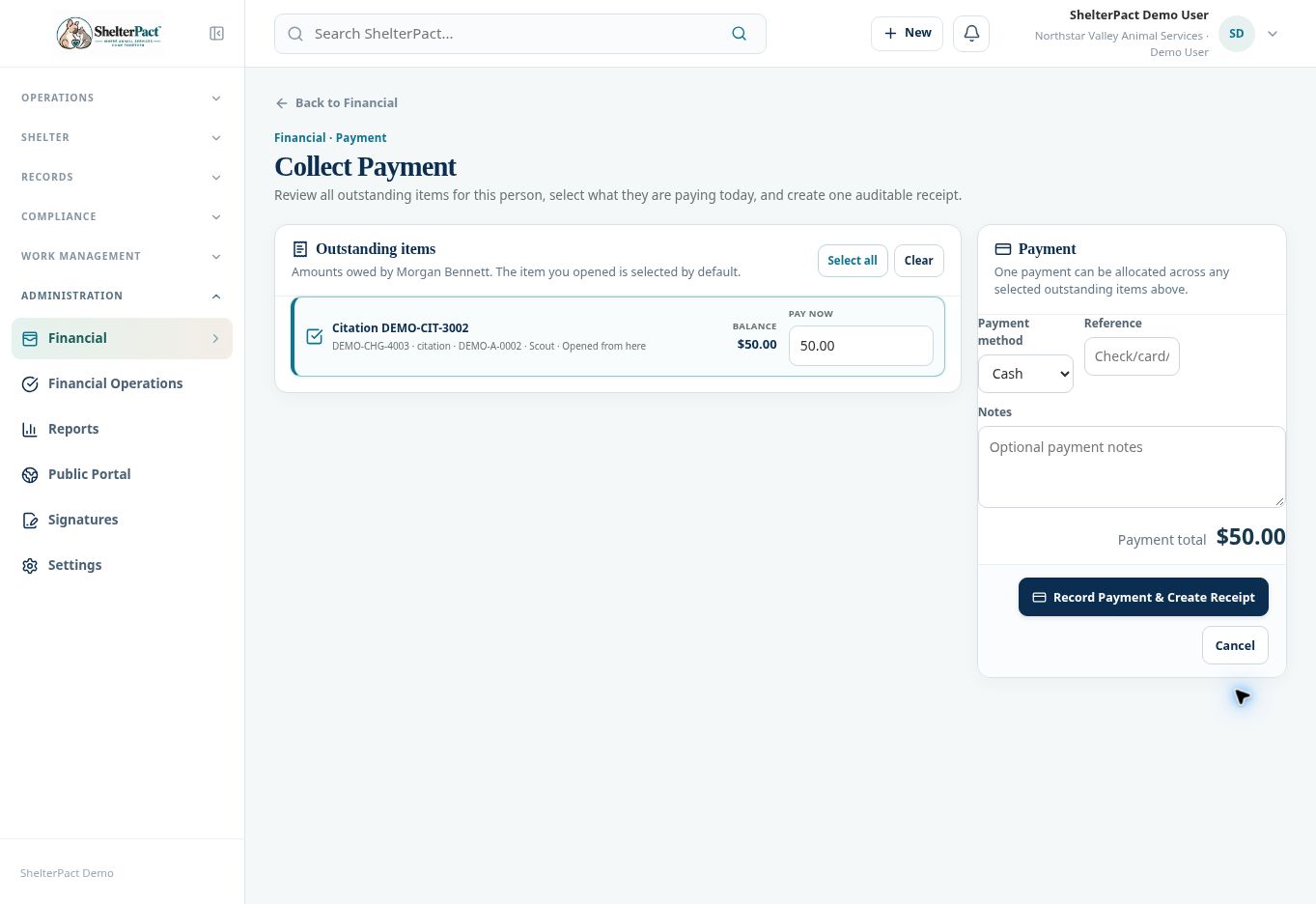
- Review the payer named on Collect Payment. Confirm this is the responsible person whose charges should be collected.
- Review Outstanding items. The charge used to open checkout is selected by default; use Select all or Clear only when those choices match what is being paid.
- Select the eligible items the person is paying today and review each Balance and Pay Now amount. For a partial collection, use the available amount control and verify the remaining balance.
- Choose Payment method and enter Reference and Notes as required by agency practice. Do not place card secrets or unnecessary personal information in a free-text reference.
- Review Payment total against the actual amount being recorded. Confirm the allocation for every selected charge.
- Select Record Payment & Create Receipt only after the payment details are correct and the cashier is authorized to record it.
- Review the resulting receipt and updated charges. Confirm the amount applied, outstanding balance, payer, method, and source records.
- Provide the receipt through the approved document process. Recording a card or online method in ShelterPact should not be assumed to mean an external payment processor has completed a transaction.
Screenshots
Practical checks
A payment for one person should not be used to collect another person’s unrelated charges.
Troubleshooting
| What you see | What to check |
|---|---|
| The total does not match the intended collection | Check every selected item and Pay Now amount before recording. |
| A charge is absent | Confirm its responsible person, balance, status, and eligibility; it may already be paid or voided. |
| Payment recording fails | Check visible errors and the ledger before retrying, to avoid a duplicate record. |