
Review Refunds, Voids, Waivers, and Adjustments
Use the correction matching the event: a refund relates to a recorded payment, while an adjustment or waiver changes an eligible charge. Preserve the original transaction and audit trail.
Before you beginConfirm the approved correction, original payment or charge, actual amount, reason, and any reconciliation restrictions. These instructions do not authorize a real money transfer.
Step-by-step instructions
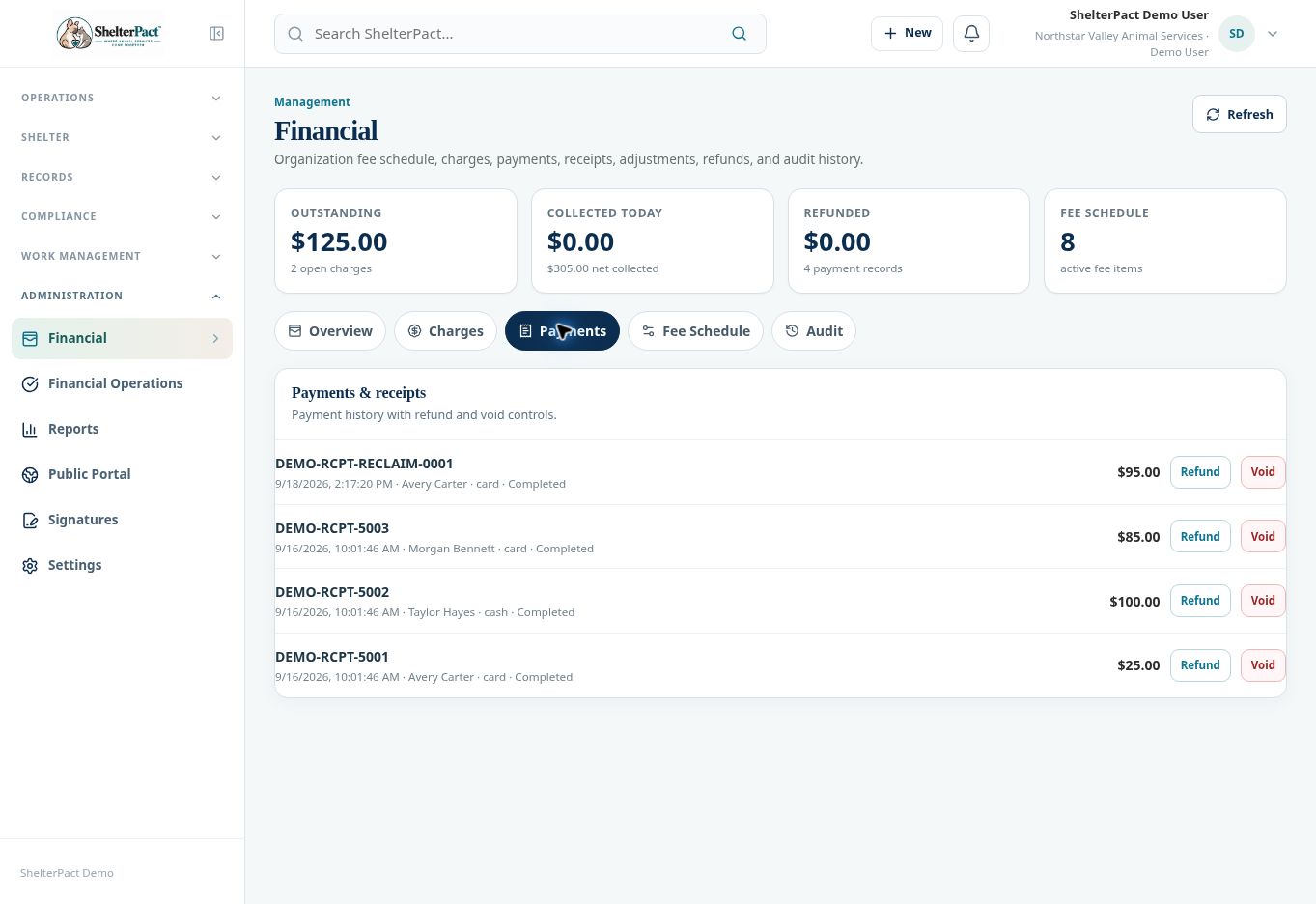
- Open Financial → Payments for the original receipt. Review payer, amount, date, allocations, status, and any existing refund history.
- Use Refund only for an approved refund and follow the displayed prompts. Review the amount and reason before final submission; cancel if the action or amount does not match the approval.
- Use Void only when the transaction meets your agency’s criteria for voiding. Read all confirmation information and preserve the record’s resulting status.
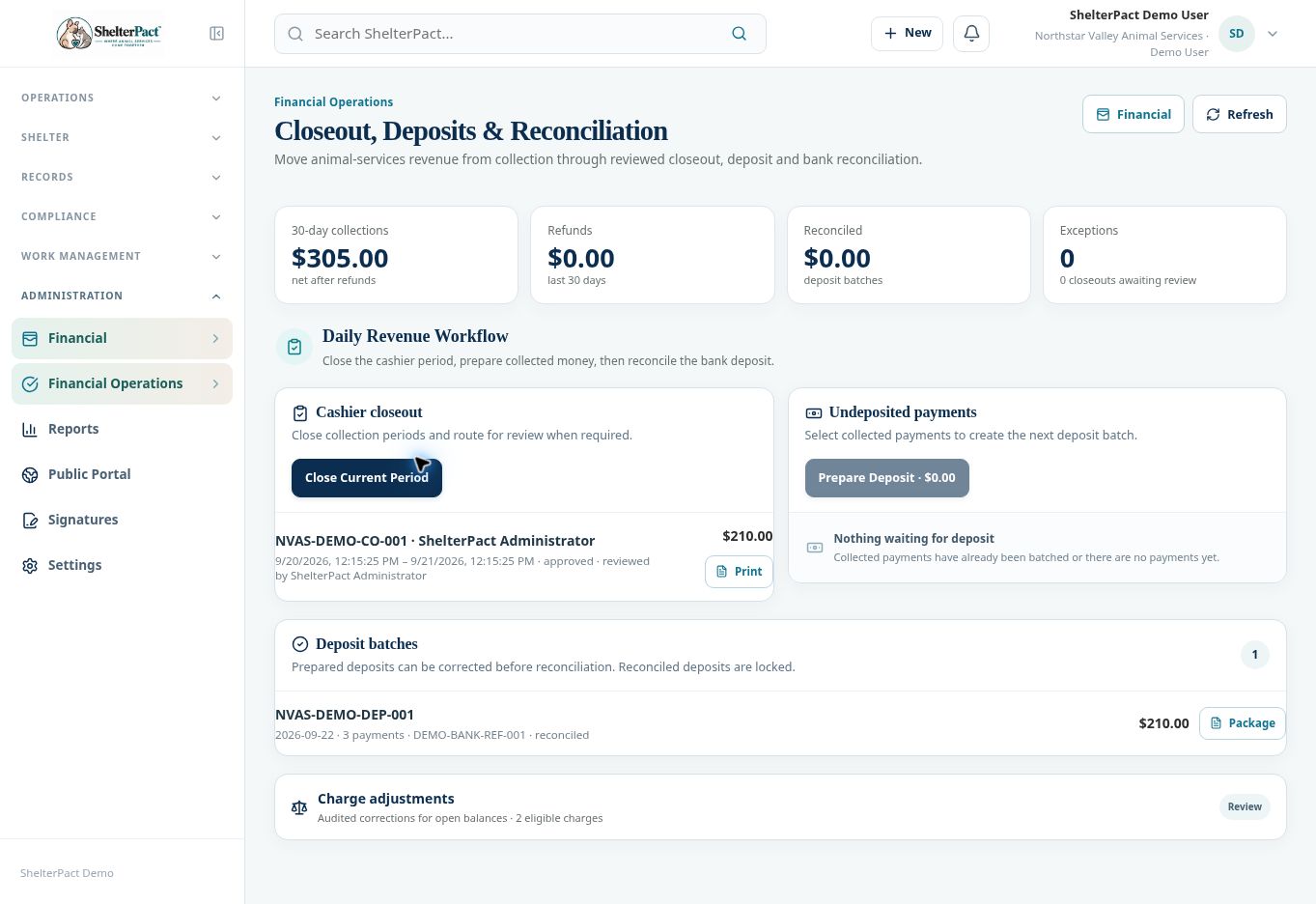
- For an open balance, open Financial Operations and expand Charge adjustments using Review. Select the eligible charge and Adjust.
- Follow the displayed adjustment controls and required audit reason. A waiver or correction should reflect the actual approved change, not hide a collection problem.
- Review the charge balance, payment status, refund amount, and source workflow after the action.
- Verify the financial audit history and any deposit or closeout effect. Review bank/processor handling separately when money must be returned outside the ledger.
Screenshots
Practical checks
Reconciled deposits are locked in the inspected workspace. Use the authorized correction route rather than rewriting reconciled history.
Troubleshooting
| What you see | What to check |
|---|---|
| A correction control is unavailable | Check role permission, status, remaining eligible amount, and reconciliation state. |
| The balance changed unexpectedly | Review allocation and correction history before attempting another action. |