
Understand Fees, Charges, Payments, and Review Status
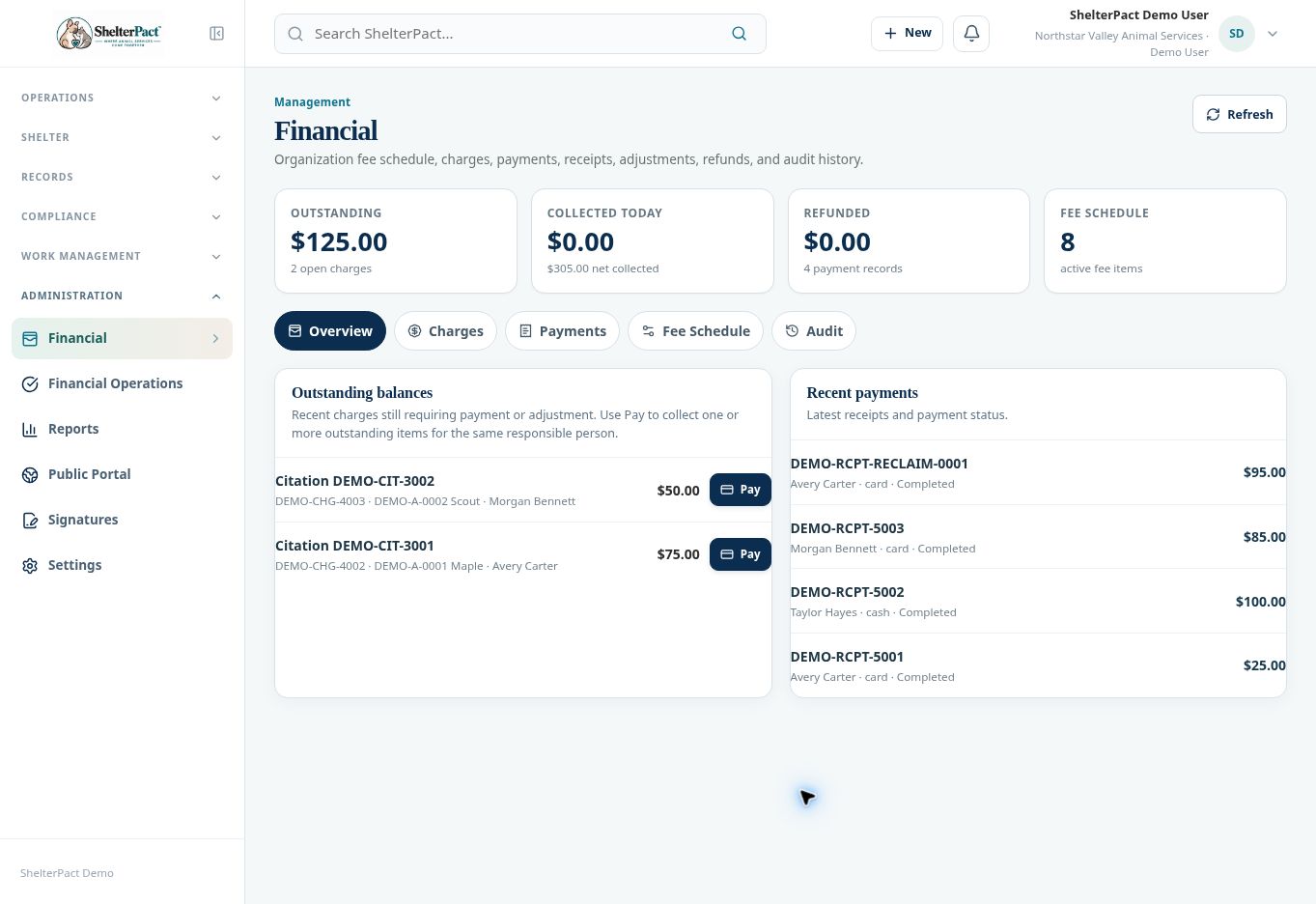
Financial distinguishes a fee definition, an actual charge, a payment allocation, and a receipt. Guided outcomes also require intentional financial review, even when no balance is due.
Before you beginOpen Administration → Financial. Confirm whether you are reviewing a fee policy or a specific person’s transaction.
Step-by-step instructions
- Use Overview to review outstanding balances and recent payments. Open Charges for actual amounts assessed against records.
- Open Fee Schedule for configured fees. A catalog fee is not automatically a charge against every related workflow.
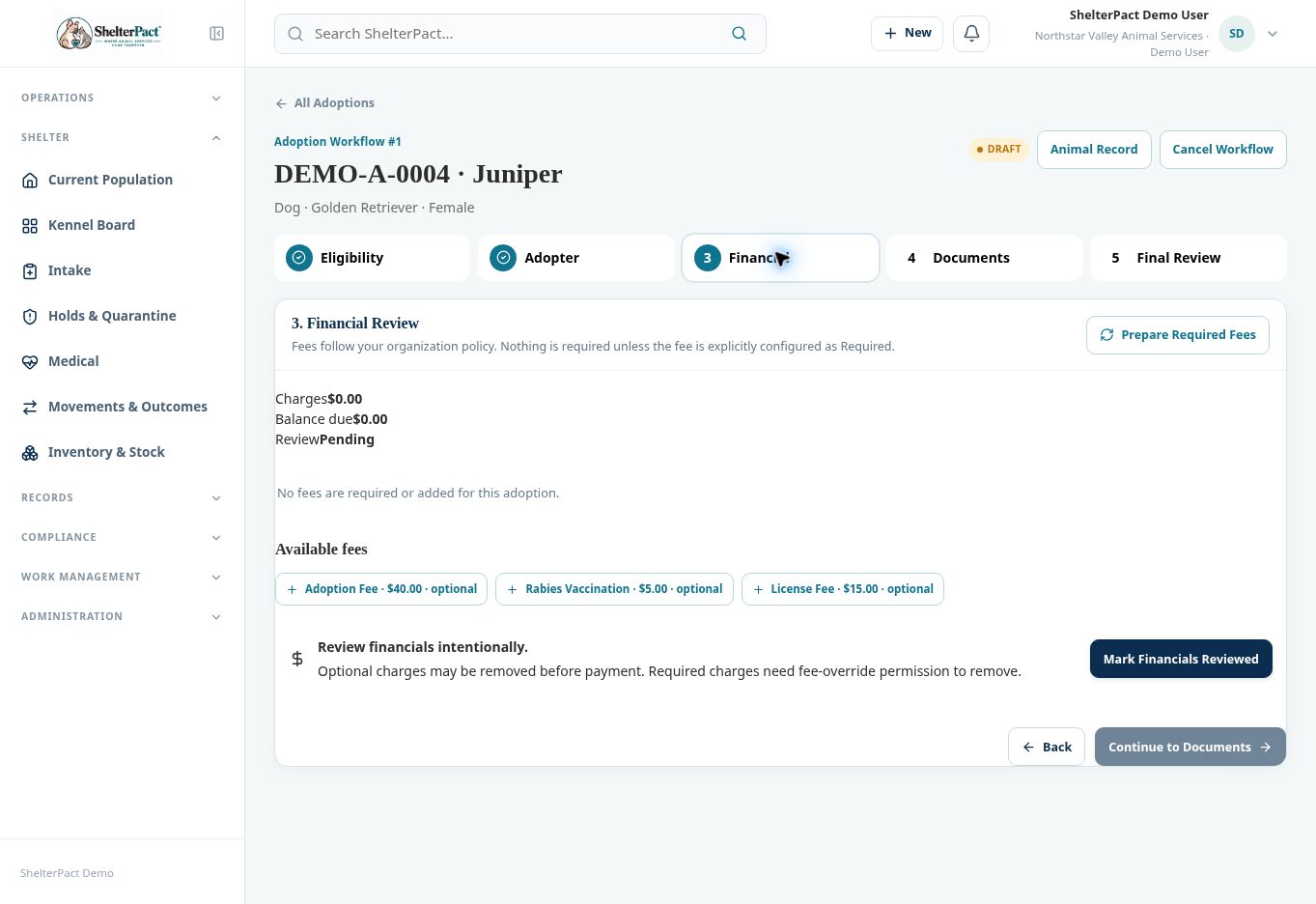
- Review how the fee behaves in the guided workflow: Optional, Required, Disabled, or a configured default. Required fees are prepared by the workflow; optional fees must be intentionally added when applicable.
- When a license, rabies certificate, citation, or movement workflow creates a charge, review the linked person, animal, and source event.
- Use Payments to review recorded receipts and their status. A payment can be allocated to one or more selected outstanding items for the same person.
- In guided adoption, reclaim, surrender, or transfer workflows, review financials and mark the step reviewed after resolving the applicable requirements.
- Review the source workflow and ledger after completion so amounts, review state, and outcome state agree.
Fields and meanings
| Field / control | What to review |
|---|---|
| Fee schedule item | A configured amount and workflow policy. |
| Charge | A specific amount assessed against a source event. |
| Payment allocation | The amount applied to selected charges. |
| Receipt | The auditable record of the recorded payment. |
| Financial review | An intentional workflow review; not simply a zero balance. |
Screenshots
Troubleshooting
| What you see | What to check |
|---|---|
| A fee exists but no charge was created | Review whether it is optional, disabled, or relevant to the workflow. |
| A paid workflow still shows review pending | Review the workflow’s separate financial-review step. |