
Configure Fees and Required Workflow Rules
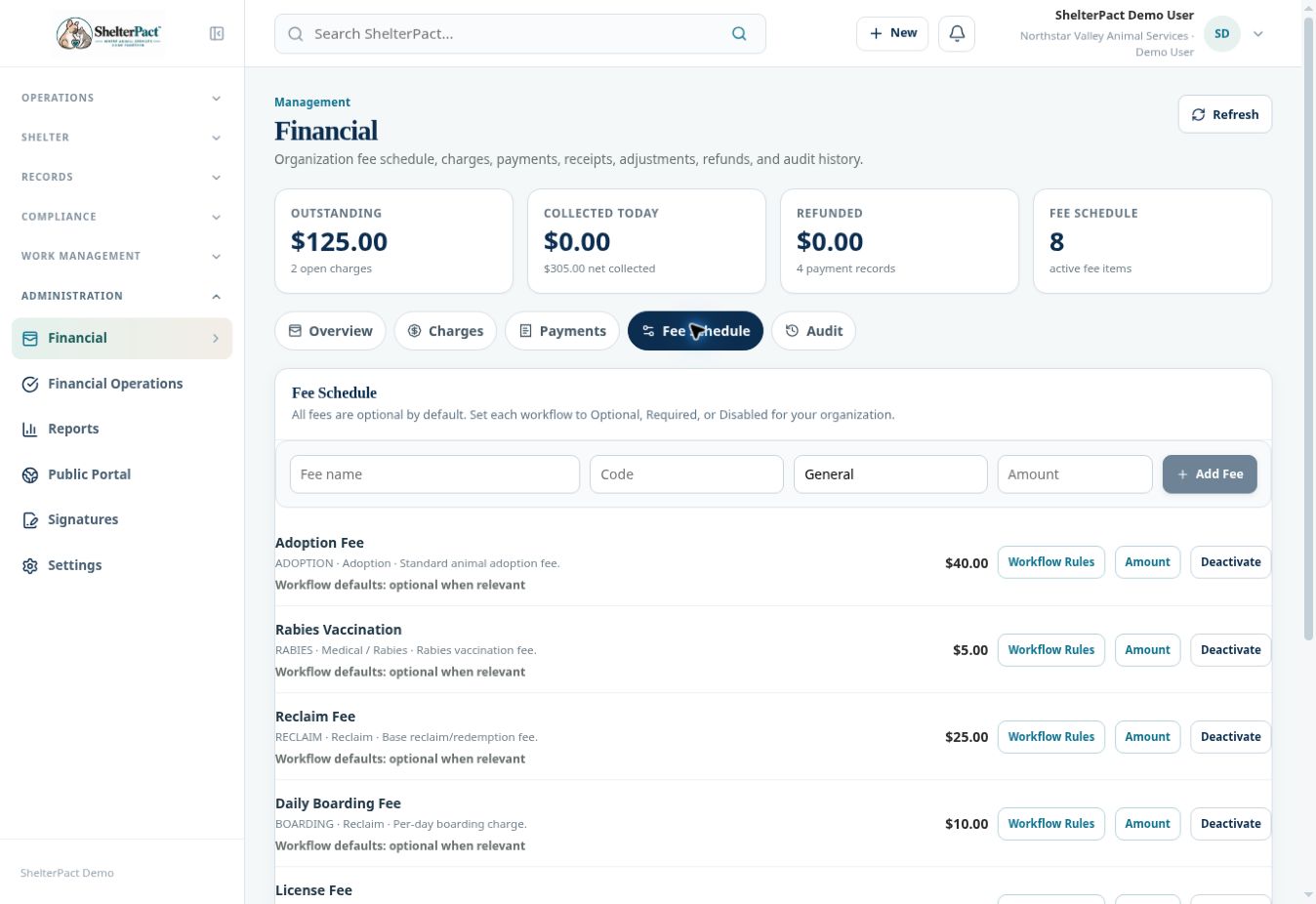
Fee Schedule controls the catalog and each guided workflow’s use of a fee. All fees are optional by default in the inspected interface unless explicitly configured otherwise.
Before you beginOpen Financial → Fee Schedule with the required management access. Confirm the approved fee amounts and when each should apply.
Step-by-step instructions
- Review existing fee code, category, description, amount, active state, and workflow defaults before adding another item.
- Use Add Fee for a genuinely new fee and Amount for an approved amount change, following the displayed controls.
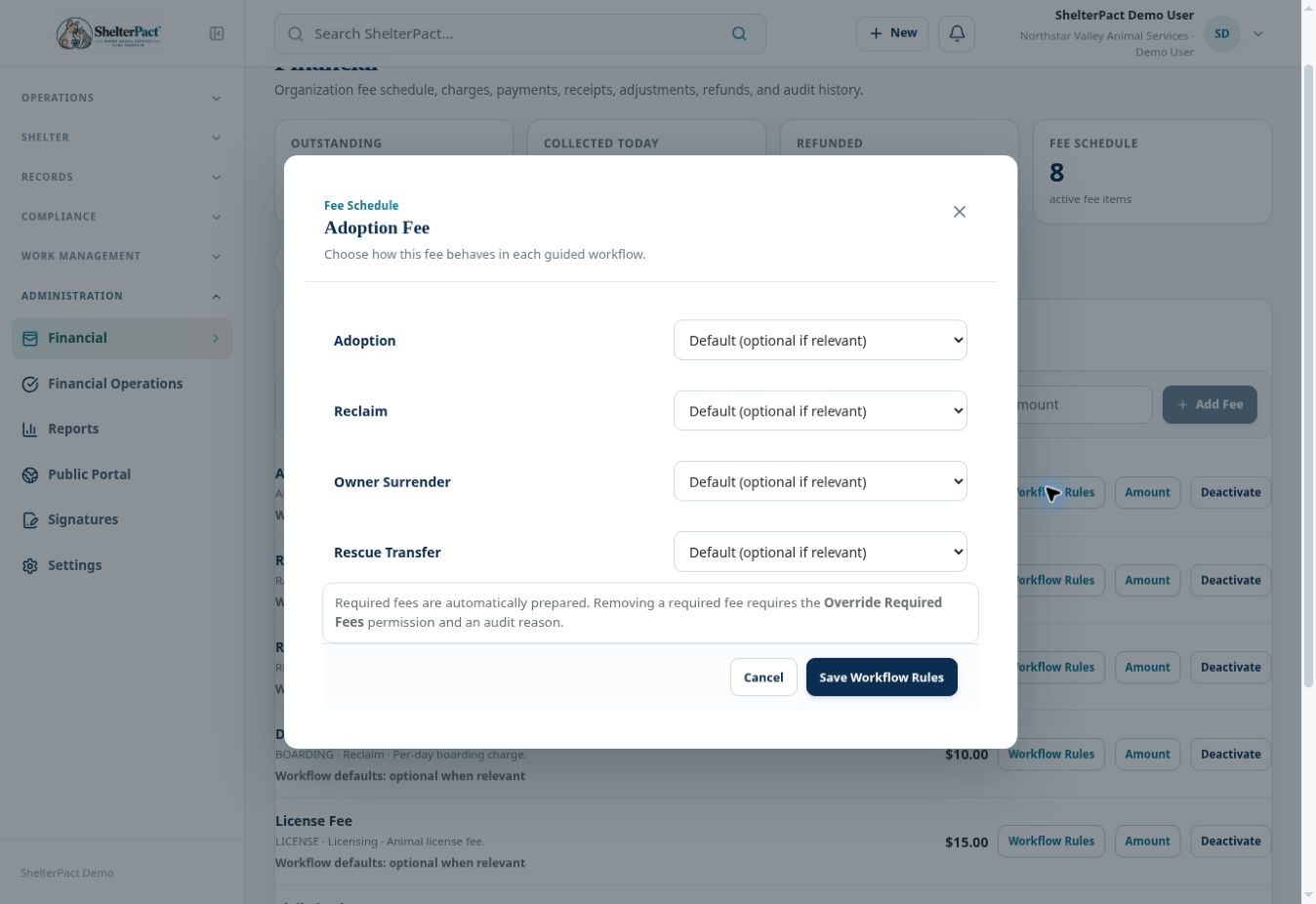
- Open Workflow Rules on the relevant fee. Review Adoption, Reclaim, Owner Surrender, and Rescue Transfer settings shown in that dialog.
- Choose Default, Optional, Required, or Disabled for each relevant workflow according to approved policy.
- Review the effect before Save Workflow Rules. Required fees are automatically prepared and require Override Required Fees permission and an audit reason to remove.
- Deactivate a fee only when it should no longer be used for new work. Review the effect on future workflow selections.
- Test the expected policy in a suitable nonproduction workflow before relying on it for live collection. Check the actual prepared charges and review requirements.
Screenshots
Practical checks
Marking a fee Required changes workflow requirements; it should be an intentional approved policy decision.
Troubleshooting
| What you see | What to check |
|---|---|
| A required fee cannot be removed | Use the authorized override process and required reason, or resolve the policy issue with an administrator. |
| An optional fee was not prepared | That is expected unless it was intentionally added or configured as required. |