
Search Records and Read Status, Custody, and History
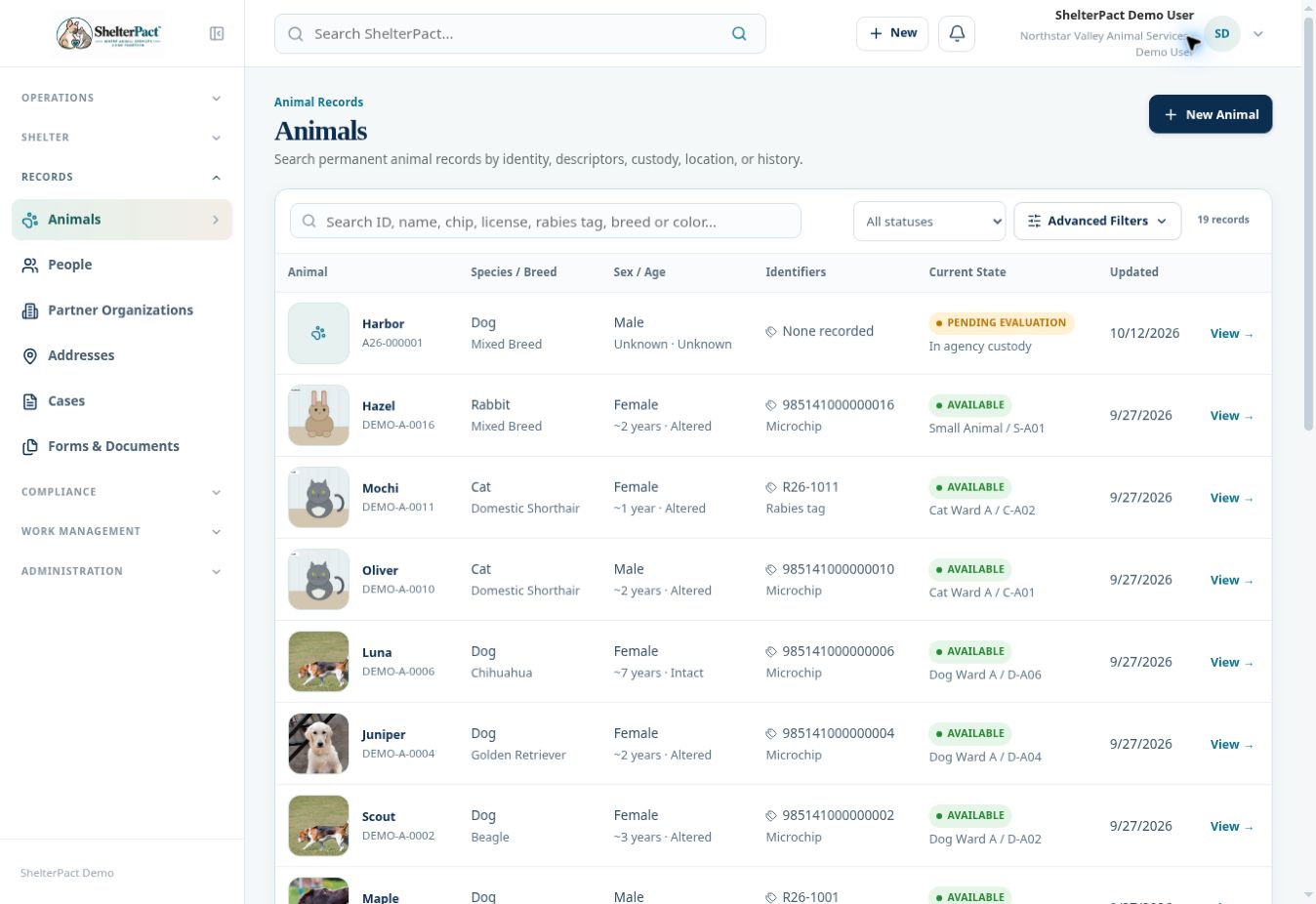
Finding the right existing record prevents duplicate identities and fragmented history. Search broadly first, then confirm identity using more than a name.
Before you beginGather available identifiers, contact details, or record numbers. Names alone may not uniquely identify an animal or person.
Step-by-step instructions
- Use Search ShelterPact in the top bar when you do not know the record type. Enter a meaningful search term and submit the search.
- For a known record type, open Animals, People, Calls for Service, or Cases and use its local search field.
- Reset restrictive filters if needed. Check all relevant statuses and date ranges before concluding that a record does not exist.
- Open the candidate record. Compare the record number, identifiers, descriptors, contact information, and related history against the information you have.
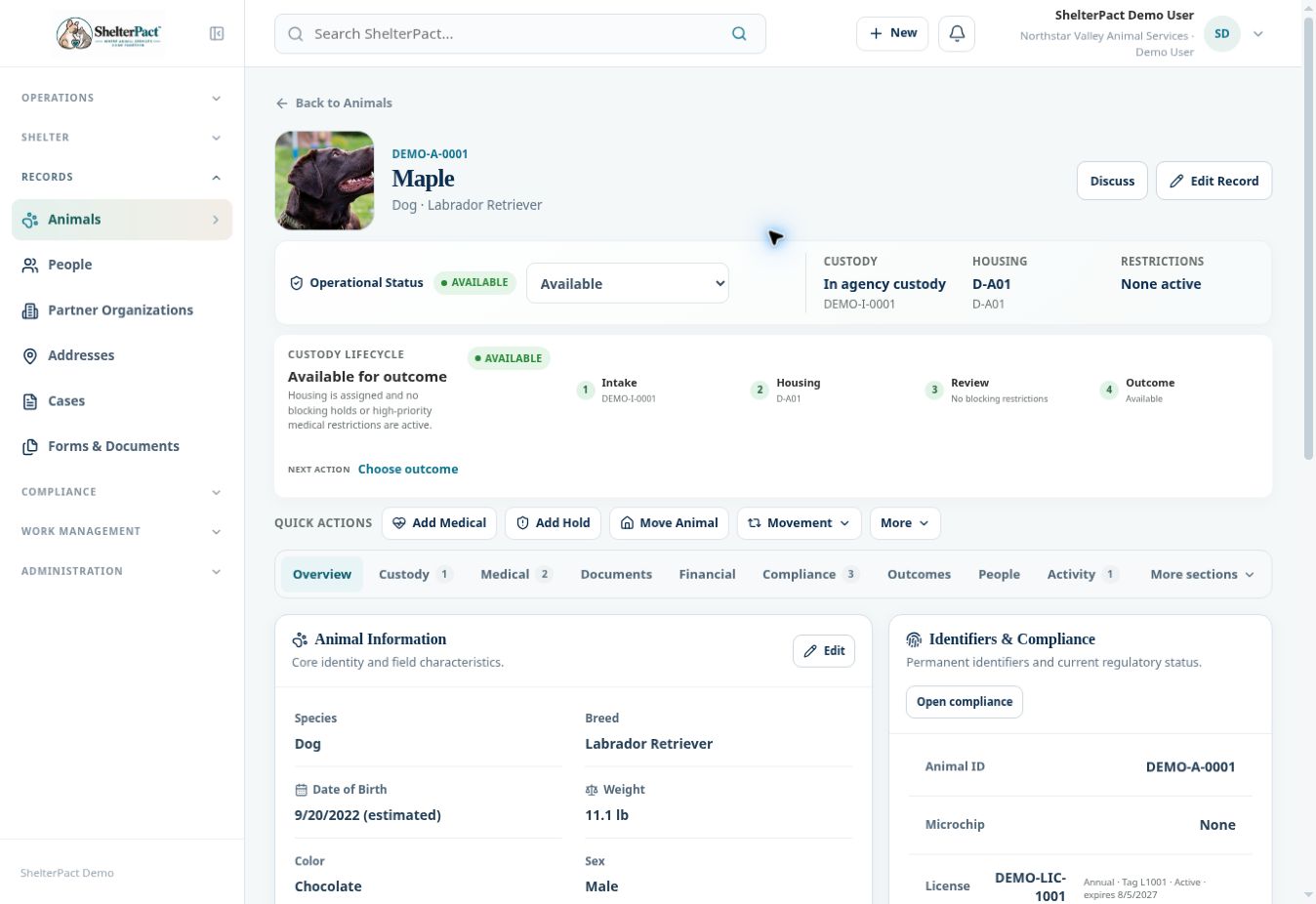
- On an animal record, read Operational Status, Custody, Housing, and Restrictions separately. These describe different aspects of the animal’s current state.
- Use record sections to review details. More sections on an animal record exposes holds, housing, cases and calls, tasks and diary, and media.
- Use Activity or Timeline to review recorded events. When an operational event repeats, reuse the permanent identity and create the appropriate new event or episode.
Screenshots
Practical checks
Creating an animal record does not by itself create a custody episode. Changing a status does not replace a completed outcome.
Troubleshooting
| What you see | What to check |
|---|---|
| The animal is absent from Current Population | Search Animals and review whether it has an active custody episode. |
| Two possible records match | Resolve the identity before creating or attaching new information; this guide does not describe a record-merge operation. |