
Use the Dashboard to Review Daily Priorities
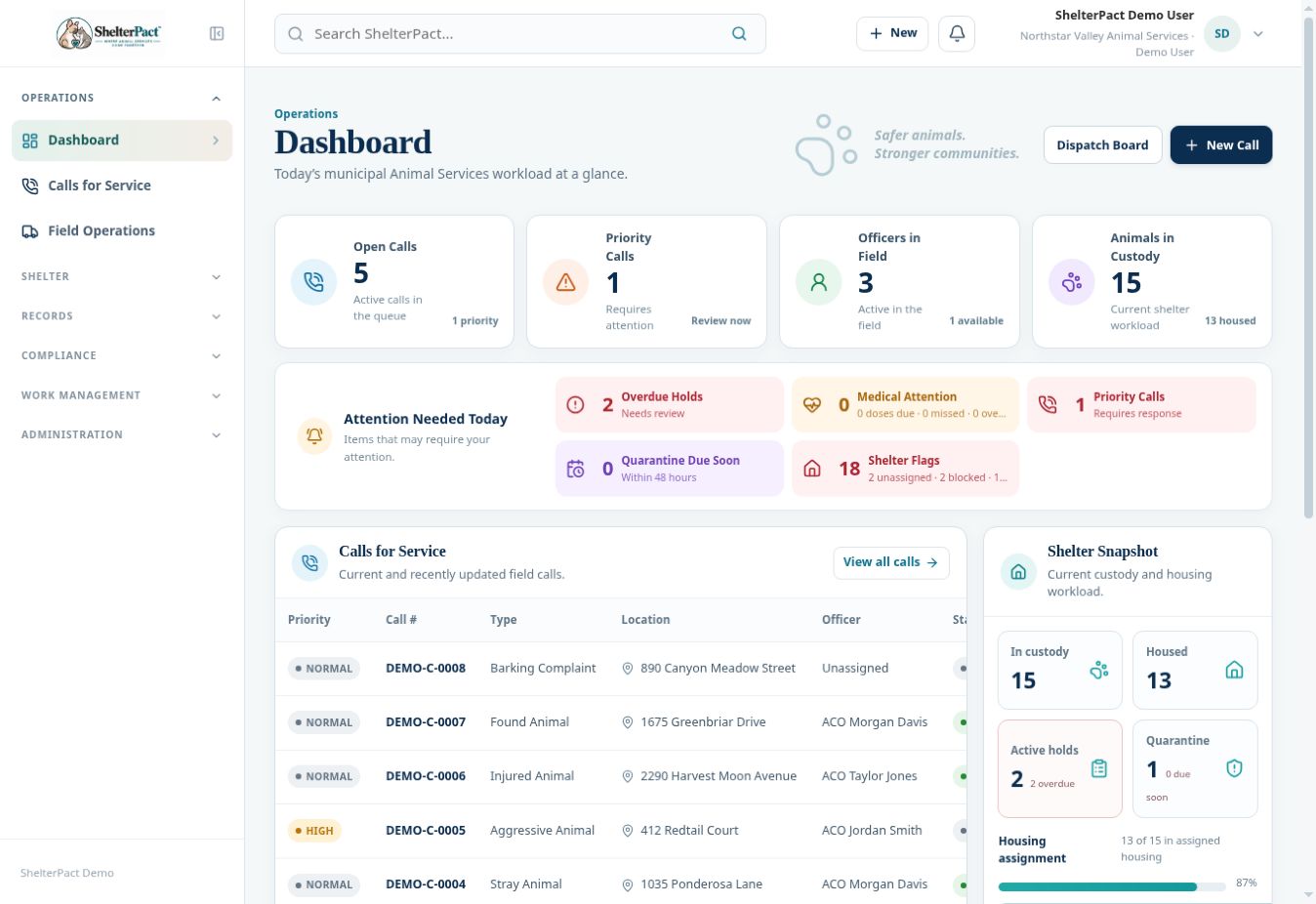
Dashboard summarizes field workload and current shelter work. Its attention cards are shortcuts into operational queues, not a replacement for reviewing the underlying records.
Before you beginOpen Operations → Dashboard. Refresh a destination workspace if you need to confirm its latest state.
Step-by-step instructions
- Review Open Calls, Priority Calls, Officers in Field, and Animals in Custody to understand the current workload.
- Open an Attention Needed Today item such as overdue holds, medical attention, priority calls, quarantine, or shelter flags. Review the affected records and required action.
- Use Calls for Service to open a recent call. Check its actual status, assignment, and narrative before making a dispatch decision.
- Review Shelter Snapshot for custody, housing assignment, active holds, and quarantine. Open Shelter Operations to investigate unassigned housing or blocked outcomes.
- Review Today’s Tasks and follow each record link. Identify who is responsible and what evidence or follow-up is needed.
- Review Recent Dispatch Activity to understand recorded changes. Users Online Now indicates recent activity; it does not guarantee that a staff member is available for a new assignment.
Screenshots
Practical checks
Several flags can apply to one animal. Do not interpret an attention-flag total as a count of unique animals.
Troubleshooting
| What you see | What to check |
|---|---|
| A total differs from a register | Check filters, whether a total counts flags or records, and whether the register includes historical items. |
| A deadline is overdue | Open the record and document the appropriate follow-up; do not simply change the date to remove the flag. |