
Create a Medication Regimen and Review Its Schedule
A Medication entry can create recurring administrations using a first dose time, duration, and frequency. Review the schedule before saving so it matches the provider’s order.
Before you beginHave the prescribed medication, dose, route, start, frequency, duration, and provider information available. Open New Medical Entry.
Step-by-step instructions
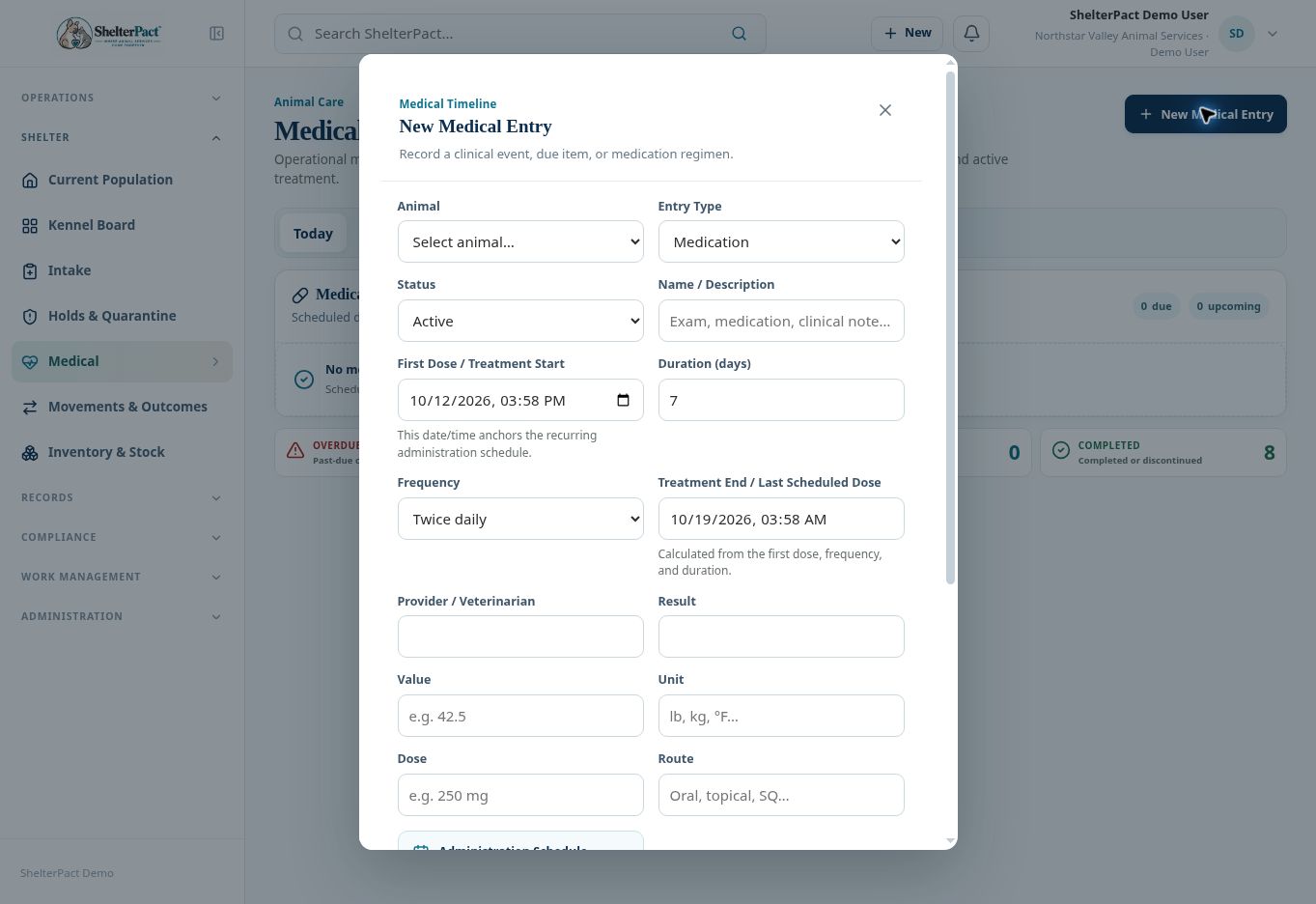
- Confirm the Animal and choose Entry Type Medication. Review the resulting Status, which switches to Active in the inspected form.
- Enter Name / Description and First Dose / Treatment Start. The start date and time anchors the recurring schedule.
- Enter Duration (days) and Frequency. The form provides once, twice, or three times daily, hourly intervals, and As needed options.
- Review Treatment End / Last Scheduled Dose, which is calculated from the selected start, duration, and frequency.
- Enter Provider / Veterinarian, Dose, Route, Result where relevant, and Notes. Confirm the dose and route against the authorized instructions.
- Read Administration Schedule Preview. Verify the frequency, duration, number of scheduled doses, first time, and last time before saving.
- Select Save Medical Entry. Review the regimen in Medical Records and its MAR. Use Today to review administrations due now or within the next eight hours.
- Use an authorized edit or discontinuation when the provider changes the treatment. Preserve history rather than replacing the animal identity or erasing completed administrations.
Screenshots
Practical checks
A schedule is not proof that a dose was administered. Record each administration through the available administration controls.
Troubleshooting
| What you see | What to check |
|---|---|
| The dose count is unexpected | Review the start time, duration, and frequency; do not accept the preview without checking it. |
| An old regimen is overdue | Review its actual treatment state and administration history before completing or discontinuing it. |