
Review Due Care and the Medication Administration Record
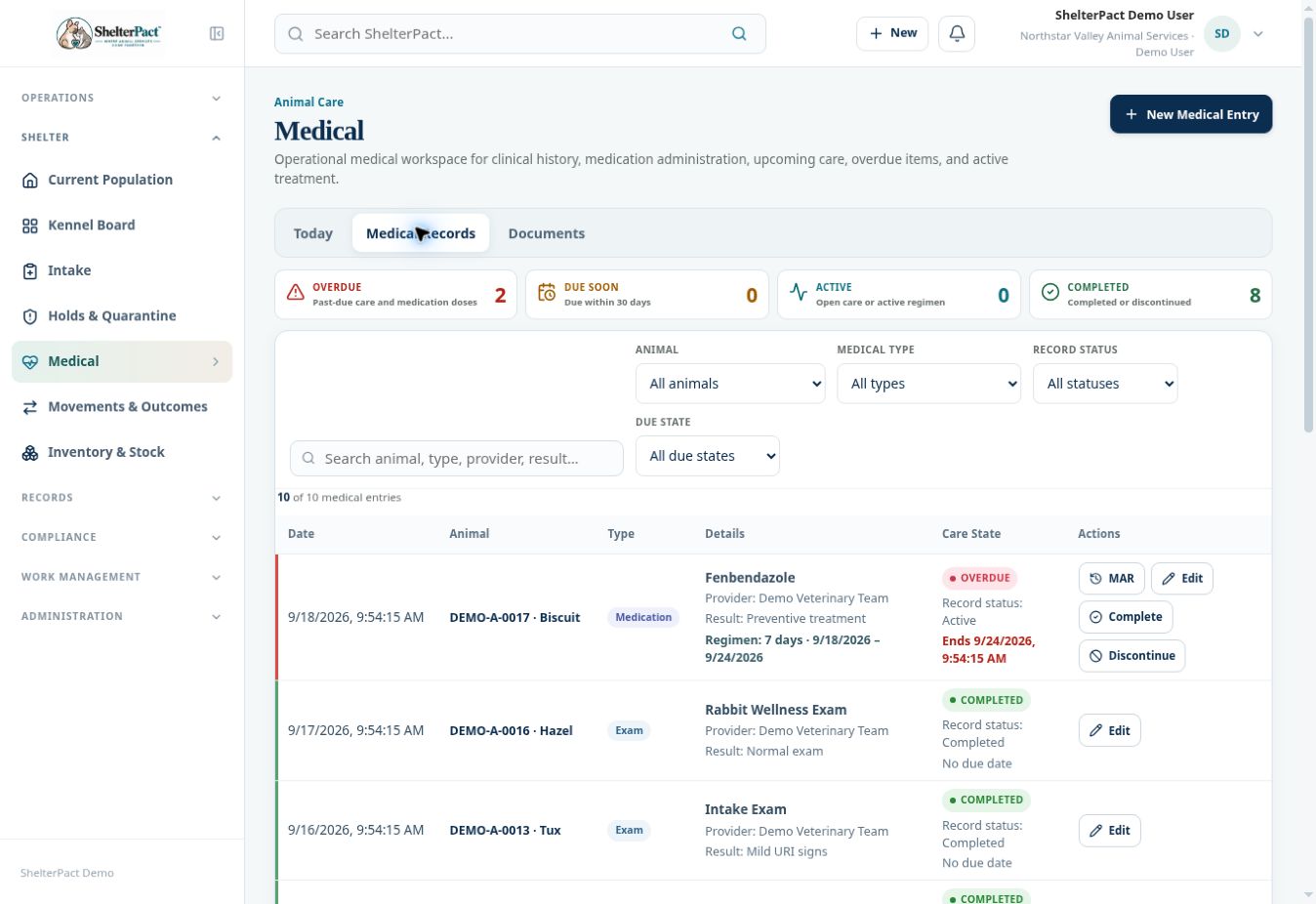
Today and Medical Records support daily care review. MAR shows administration history for a medication regimen, while the care-state summary highlights overdue and upcoming work.
Before you beginOpen Medical and confirm the animal and medication before recording any administration. Check provider instructions and existing entries to avoid duplicate recording.
Step-by-step instructions
- On Today, review Medication Administration for doses due now and within the next eight hours. Review Overdue, Due Soon, Active, and Completed summaries.
- Use Medical Records to filter by Animal, Medical type, Record status, and Due state. Search name, provider, type, or result as needed.
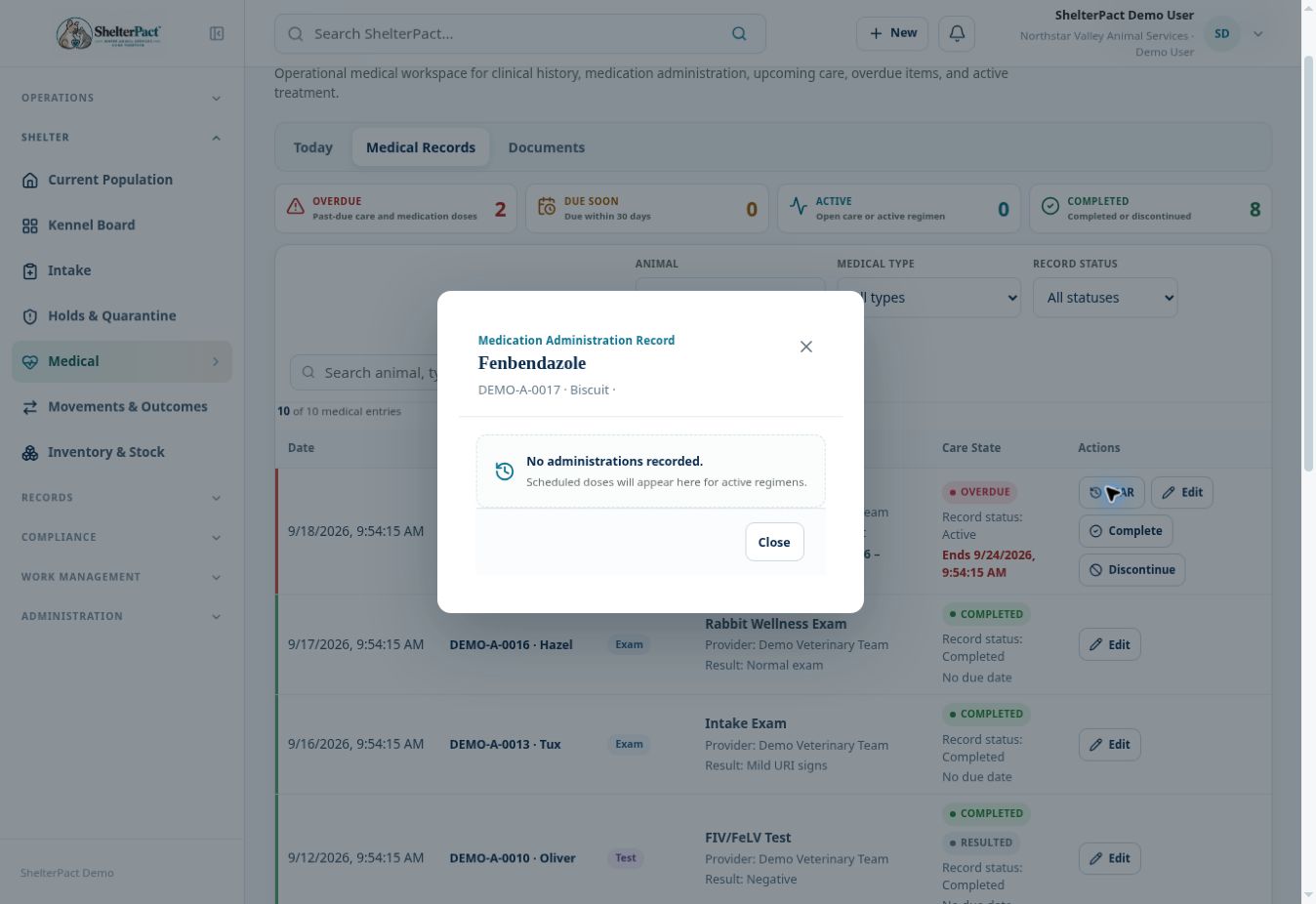
- Open MAR for a Medication row to review scheduled doses and administration history.
- Where a due administration is shown, use its available recording control to document the actual event, time, and required details. Record only what occurred; use appropriate unavailable/not-given handling where provided by the workflow.
- Confirm the administration appears in MAR and review any linked stock use. Do not separately deduct the same medication twice.
- Use Complete or Discontinue on the regimen only when the treatment status should change under the provider’s direction or agency process. Review the result afterward.
Screenshots
Practical checks
The inspected older demo regimens do not display current scheduled administration rows. A MAR with no recorded administrations should not be read as proof of completed treatment.
Troubleshooting
| What you see | What to check |
|---|---|
| Today has no doses but an old regimen is overdue | Review its dates and MAR; old or ended schedules can still need clinical reconciliation. |
| A dose seems duplicated | Review the recorded event and linked inventory transaction before making a correction. |