
Record a Vaccination and Issue a Rabies Certificate
Rabies Compliance creates a certificate record and a linked Vaccine entry in the animal’s clinical history. A generic vaccine note does not necessarily create the compliance certificate.
Before you beginOpen Compliance → Rabies Compliance. Have the animal, provider, vaccine details, lot, vaccination date, and approved duration information available.
Step-by-step instructions
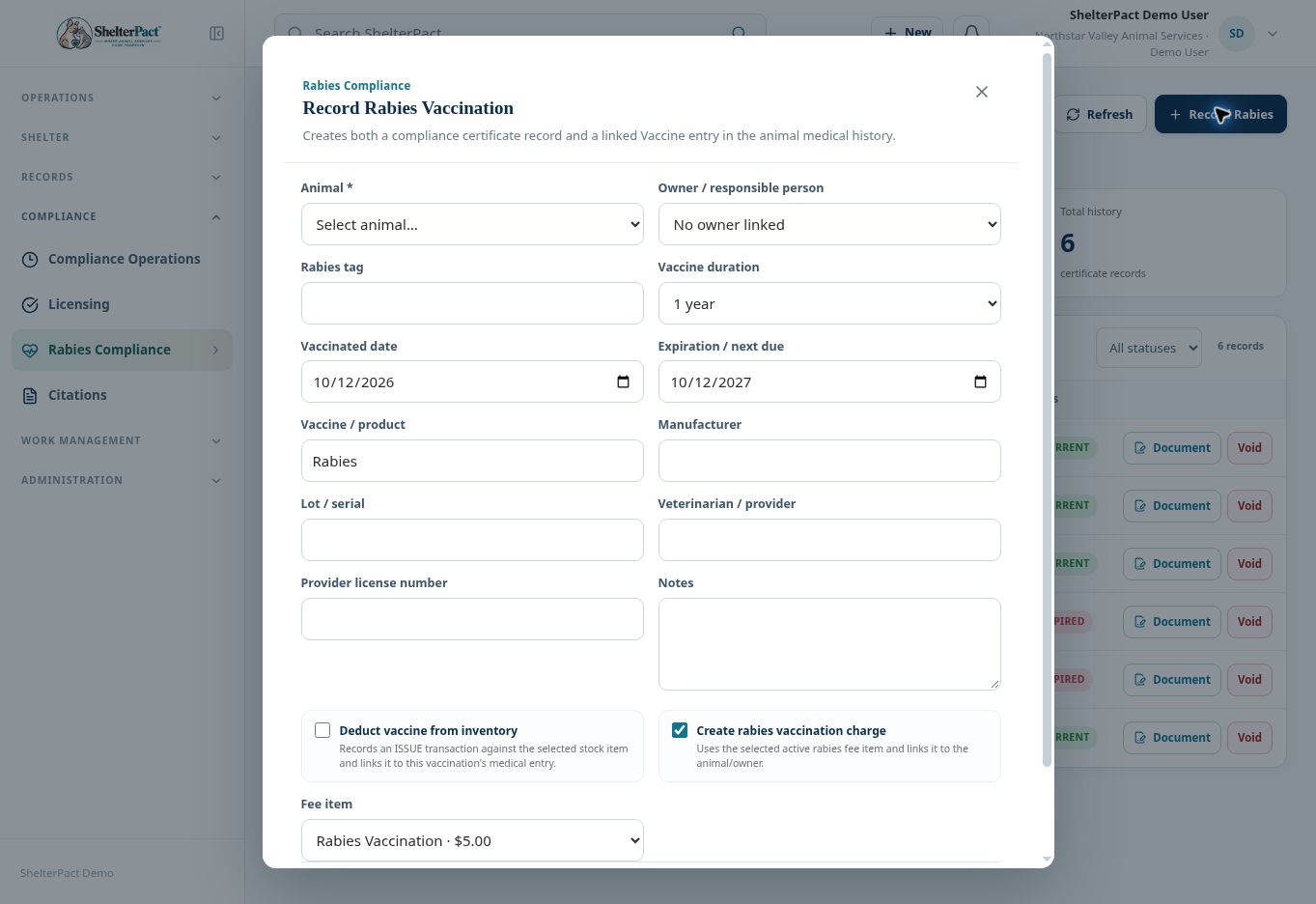
- Select Record Rabies and confirm Animal. Review the Owner / responsible person associated with the animal.
- Enter Rabies tag and choose Vaccine duration. Confirm Vaccinated date and Expiration / next due against the applicable provider documentation.
- Enter Vaccine / product, Manufacturer, Lot / serial, Veterinarian / provider, Provider license number, and appropriate Notes.
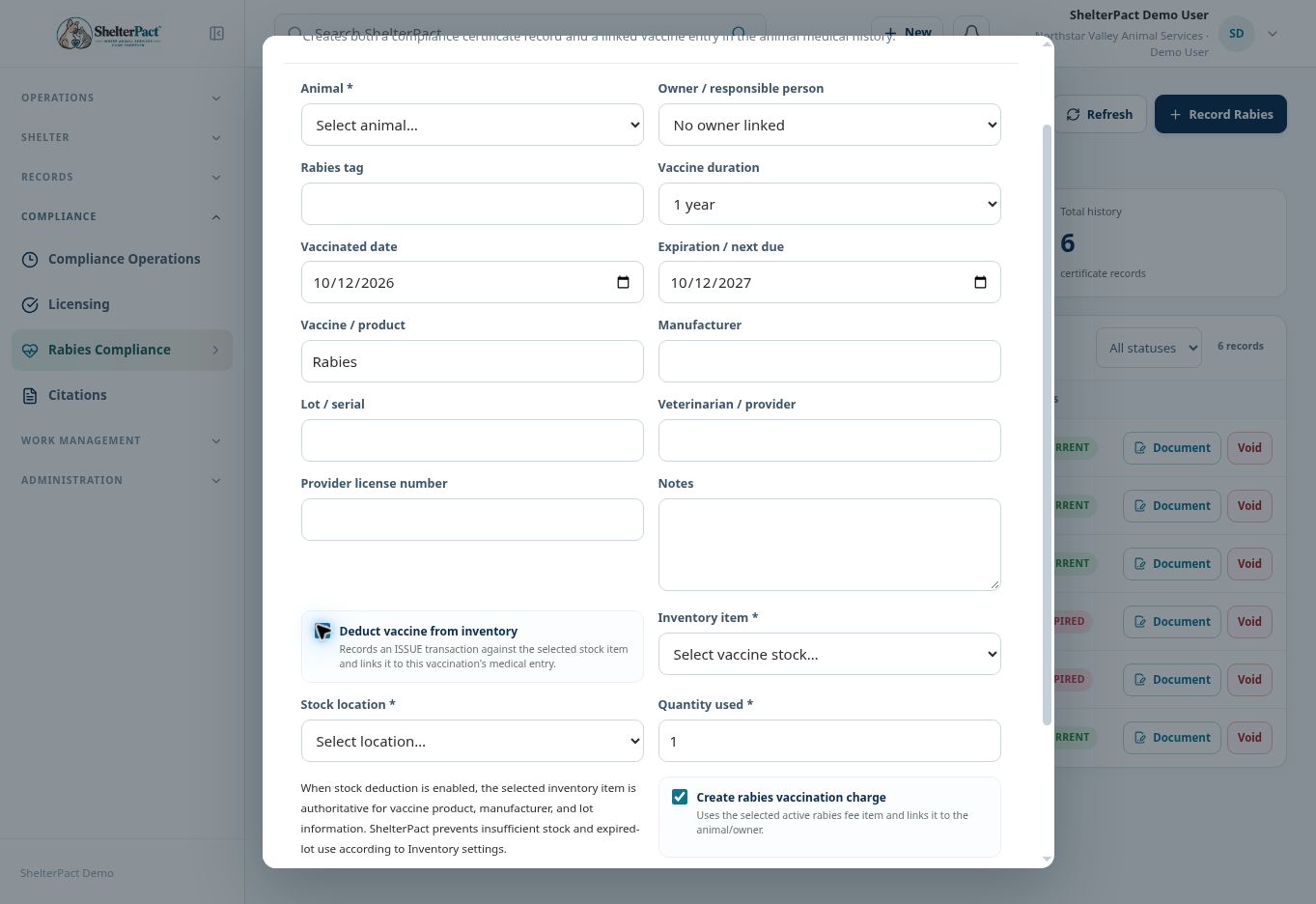
- If deducting stock, enable Deduct vaccine from inventory. Select the appropriate Inventory item, Stock location, quantity, and any lot selection required. Inventory becomes authoritative for product, manufacturer, and lot information.
- Review Create rabies vaccination charge and Fee item. Decide according to organization policy; a vaccination entry and payment are separate events.
- Select Record & Issue Certificate when all required information is correct. Review the resulting certificate number, tag, dates, status, and linked medical entry.
- Use Document in the rabies register to review the generated certificate and any signature/finalization requirements before providing an official copy.
Screenshots
Practical checks
Do not accept an automatically calculated expiration without verifying it against the actual authorized vaccination information.
Troubleshooting
| What you see | What to check |
|---|---|
| No owner is linked | Review the animal’s People relationships before issuing owner-related documents or charges. |
| Product fields are disabled | Inventory deduction is enabled; select the correct stock item rather than typing conflicting product data. |
| A vaccination appears twice clinically | Check whether the rabies workflow already created its linked Vaccine entry before adding a separate generic entry. |