
Review Lots, Expiration, and Low-Stock Alerts
Lots & Alerts supports replenishment and safe stock selection. FEFO recommends the earliest usable expiration for a particular item and location.
Before you beginOpen Inventory & Stock → Lots & Alerts. Confirm that item reorder settings and lot records reflect the products actually held.
Step-by-step instructions
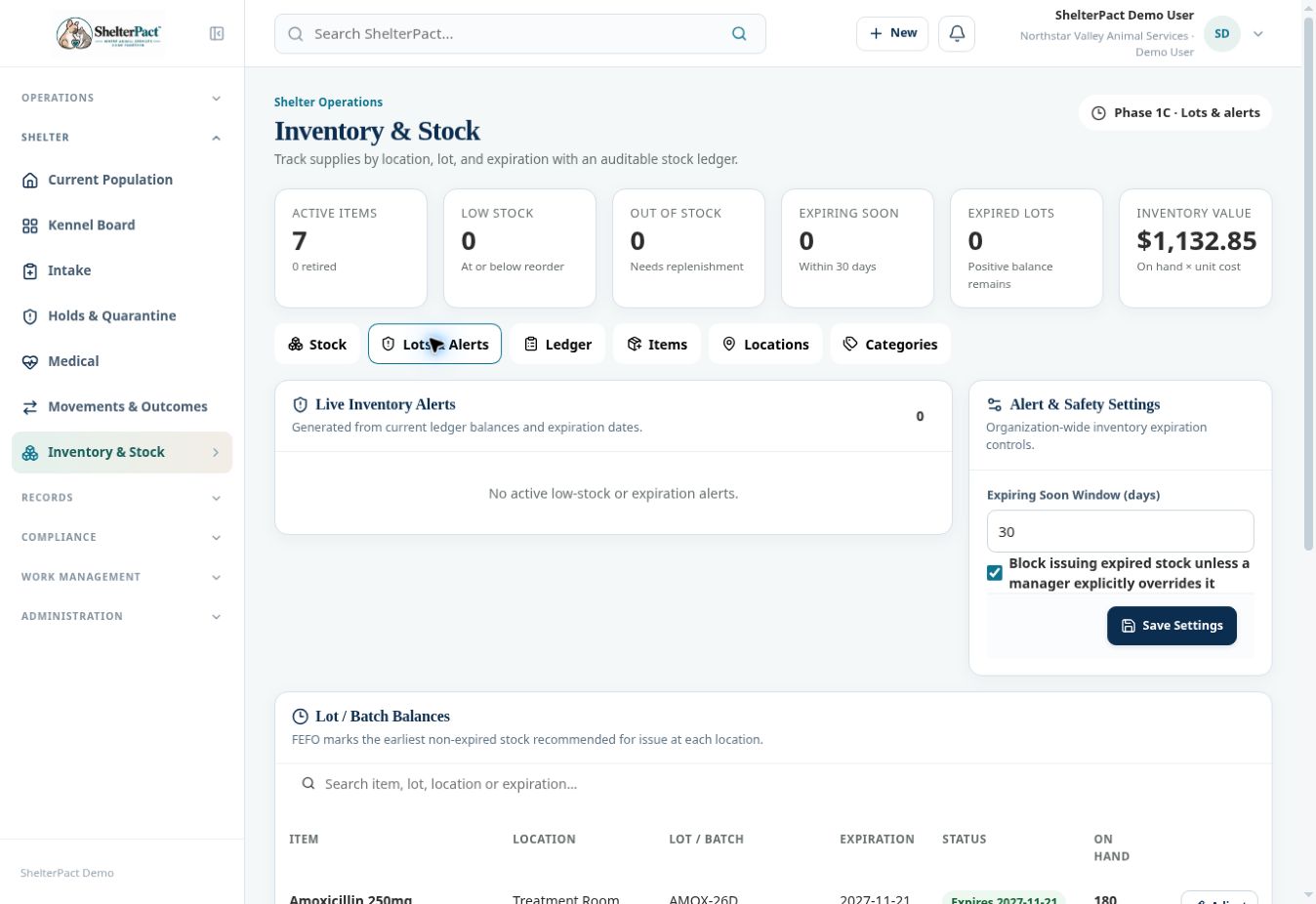
- Review summary cards for Low Stock, Out of Stock, Expiring Soon, and Expired Lots.
- Review Live Inventory Alerts and open the relevant item/location records. Check whether a flagged balance is available in the location where staff need it.
- Read Lot / Batch Balances, including expiration, status, and on-hand amount. FEFO recommended identifies the earliest non-expired stock in the inspected view.
- Inspect expired lots with remaining balance. Handle disposal or other authorized action through the stock movement process.
- An authorized inventory manager can review Expiring Soon Window and the setting blocking expired-stock issues. Do not weaken the setting to make a transaction go through.
- Review Items, Locations, and Categories to maintain the catalog, storage locations, and organization. Confirm the relevant item and lot again when selecting stock in a clinical workflow.
Screenshots
Practical checks
A recommendation is a selection aid, not a clinical authorization. Verify the product, physical lot, expiration, and storage handling.
Troubleshooting
| What you see | What to check |
|---|---|
| No alert appears for a product needing reorder | Review the item’s reorder configuration, actual balance, and location. |
| Expired stock remains on hand | Record the authorized disposal or corrective movement and verify the resulting lot balance. |