
Create and Link a Reusable Address
Addresses stores locations once and allows people to share the correct address record. Review existing locations before creating another version of the same address.
Before you beginOpen Records → Addresses or the Addresses panel on a person’s Overview.
Step-by-step instructions
- Search or review the address directory for the exact street, unit, city, and postal code. Do not rely only on a street name.
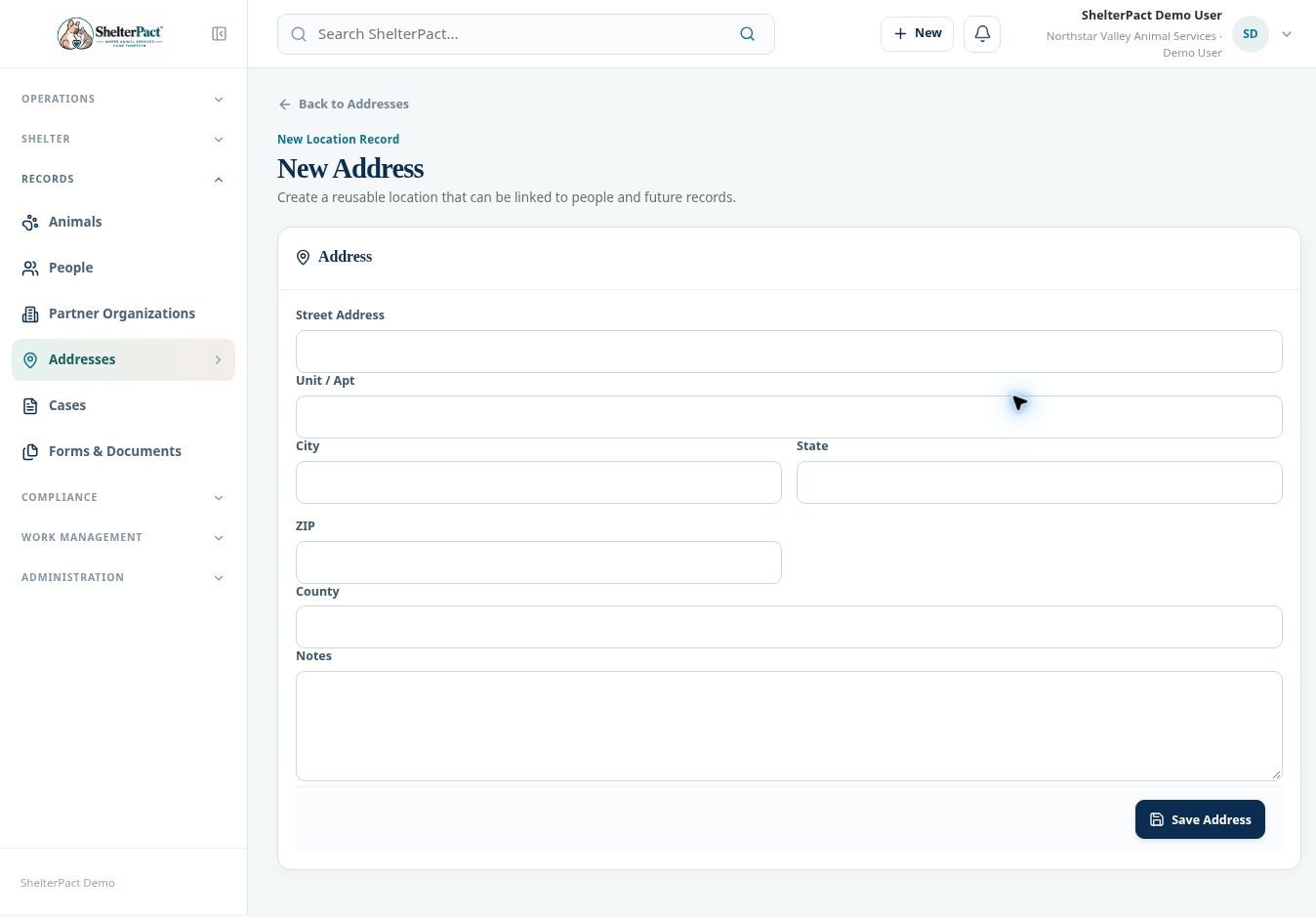
- Select New Address when the location is new. Enter Street Address, Unit / Apt, City, State, ZIP, County, and any appropriate Notes.
- Select Save Address and verify the saved location and address number.
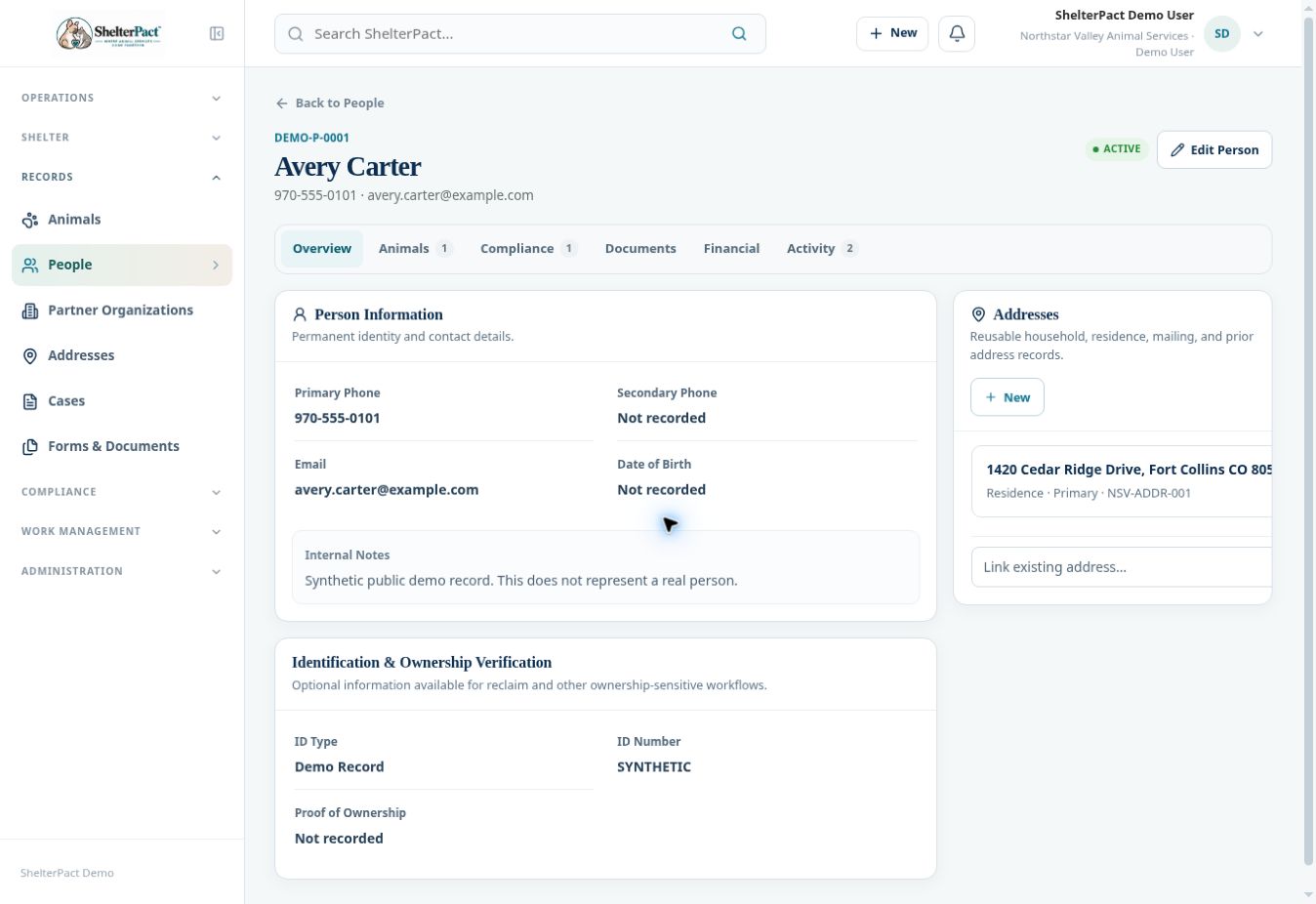
- Return to the person’s Overview. Use Link existing address to select the correct reusable record and select Link.
- Review the relationship shown in the Addresses panel, including residence or primary designation where recorded. Open the address to confirm the location.
- When a pickup or incident differs from the person’s residence, record the actual incident location in the intake or call instead of assuming the residential address applies.
Screenshots
Practical checks
Apartment or unit information can distinguish locations that would otherwise appear identical.
Troubleshooting
| What you see | What to check |
|---|---|
| The address exists but is absent from a person | Create the relationship using Link existing address; a location record alone is not a person link. |
| The caller and incident locations differ | Keep both locations accurate in the call or intake. |