
Find and Create a Person Record
People stores reusable contacts for owners, adopters, finders, custodians, foster caregivers, and complainants. A person’s role in an event is represented by links and workflows, not a separate duplicate identity.
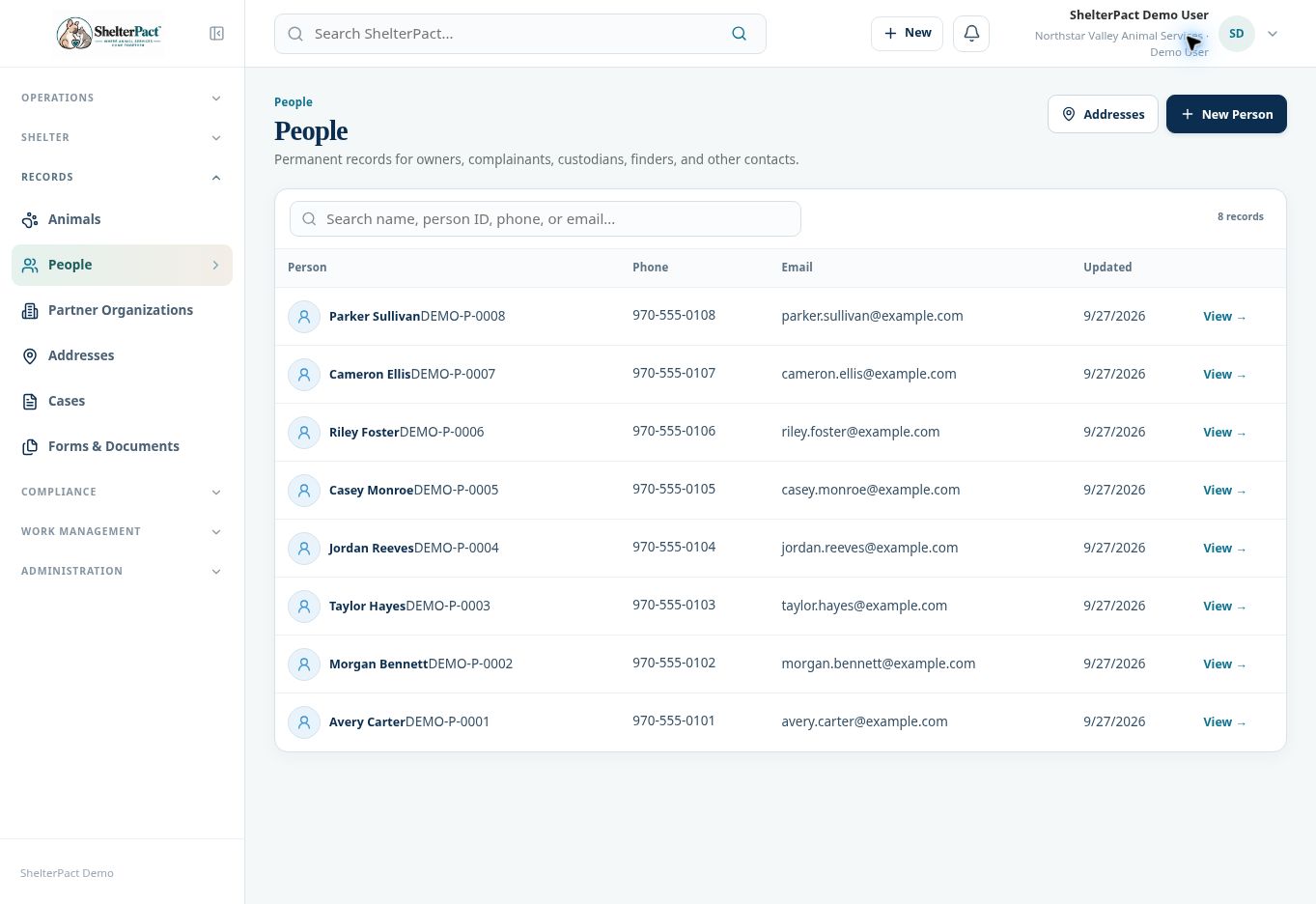
Before you beginOpen Records → People. Search first using name, person ID, phone, or email.
Step-by-step instructions
- Search the directory and open plausible matches. Compare contact information and linked history before choosing an existing person.
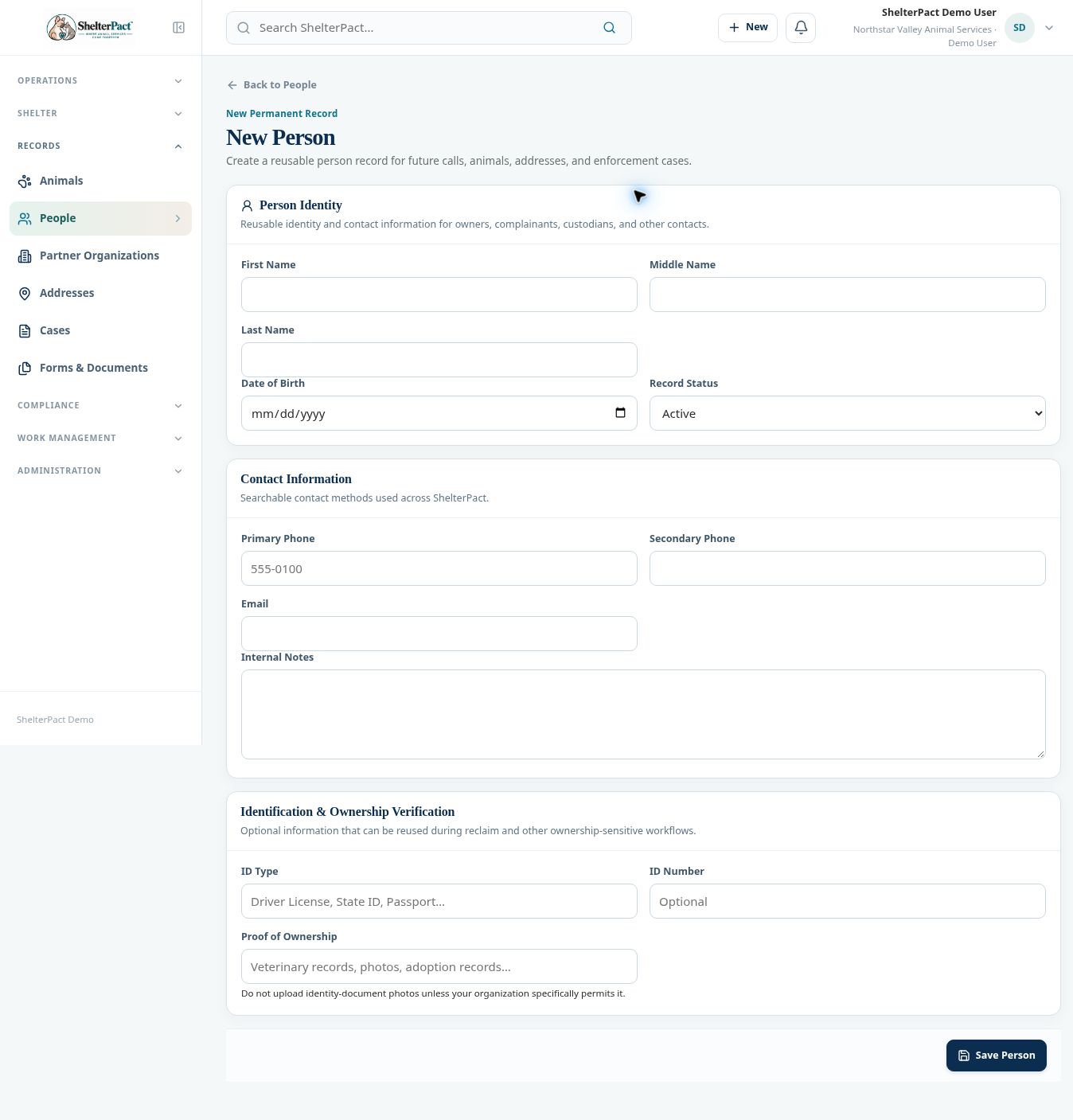
- If the contact is new, select New Person. Enter First Name, Middle Name, Last Name, and Date of Birth only when known and appropriate.
- Choose Record Status and enter Primary Phone, optional Secondary Phone, and Email. Review spelling and numbers before saving.
- Use Internal Notes for staff context. Keep factual notes relevant to agency operations.
- Identification & Ownership Verification provides optional ID Type, ID Number, and Proof of Ownership fields for later ownership-sensitive workflows.
- Select Save Person. Review the saved record and its number, then link the relevant animal, address, or event.
- For a person created inside an intake or movement workflow, confirm that the saved person is selected in that workflow before continuing.
Screenshots
Practical checks
Follow your organization’s policy for identification information. The form cautions against uploading identity-document photos unless specifically permitted.
Troubleshooting
| What you see | What to check |
|---|---|
| A finder already exists as an adopter | Reuse the person and record the new relationship or event role. |
| A receipt or workflow has the wrong person | Resolve the link through the appropriate authorized workflow before finalizing the event. |