
Update Contact Information and Review Person History
Updating an existing person keeps its linked animal and financial history together. Verify the identity before changing contact details.
Before you beginOpen the person by name or View and confirm the person number and current contact information.
Step-by-step instructions
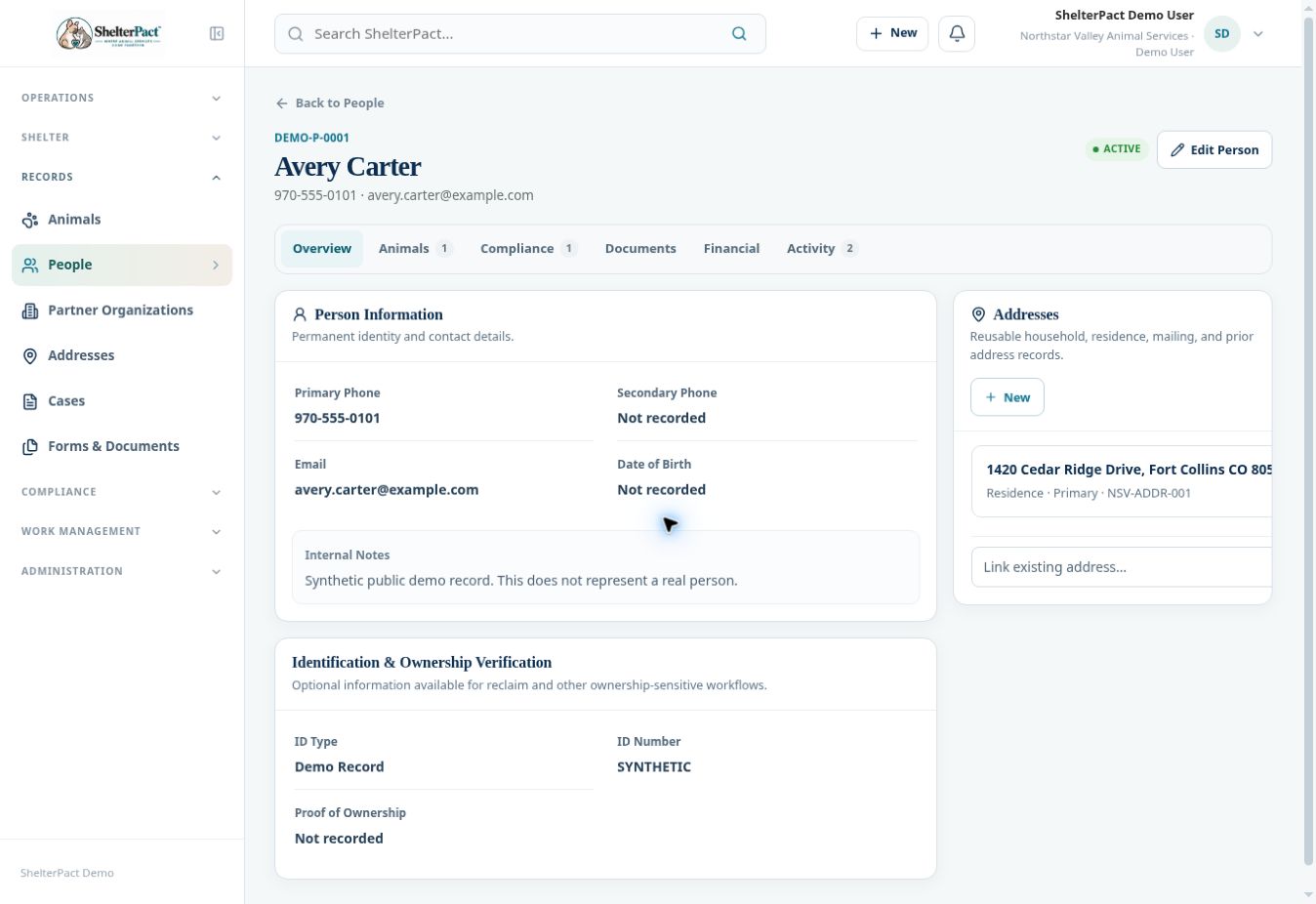
- Read Overview to confirm identity, primary and secondary phone, email, internal notes, and verification information.
- Select Edit Person and update the relevant fields. Confirm the corrected details with the information provided to your agency.
- Save using the displayed form action, then review Overview to ensure the change was recorded correctly.
- Use Animals to review current and historical relationships. Compliance shows related regulatory records; Documents and Financial show connected paperwork and transactions.
- Use Activity to review recorded history. Review source workflows for context when a relationship or transaction does not match expectations.
- Check address links separately. Updating contact information does not mean a reusable address or ownership relationship has also changed.
Screenshots
Practical checks
Keep historical records associated with the same identity. Record a new relationship or event rather than rewriting prior facts.
Troubleshooting
| What you see | What to check |
|---|---|
| A relationship is labelled Historical | Review its originating event; historical ownership does not prove current authority to reclaim. |
| Updated information is not in an old document | Generated documents preserve their snapshots; use the document revision process when a correction is necessary. |