
Link a Person to an Animal
Animal Relationships distinguishes ownership, custody, foster, finder, previous-owner, and other links. Choose the role that accurately describes the relationship.
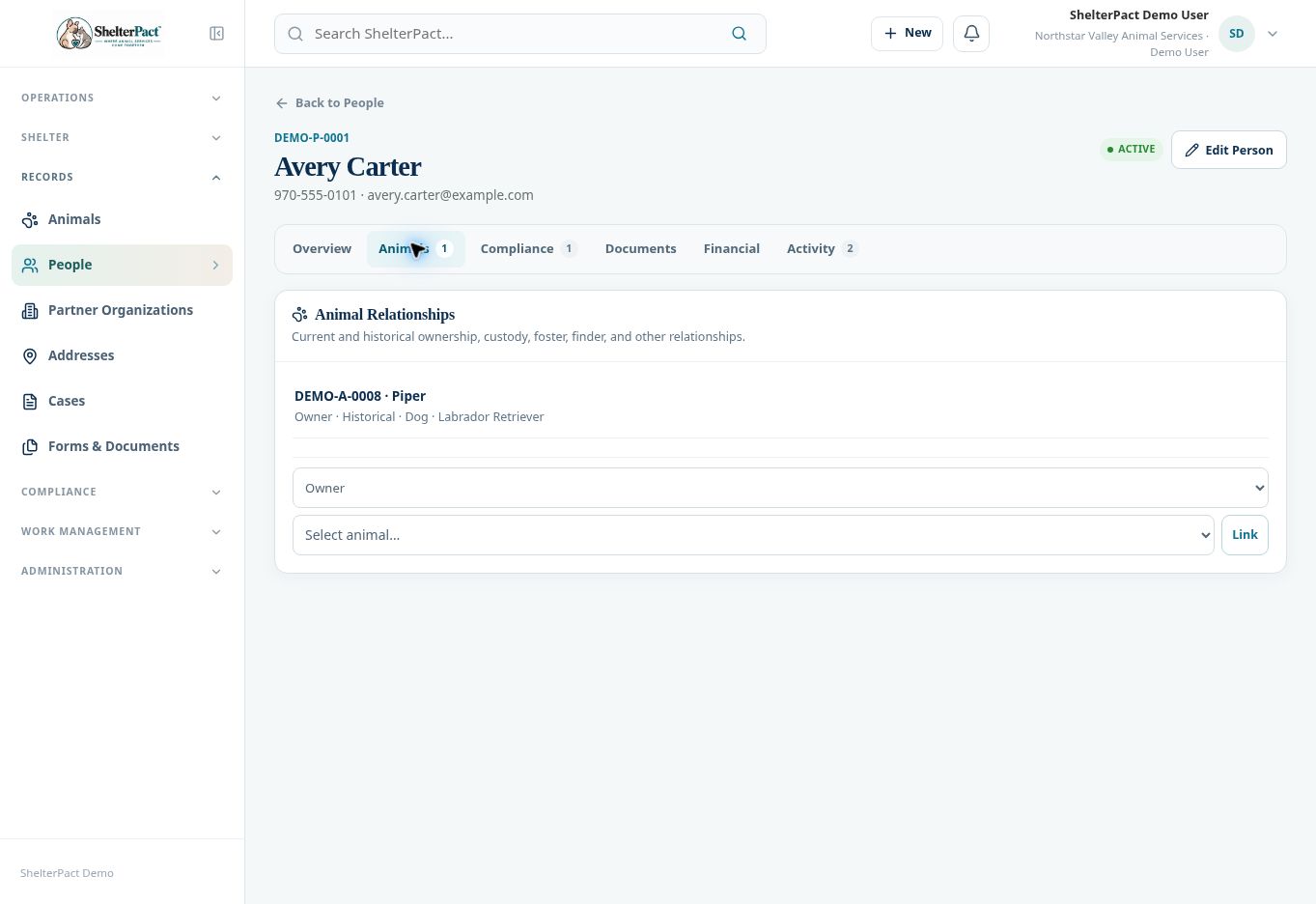
Before you beginOpen the correct person record and the Animals tab. Confirm the animal’s identity and whether an existing relationship already describes the situation.
Step-by-step instructions
- Review current and historical relationships. Do not assume a historical Owner relationship authorizes a present-day release.
- Select the relationship type: Owner, Custodian, Foster, Finder, Previous Owner, or Other, as available in the organization.
- Select the animal from the animal selector. Compare its animal number and descriptors before linking.
- Select Link and review the resulting relationship on the person record.
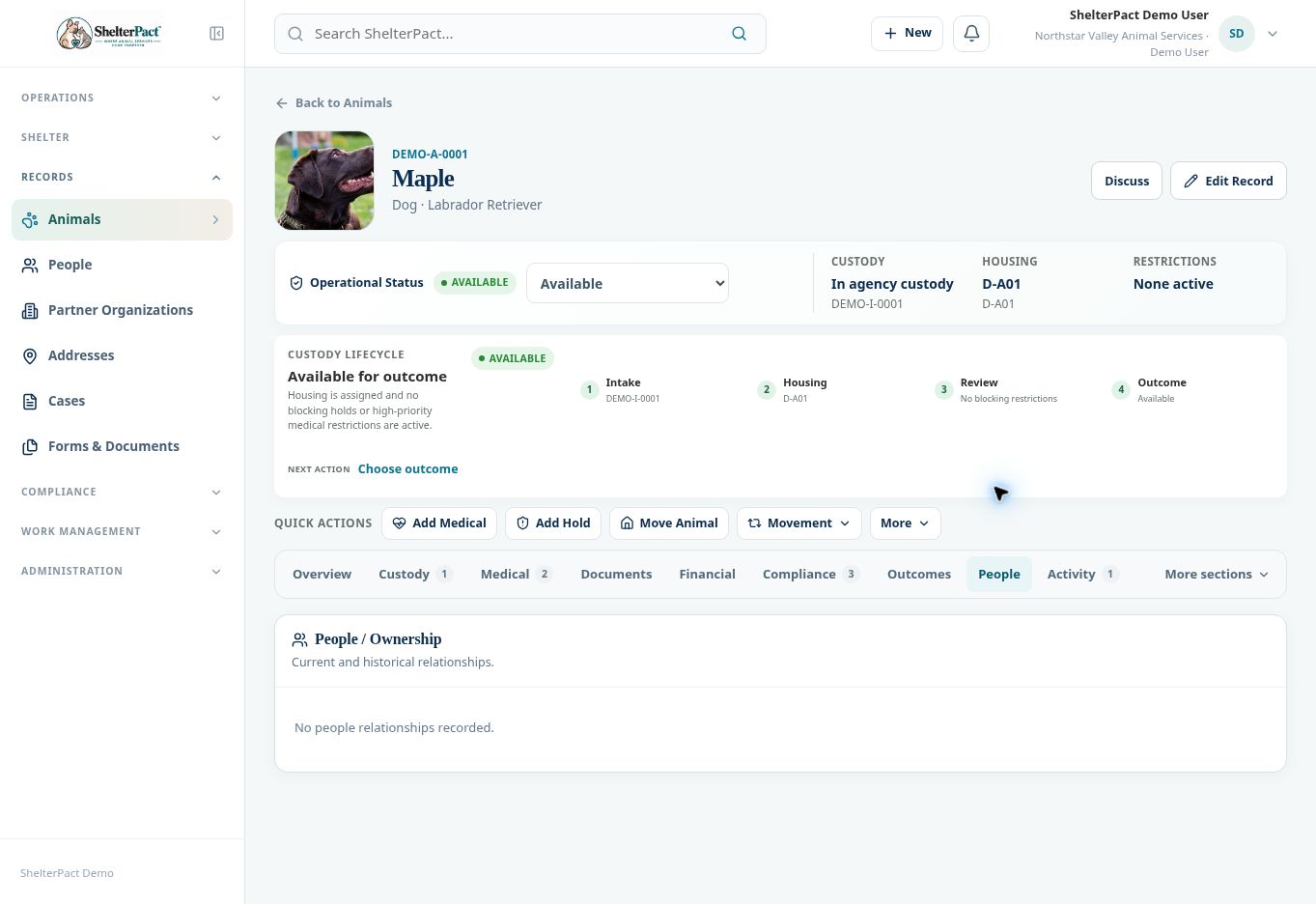
- Open the animal’s People section to confirm the associated information is correct.
- For a foster placement, reclaim, surrender, or adoption, still complete the appropriate guided workflow. A relationship link alone does not record placement, custody admission, release, fees, or paperwork.
Screenshots
Practical checks
Use the actual event workflow to maintain custody and outcome history, even when a relationship already exists.
Troubleshooting
| What you see | What to check |
|---|---|
| The link does not complete a reclaim | Continue through eligibility, ownership verification, financials, documents, and final review. |
| The selected animal is incorrect | Stop further workflow actions and have the link corrected through available authorized controls. |