
Create and Maintain Partner Organizations
Partner Organizations represents rescue groups, shelters, veterinary providers, government agencies, nonprofits, and businesses. Transfer destinations should use the organization record when the receiving party is an organization.
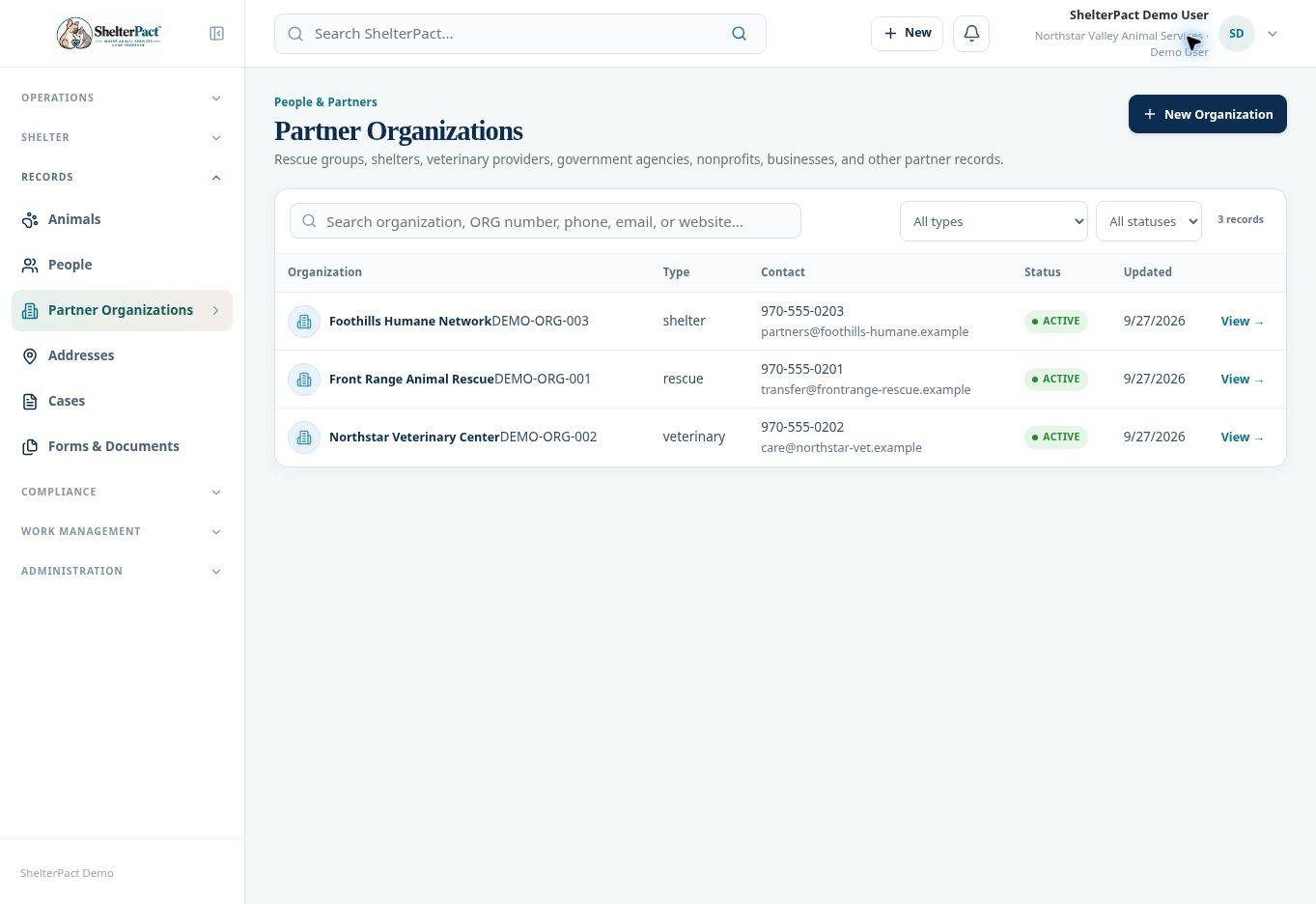
Before you beginOpen Records → Partner Organizations. Search organization name, number, phone, email, or website, and check Active and Inactive results.
Step-by-step instructions
- Open an existing match and verify its type and contact details. Reuse the organization if it is the same partner.
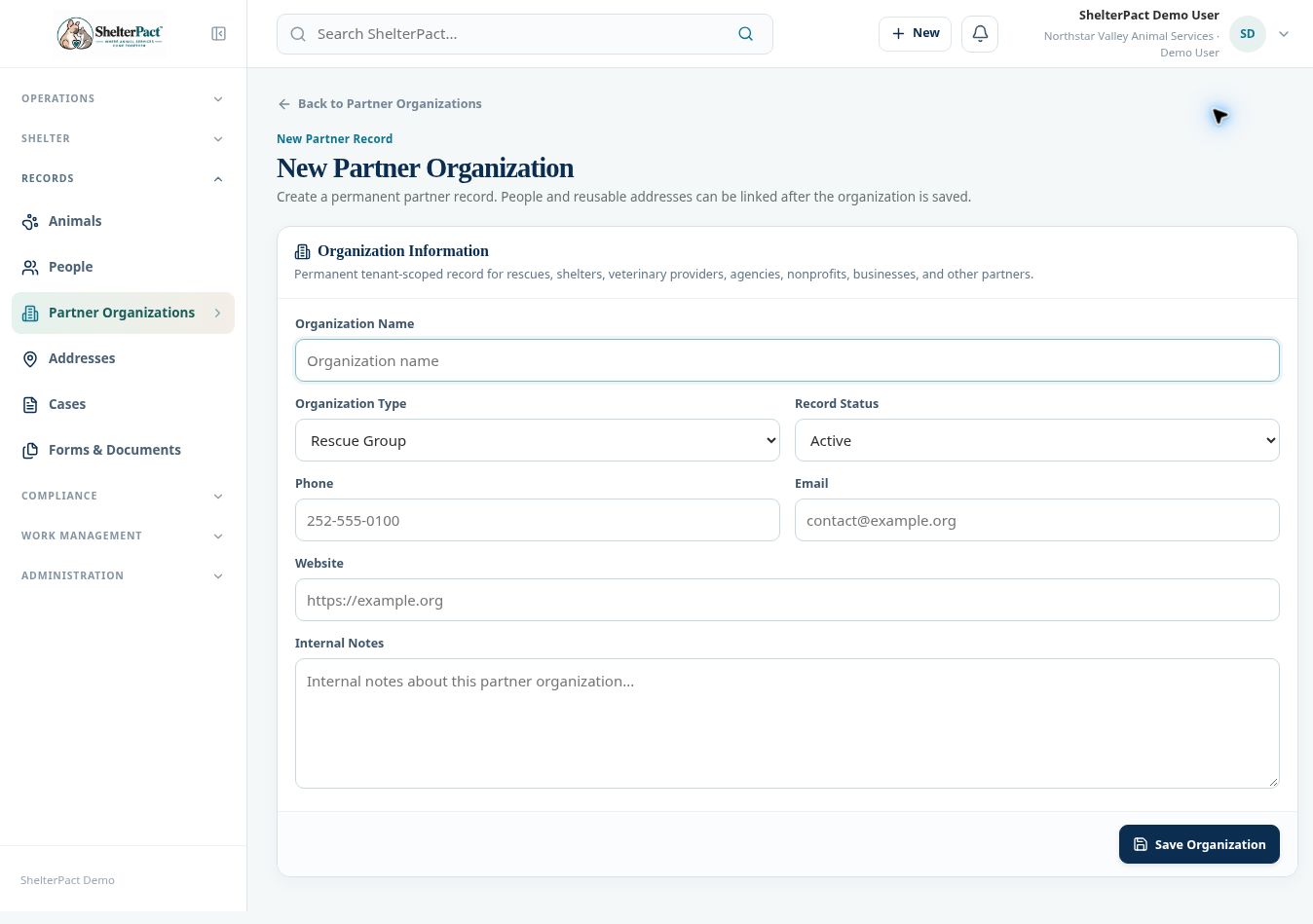
- For a new partner, select New Organization. Enter Organization Name and choose the appropriate Organization Type.
- Select Record Status and enter Phone, Email, Website, and appropriate Internal Notes.
- Select Save Organization. Review the new organization record and its number.
- Link contact people and reusable addresses after saving, using the controls on the partner record. Confirm primary contacts and the relationship they have to the organization.
- Before a rescue transfer, confirm the receiving partner is active and that its contact and destination details are correct.
- Maintain changes on the same partner identity. Inactive partners remain relevant to historical transfers and other records.
Screenshots
Practical checks
A partner organization and a contact person are separate records with different roles in the transfer workflow.
Troubleshooting
| What you see | What to check |
|---|---|
| A partner is absent from a receiving selector | Check whether it is active and whether the workflow requires an organization destination. |
| An organization has several contact people | Maintain the appropriate contact relationships instead of duplicating the organization. |