
Assign Housing and Move an Animal
Housing identifies the animal’s physical location while it is in custody. ShelterPact checks destination capacity and records movements in the animal’s history.
Before you beginConfirm active custody, current restrictions, the destination’s suitability, and available capacity. Do not use an outcome to represent a kennel change.
Step-by-step instructions
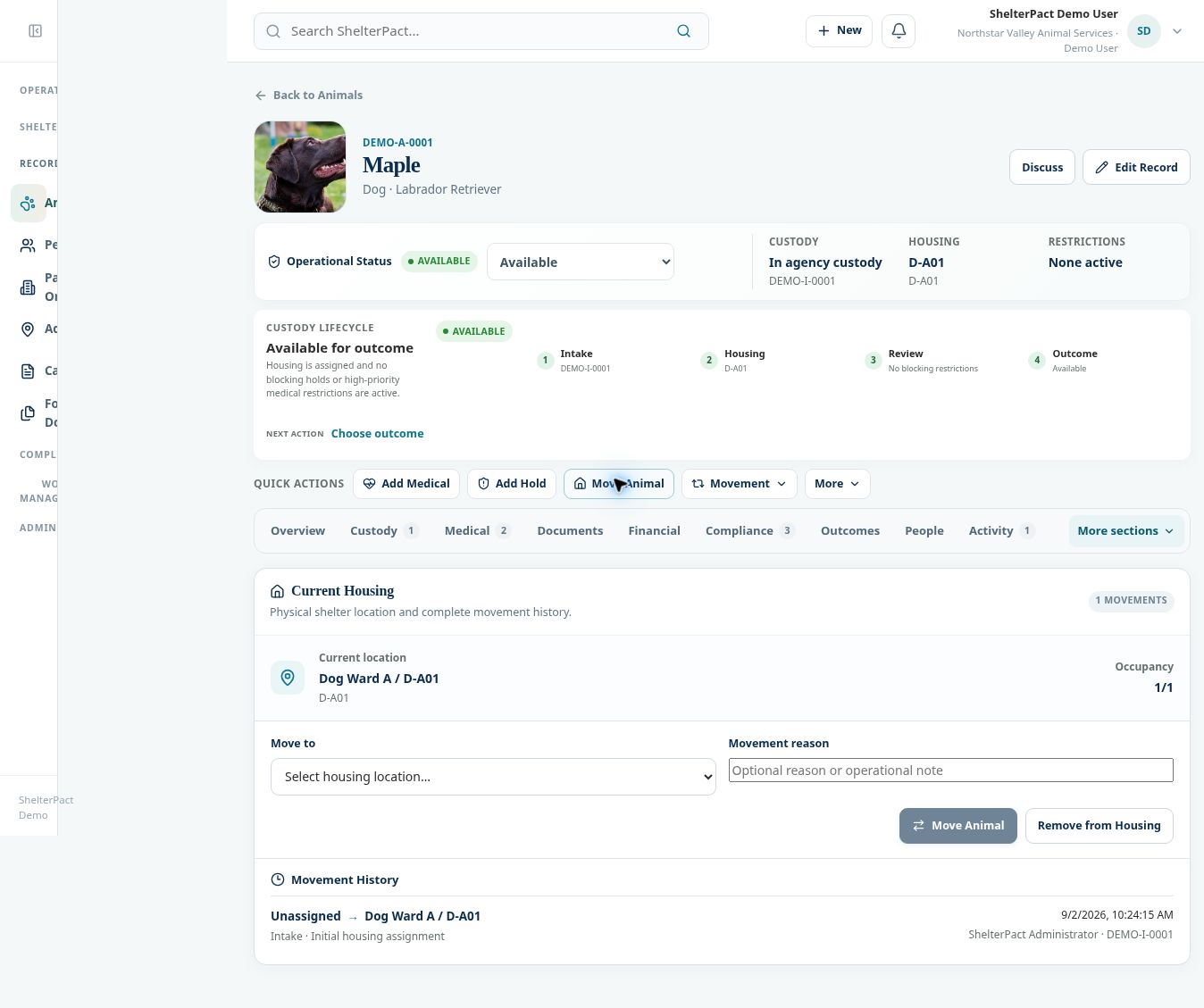
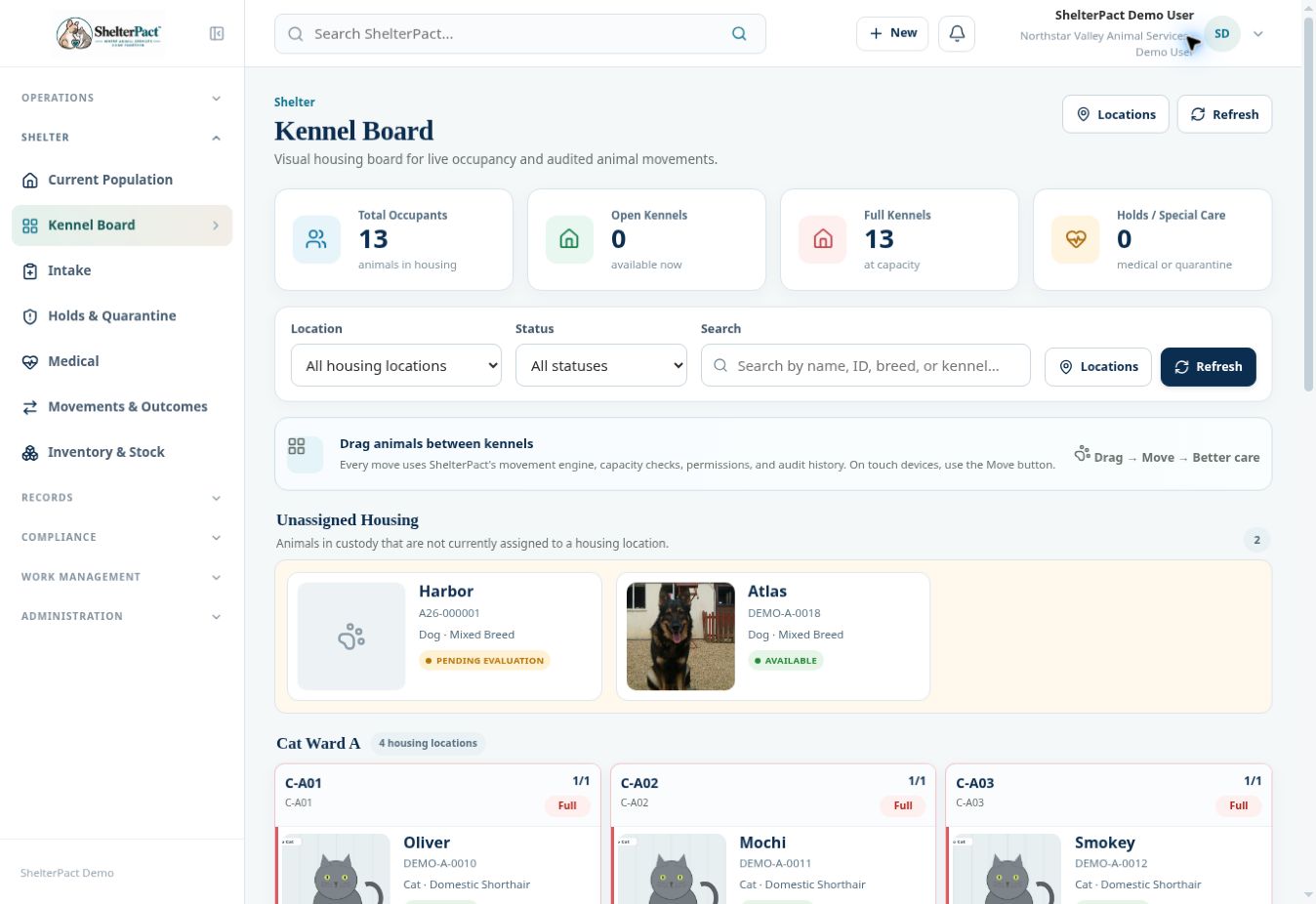
- Open the animal and select Move Animal, or locate it through Current Population or Kennel Board.
- Review Current Housing and Occupancy. Check Movement History to confirm the current assignment.
- Select Move to and choose an appropriate housing location. Full destinations are disabled in the inspected animal movement screen.
- Enter Movement reason when a operational explanation will help other staff. Check that the selected destination matches the actual planned move.
- Select the enabled Move Animal action. Review the new current location and the recorded movement before relying on the change.
- On Kennel Board, authorized staff can use drag-and-drop or Move on touch devices. The same movement checks apply.
- Use Remove from Housing only for an appropriate removal of a physical assignment. Removing housing does not itself close custody; use the correct outcome when custody ends.
Screenshots
Practical checks
A kennel that is disabled as FULL needs a legitimate capacity or occupancy resolution. Do not select an unrelated location simply to bypass the warning.
Troubleshooting
| What you see | What to check |
|---|---|
| Every destination is full | Review legitimate available housing with a supervisor or location administrator. |
| The animal remains in custody after housing removal | That is a separate state; complete an appropriate custody-closing workflow only when the animal leaves agency custody. |