
Find an Existing Animal and Avoid Duplicate Records
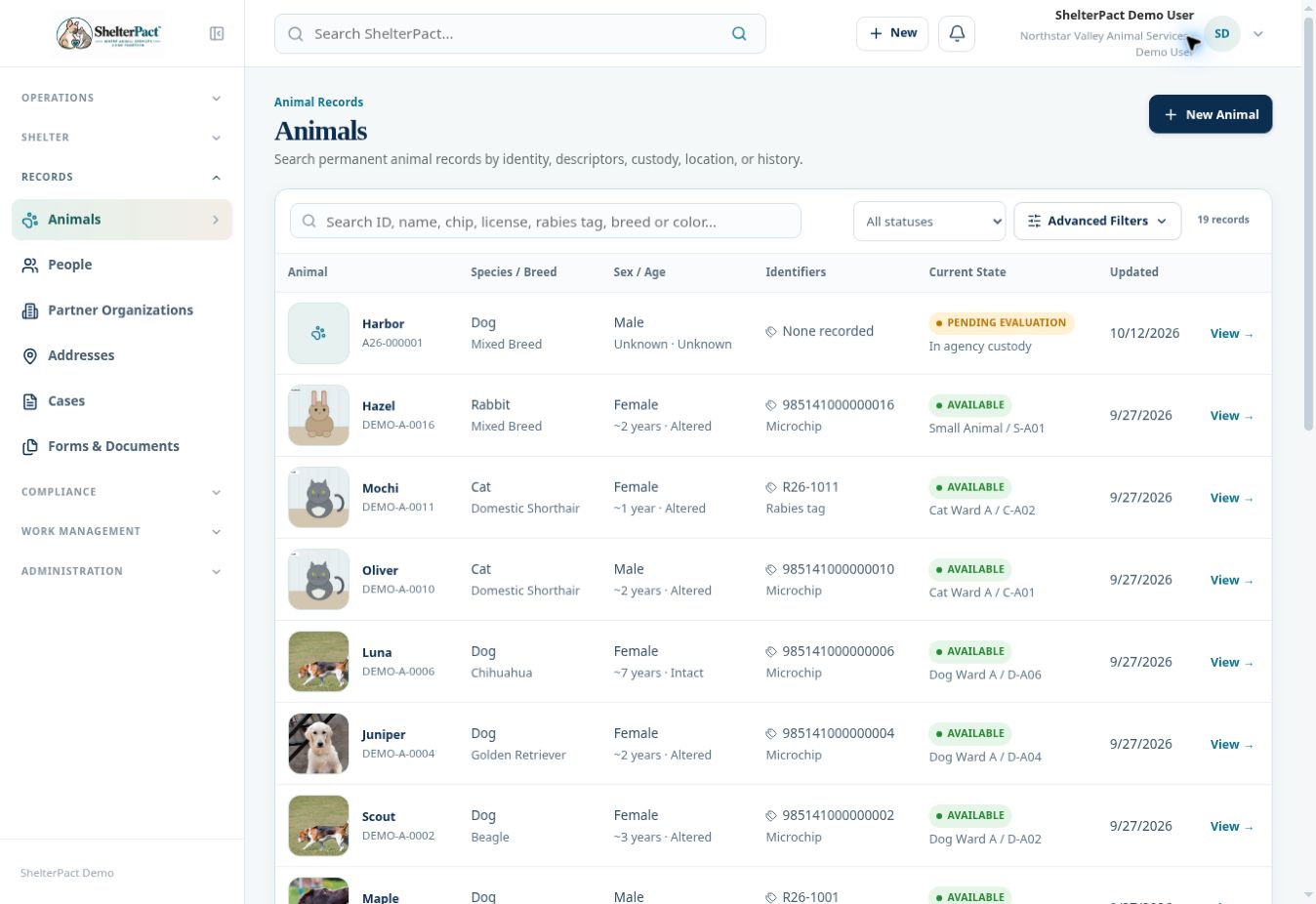
Search before creating a record or intake. One permanent identity can connect multiple custody episodes, medical entries, identifiers, relationships, and outcomes.
Before you beginOpen Records → Animals. Have any microchip, license, tag, name, species, breed, and known history available.
Step-by-step instructions
- Enter the most reliable identifier in the animal search field. If no match appears, search again using the name or physical descriptors.
- Clear a restrictive status filter and use Advanced Filters when needed. Include historical outcomes in your identity check.
- Compare species, primary and secondary breed, color, sex, approximate age, markings, and identifiers. Open each plausible candidate rather than choosing from a name alone.
- Review the record’s Custody and Outcomes sections to understand previous episodes. Check People and Cases & Calls for relevant links.
- Reuse the correct record when the animal returns. Begin Intake for a new admission event when appropriate.
- Create a new record only when the identity check does not reveal the same animal. Pay attention to duplicate warnings when identifiers are entered.
Screenshots
Practical checks
Unknown or unnamed animals still need consistent descriptors and a scan for identifiers.
Troubleshooting
| What you see | What to check |
|---|---|
| Only animals in custody are shown | You may be in Current Population rather than the permanent Animals directory. |
| A duplicate warning appears | Recheck the identifier and candidate record before continuing. |