
Update Animal Details and the Public Adoption Profile
Edit Record updates identity and descriptive information. The public adoption profile is distinct from internal notes and clinical or enforcement history.
Before you beginOpen the correct animal and confirm its number. Use information verified by staff and appropriate for public display.
Step-by-step instructions
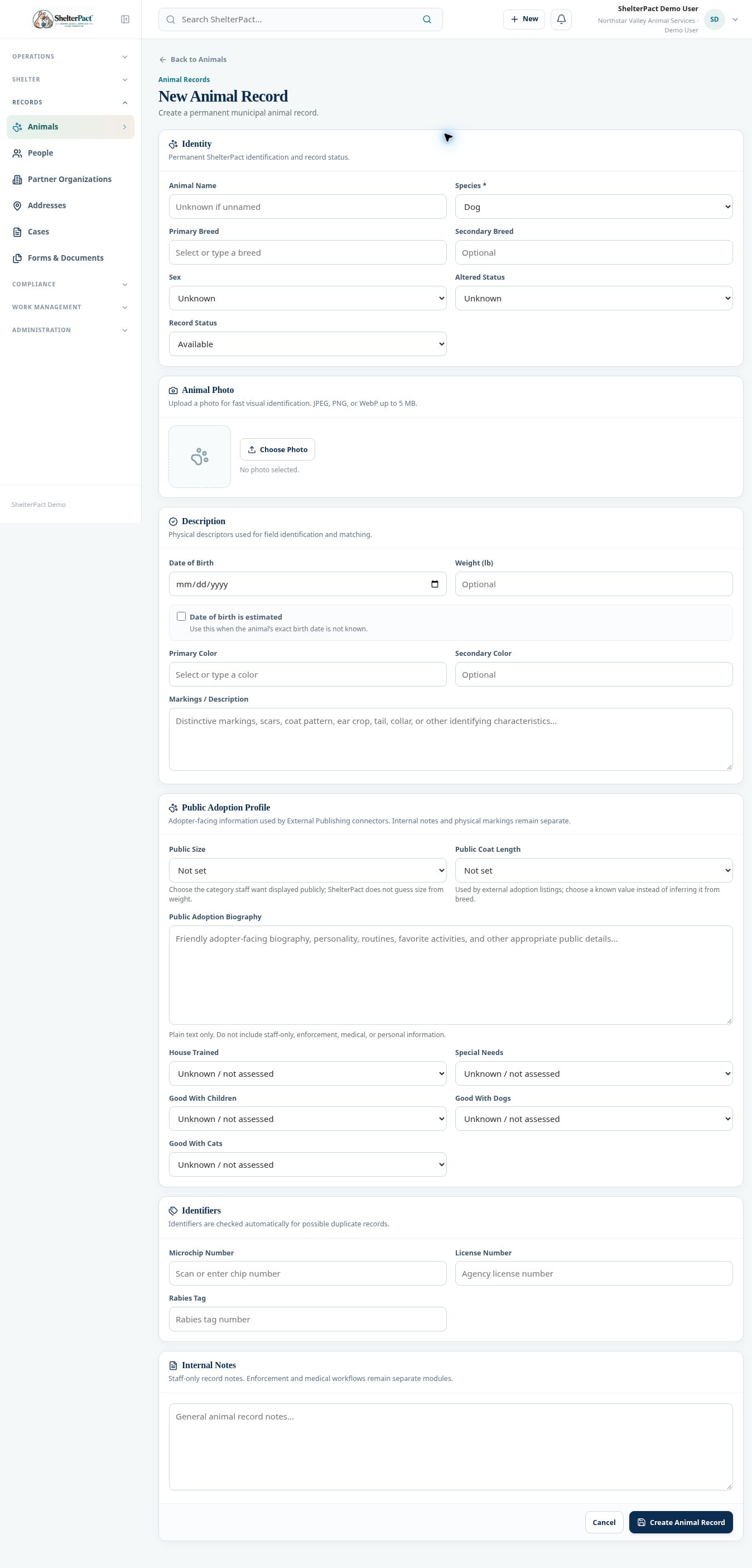
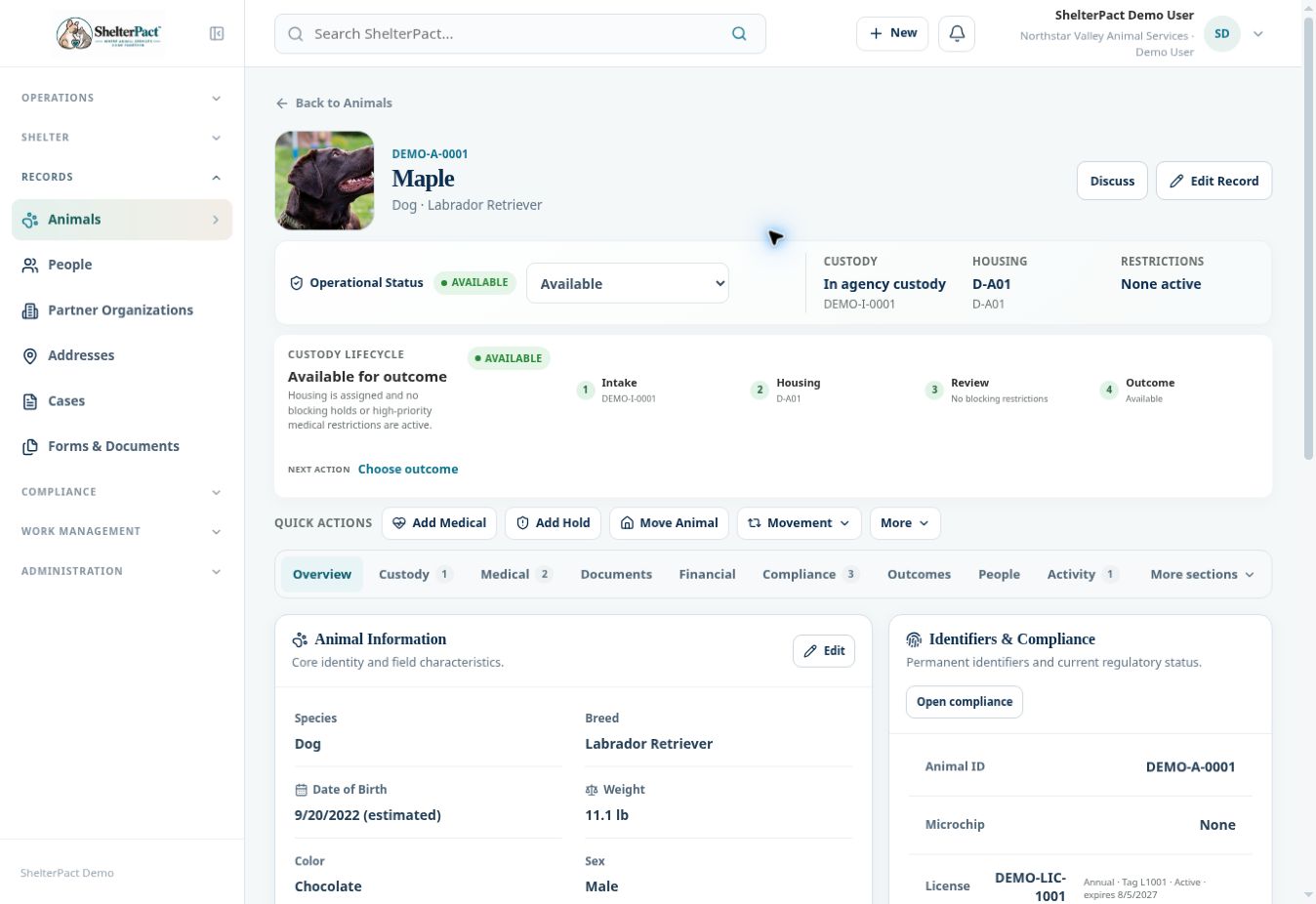
- Select Edit Record. Correct only the fields that need updating and review identifiers carefully.
- Update physical descriptors, birth date estimation, weight, and photo as supported by the form. Use clinical or enforcement workspaces for their formal records.
- In Public Adoption Profile, select Public Size and Public Coat Length directly. The interface does not guess these from weight or breed.
- Write a plain-text Public Adoption Biography describing personality and appropriate adopter-facing information. Keep staff-only, personal, enforcement, and confidential medical information out of the biography.
- Set House Trained, Special Needs, and compatibility with children, dogs, or cats only when assessed. Unknown / not assessed is a valid choice.
- Save using the form’s displayed action. Return to Overview and confirm the updated information before preparing an external publishing preview.
- Review publishing eligibility separately. A completed public biography does not mean the animal has been sent to an adoption network.
Screenshots
Practical checks
A public special-needs indicator is not the animal’s full clinical record. Use approved public wording while preserving clinical detail in Medical.
Troubleshooting
| What you see | What to check |
|---|---|
| Publishing still excludes the animal | Check photo, breed, sex, active custody, hold restrictions, and provider mappings. |
| The record status changed but custody did not | Use the appropriate intake or outcome workflow for a custody event. |