
Read Animal Record Sections and Follow Related Work
An animal record collects its connected operational history. Use the header for the present state and the section tabs for the underlying events.
Before you beginOpen Records → Animals and select the animal. Confirm its number before adding or reviewing information.
Step-by-step instructions
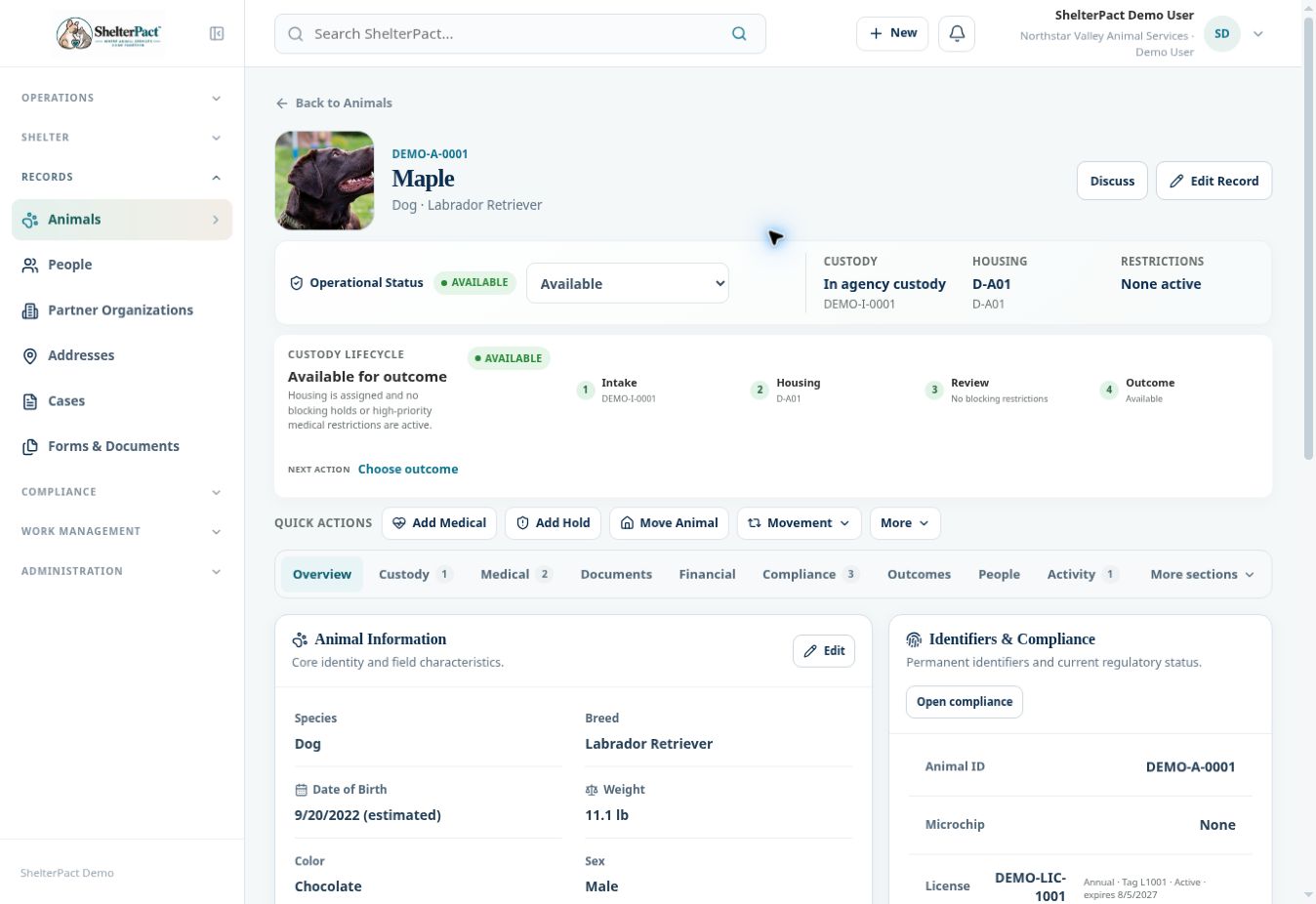
- Review Operational Status, Custody, Housing, and Restrictions. Read the custody lifecycle panel and its suggested next action.
- Open Custody for intake episodes, Medical for clinical history, and Documents for associated forms and agreements.
- Open Financial for charges and payments, Compliance for licenses, rabies, and citations, and Outcomes for recorded dispositions.
- Use People for current and historical relationships and Activity for recorded events.
- Open More sections for Holds, Housing, Cases & Calls, Tasks & Diary, and Media. Counts indicate related items rather than an approval state.
- Use Add Medical, Add Hold, Move Animal, or Movement to begin the relevant workflow. Verify you are acting on this animal before saving.
- Follow the linked intake, person, call, or case to review its own record. Each connected record retains details that may not appear in the animal summary.
Fields and meanings
| Field / control | What to review |
|---|---|
| Custody | Admission episodes and their state. |
| Medical and Documents | Care history and paperwork. |
| Financial and Compliance | Charges, payments, licenses, rabies, and citations. |
| Outcomes and People | Dispositions and relationships. |
| More sections | Restrictions, housing, linked field work, staff work, and media. |
Screenshots
Troubleshooting
| What you see | What to check |
|---|---|
| A tab is not on the main row | Open More sections. |
| The summary seems incomplete | Open the linked source record and review its history and current status. |