
Create and Review Holds or Quarantine
Holds restrict release, movement, or other actions according to organization rules. Their dates, authority, reason, and release requirements must accurately describe the individual restriction.
Before you beginOpen Shelter → Holds & Quarantine or Add Hold on the animal. Have the responsible authority, reason, review timing, and related case or call available.
Step-by-step instructions
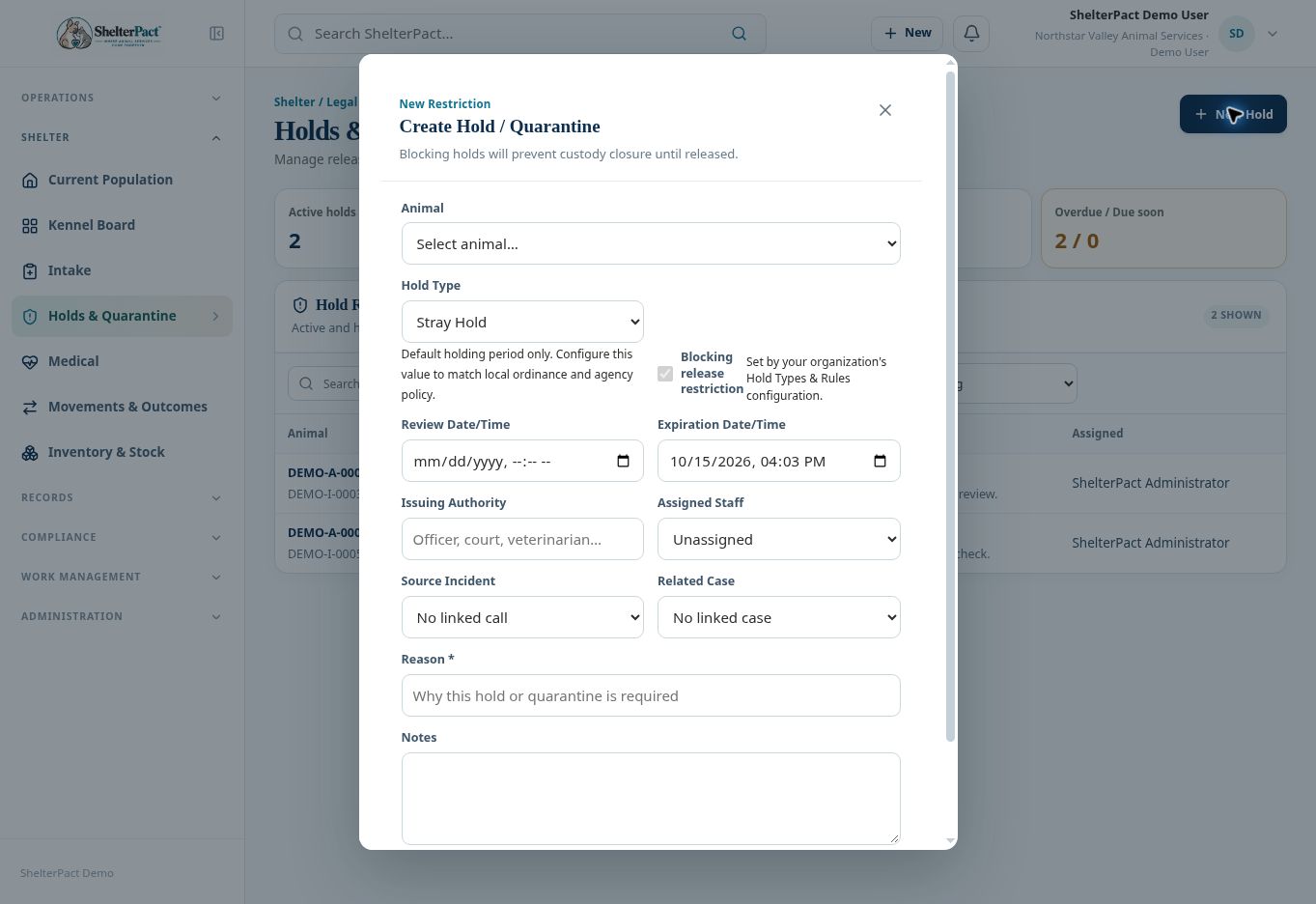
- Select New Hold and confirm the Animal. Choose the Hold Type matching the actual restriction.
- Review the default holding period and whether it is a Blocking release restriction. Organization rules control the behavior; do not assume every type has the same duration.
- Enter or review Review Date/Time and Expiration Date/Time. Confirm the timing against the authorized direction and agency policy.
- Record Issuing Authority, Assigned Staff, Source Incident, Related Case, Reason, and Notes as applicable or required.
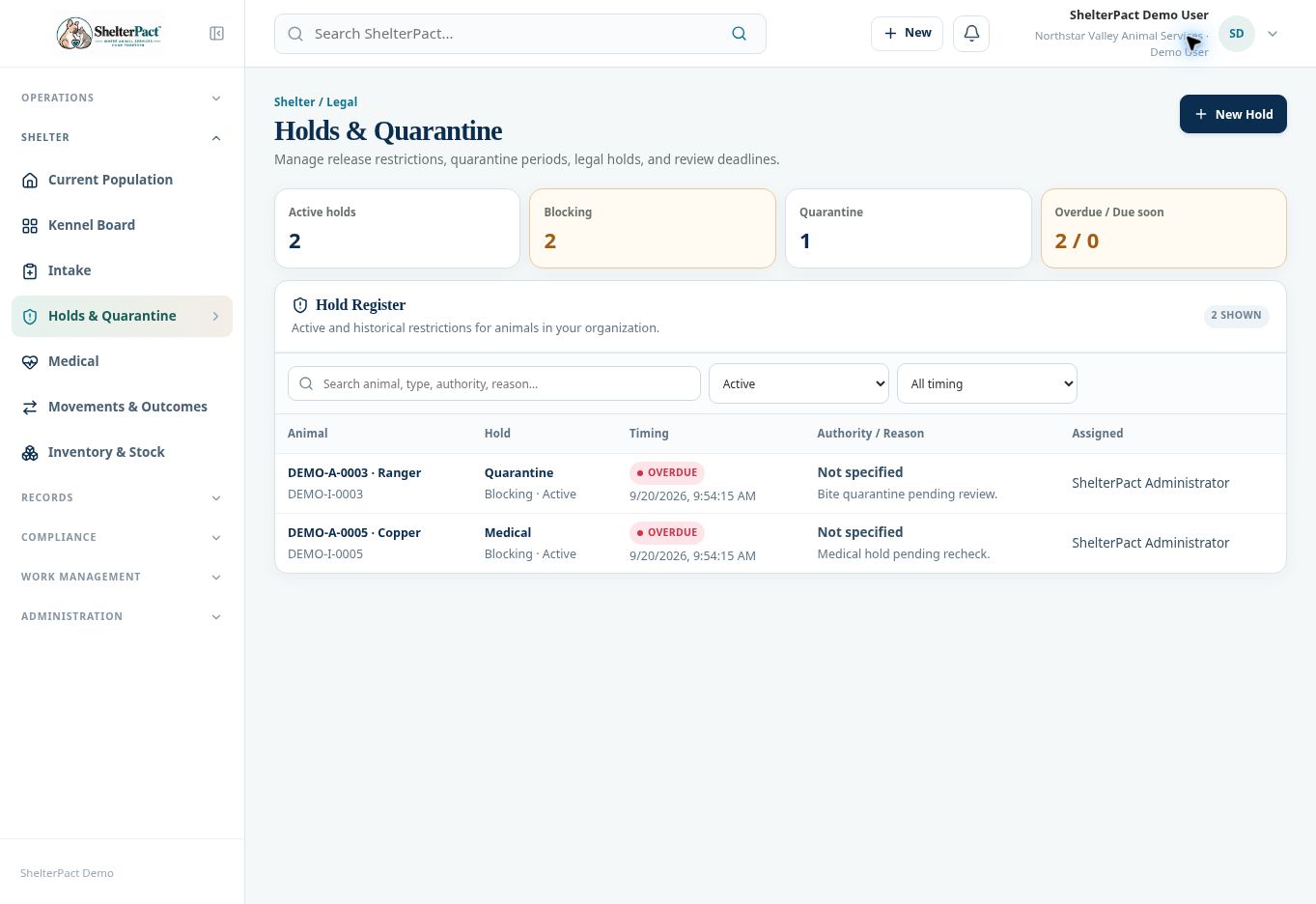
- Select Create Hold. Review the new restriction in the Hold Register and on the animal record.
- Filter Active, Released, Overdue, or Due Soon to manage follow-up. Open the affected animal and associated case before deciding whether the restriction can be released.
- An authorized staff member must use the available release workflow and document the reason. Confirm the restriction’s state afterward; a date passing is not by itself release authorization.
Screenshots
Practical checks
Blocking restrictions can prevent final custody closure even when other outcome steps are complete.
Troubleshooting
| What you see | What to check |
|---|---|
| An outcome remains blocked | Confirm whether the hold was actually released and whether other restrictions remain. |
| A type’s default period is inappropriate | Have an authorized administrator review Hold Types & Rules; do not treat demonstration defaults as local requirements. |