
Assign an Officer, Update Response Status, and Close a Call
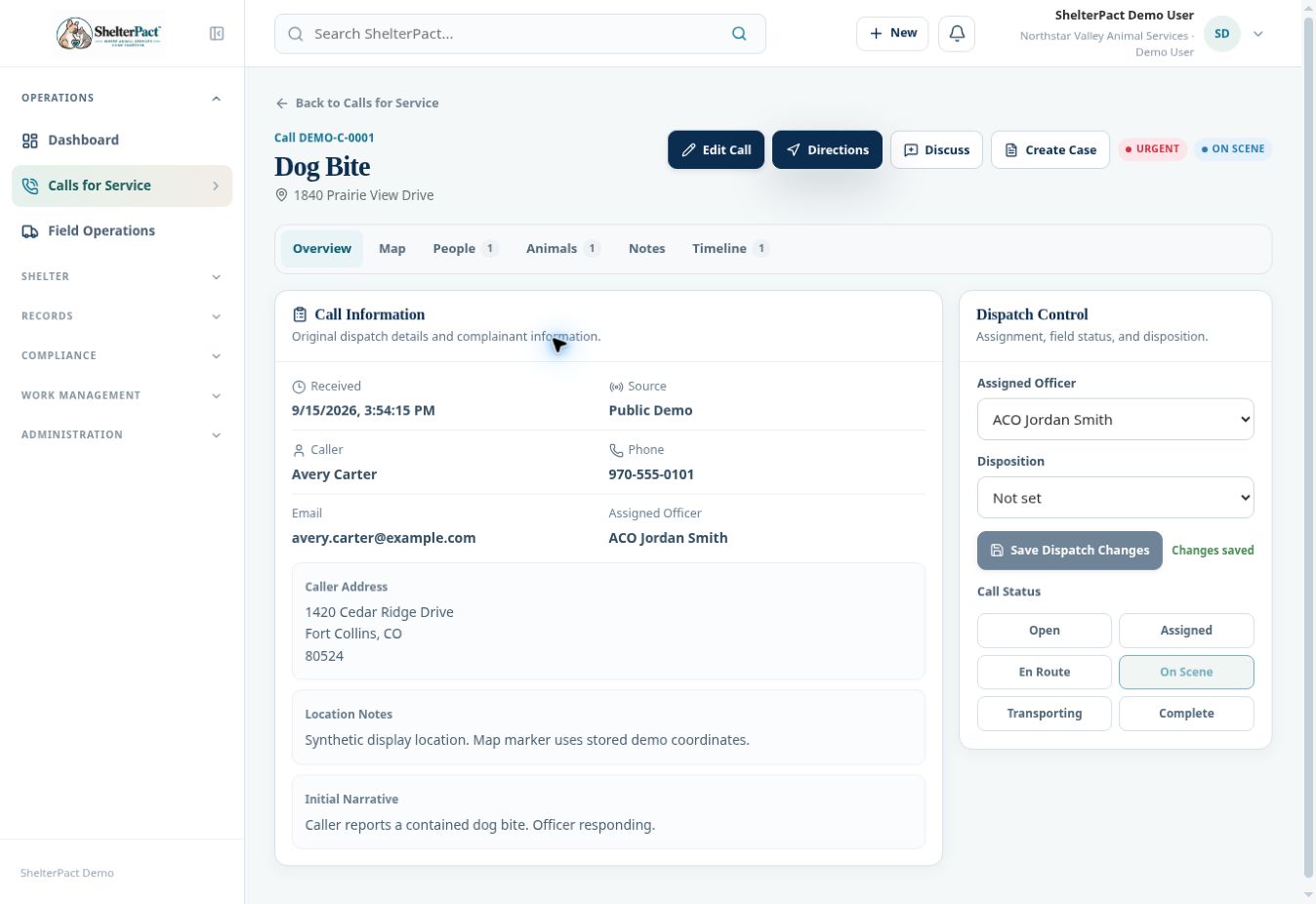
Dispatch Control manages the response lifecycle. Notes and Timeline preserve context for the staff handling or reviewing the incident.
Before you beginOpen the call by number and review the narrative, hazards, linked animals and people, and current assignment.
Step-by-step instructions
- In Overview, review Call Information and the initial report before changing Dispatch Control.
- Select Assigned Officer and an appropriate Disposition when known, then use Save Dispatch Changes for those edits.
- Update Call Status to reflect actual progress: Open, Assigned, En Route, On Scene, Transporting, or Complete.
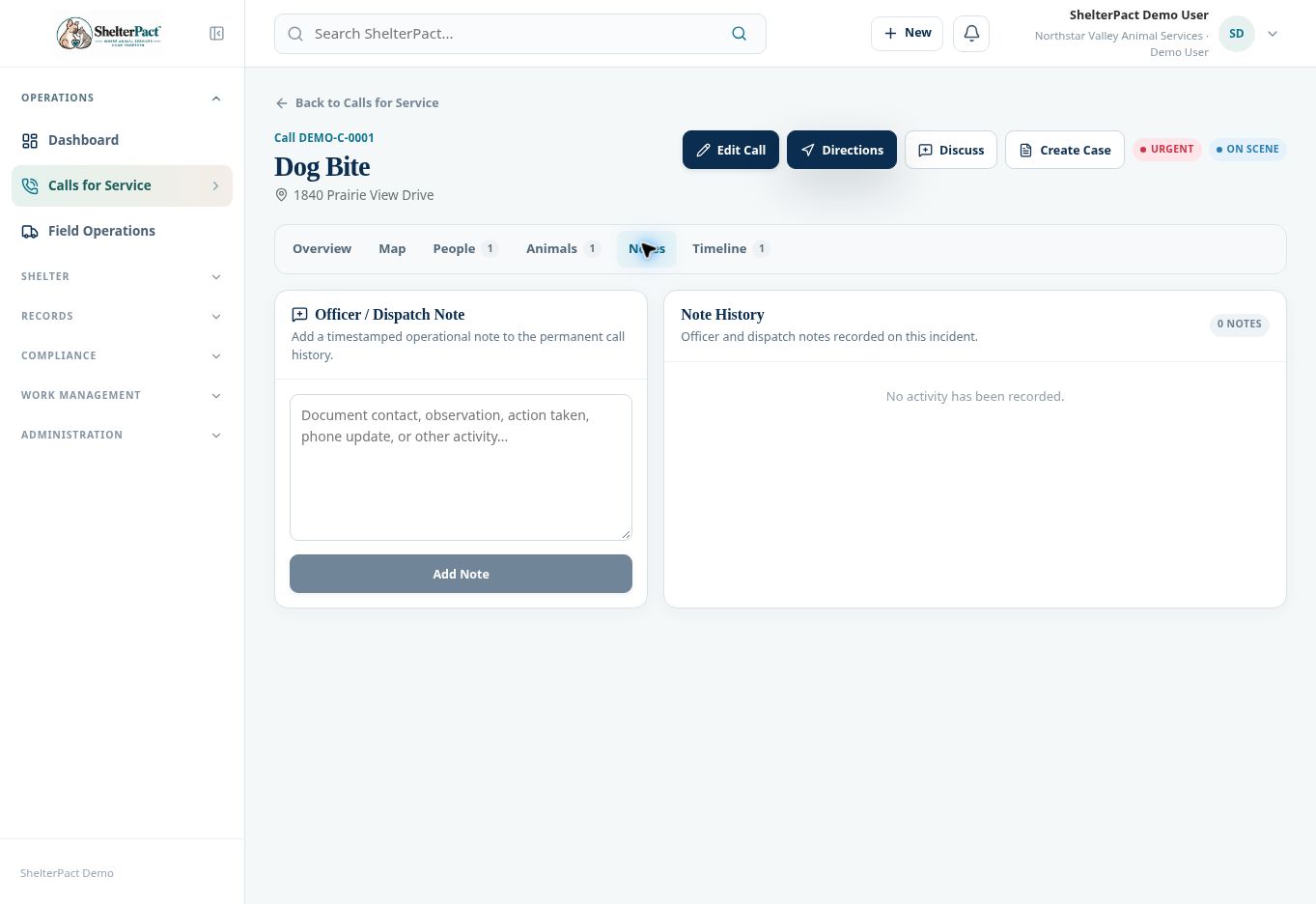
- Use Notes to add a timestamped officer or dispatch note, then select Add Note. Record material actions and observations in the call.
- Use People and Animals to review the connected permanent records; use Timeline for recorded activity.
- Before Complete, confirm the response work, final disposition, and outstanding follow-up under agency policy.
- If an investigation continues, create or update the linked Case and necessary tasks. Completing the call does not by itself close the case or release an animal from custody.
Screenshots
Practical checks
Use Discuss for conversation but keep authoritative response updates and facts in the call record.
Troubleshooting
| What you see | What to check |
|---|---|
| Save Dispatch Changes is disabled | No unsaved assignment/disposition change may exist; inspect the current values. |
| The call is complete but case work remains | Manage the investigation in Cases and assign follow-up tasks. |