
Create and Work an Enforcement Case
Cases maintains investigation status, violations, compliance dates, enforcement actions, and connected records. A call can be its originating event without being the entire investigation.
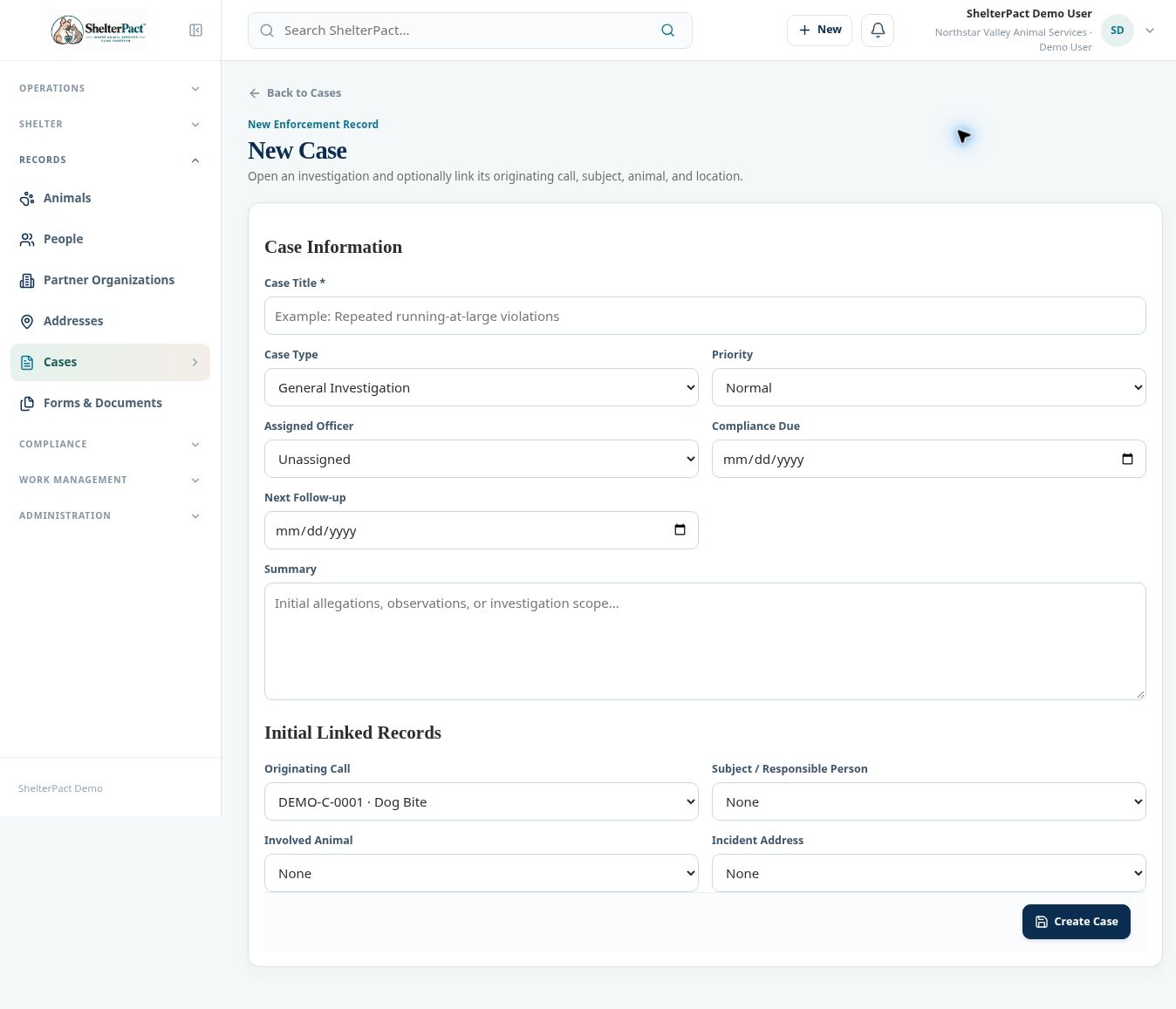
Before you beginOpen Records → Cases → New Case, or Create Case on the relevant call. Gather the subject, animal, location, investigation type, and assignment.
Step-by-step instructions
- Enter Case Title, Case Type, Priority, Assigned Officer, Compliance Due, Next Follow-up, and Summary as appropriate.
- Link Originating Call, Subject / Responsible Person, Involved Animal, and Incident Address. Confirm each permanent identity before saving.
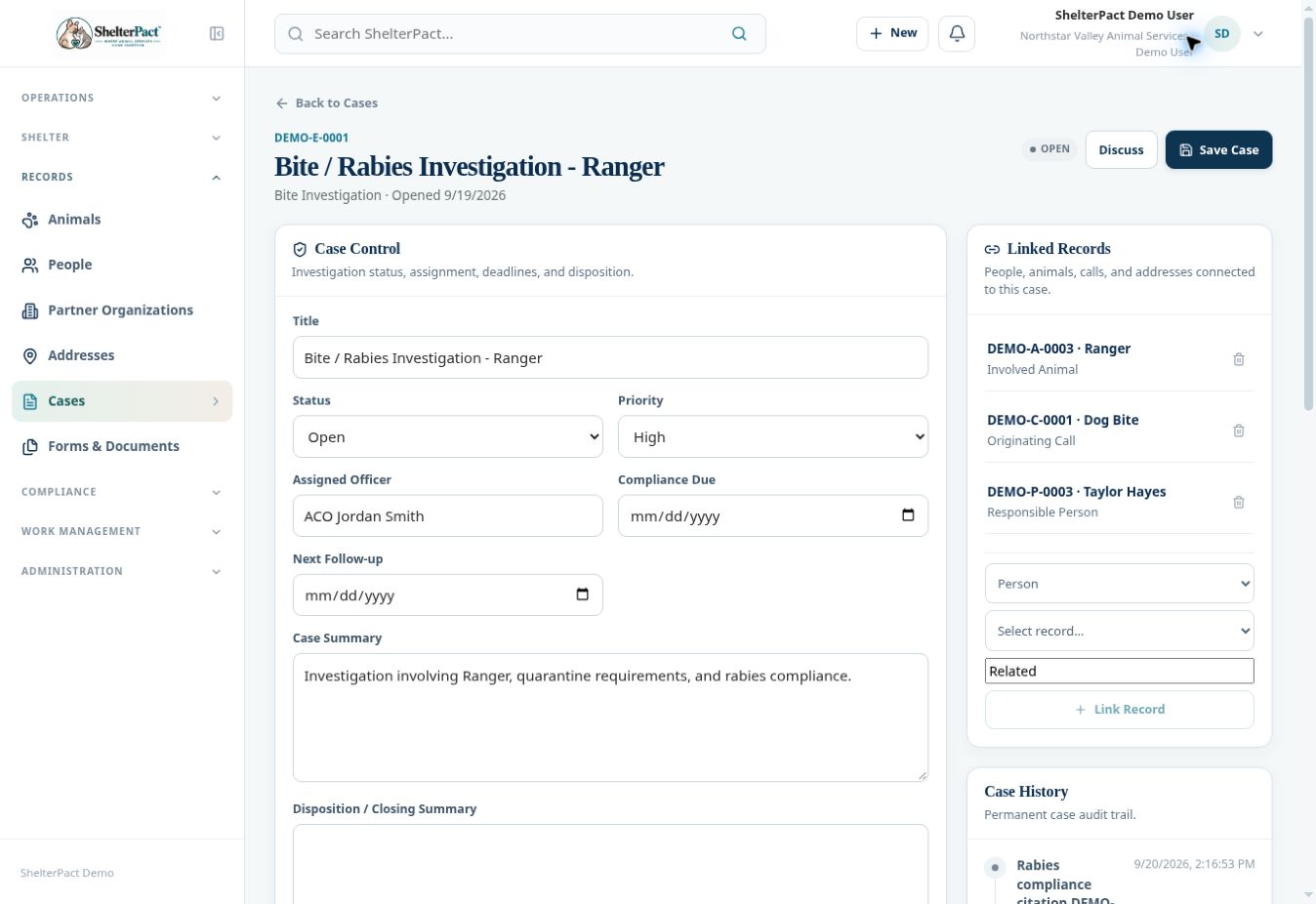
- Select Create Case and review the case number and Case Control values.
- Use Violations to record code/ordinance, violation date, description, responsible person, and compliance deadline, then Add Violation.
- Use Enforcement Actions for warnings, notices, citations, court filings, reinspections, or case notes. Record action date, reference, amount or dates when appropriate, and description before Record Action.
- Keep Status, Next Follow-up, Compliance Due, and the investigation summary current. Use Save Case after valid control changes.
- Review Linked Records and Case History for supporting context. When closing a case, document the appropriate disposition/closing summary and preserve related records.
Screenshots
Practical checks
A narrative enforcement action is not automatically the same as issuing a civil citation with a linked charge. Use Citations for that record and financial linkage.
Troubleshooting
| What you see | What to check |
|---|---|
| A follow-up is missed | Review the case deadline and assign an appropriate task or diary reminder. |
| The wrong subject is linked | Resolve the identity before recording additional enforcement actions. |