
Issue an Animal License and Review Renewals
Animal Licensing maintains issuance and expiration history, tag information, responsible people, and optional financial charges.
Before you beginOpen Compliance → Licensing. Confirm the animal identity, owner relationship, applicable license type, dates, jurisdiction, and fee policy.
Step-by-step instructions
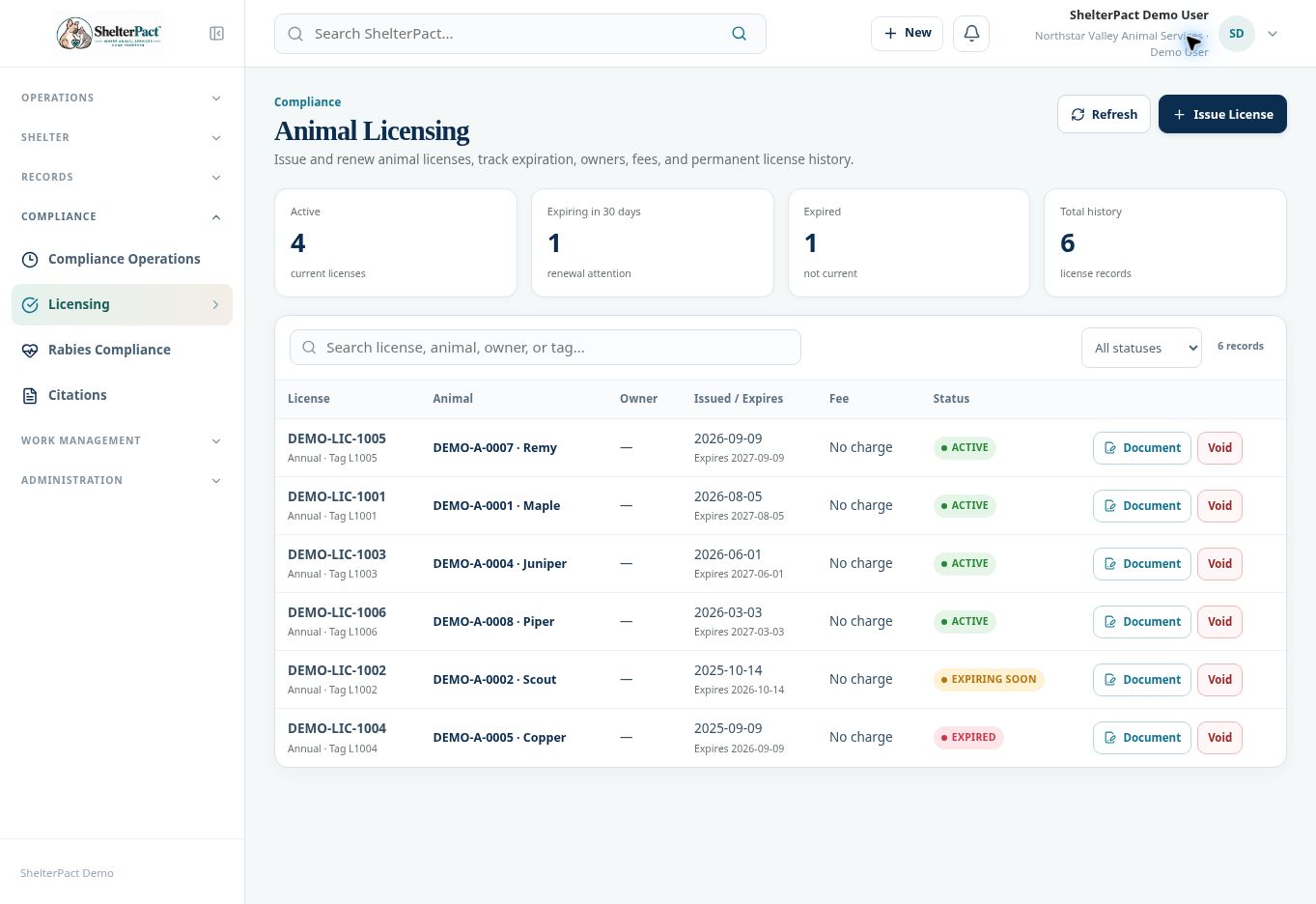
- Search the register for existing license history before issuing another record. Review current, expiring, expired, and voided status filters.
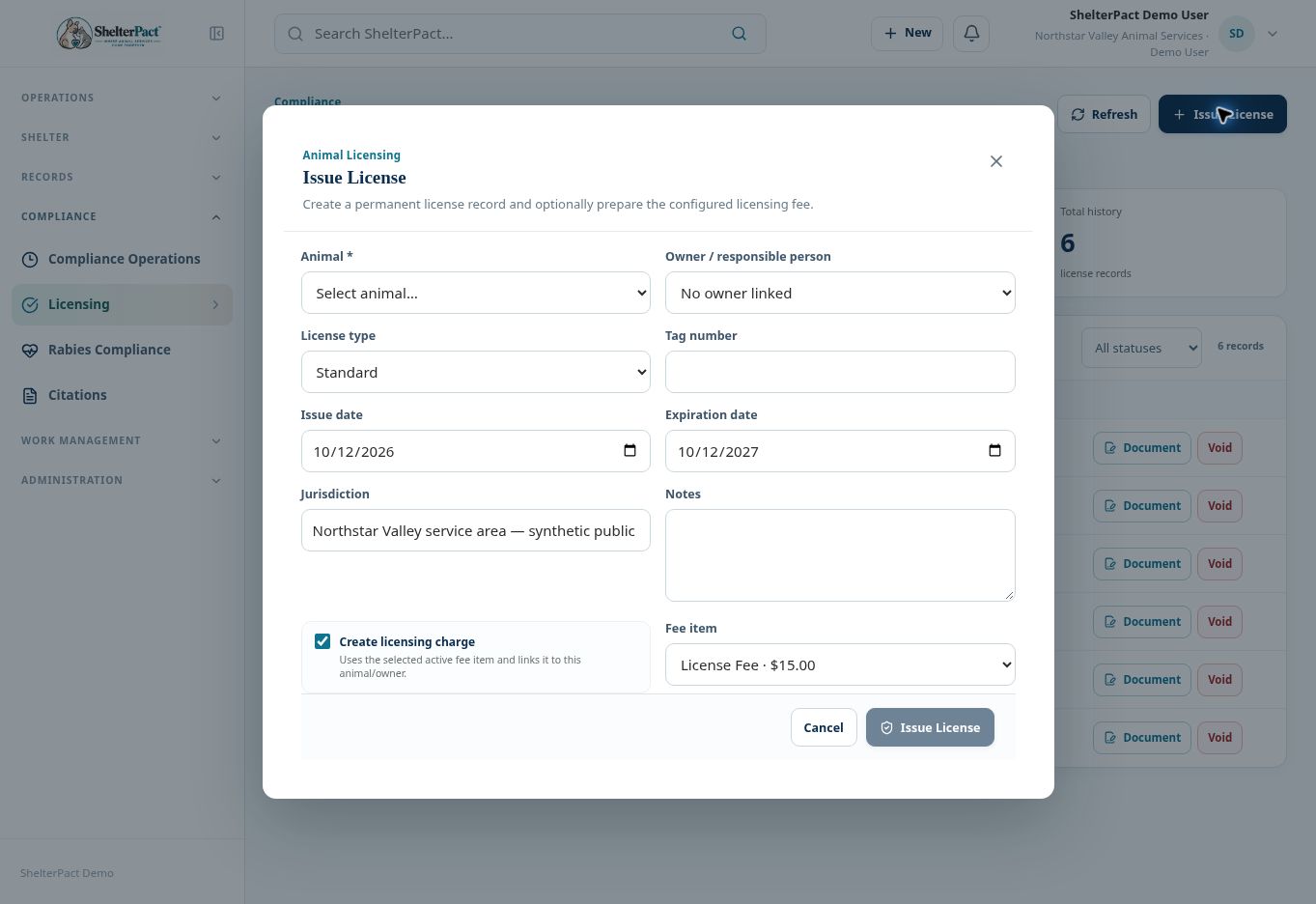
- Select Issue License and choose Animal. Review Owner / responsible person; correct the relationship when necessary before issuing related paperwork.
- Choose License type and enter Tag number, Issue date, Expiration date, Jurisdiction, and Notes.
- Review Create licensing charge and the Fee item. Confirm the charge reflects the actual fee policy rather than assuming the displayed default applies.
- Select Issue License when the details are correct. Review the number, tag, dates, status, and financial linkage.
- Open Document to review generated license paperwork and any required completion steps.
- Use Compliance Operations renewal queues and Renew when available to process an upcoming renewal. Preserve prior issuance history rather than overwriting the old event.
Screenshots
Practical checks
Issuing a charge is not collecting payment. Review outstanding balances through Financial when applicable.
Troubleshooting
| What you see | What to check |
|---|---|
| No owner appears | Review the animal’s current People relationships. |
| A license is expired | Review renewal information and approved dates; do not alter historical issuance facts just to clear the status. |