
Create a Call for Service
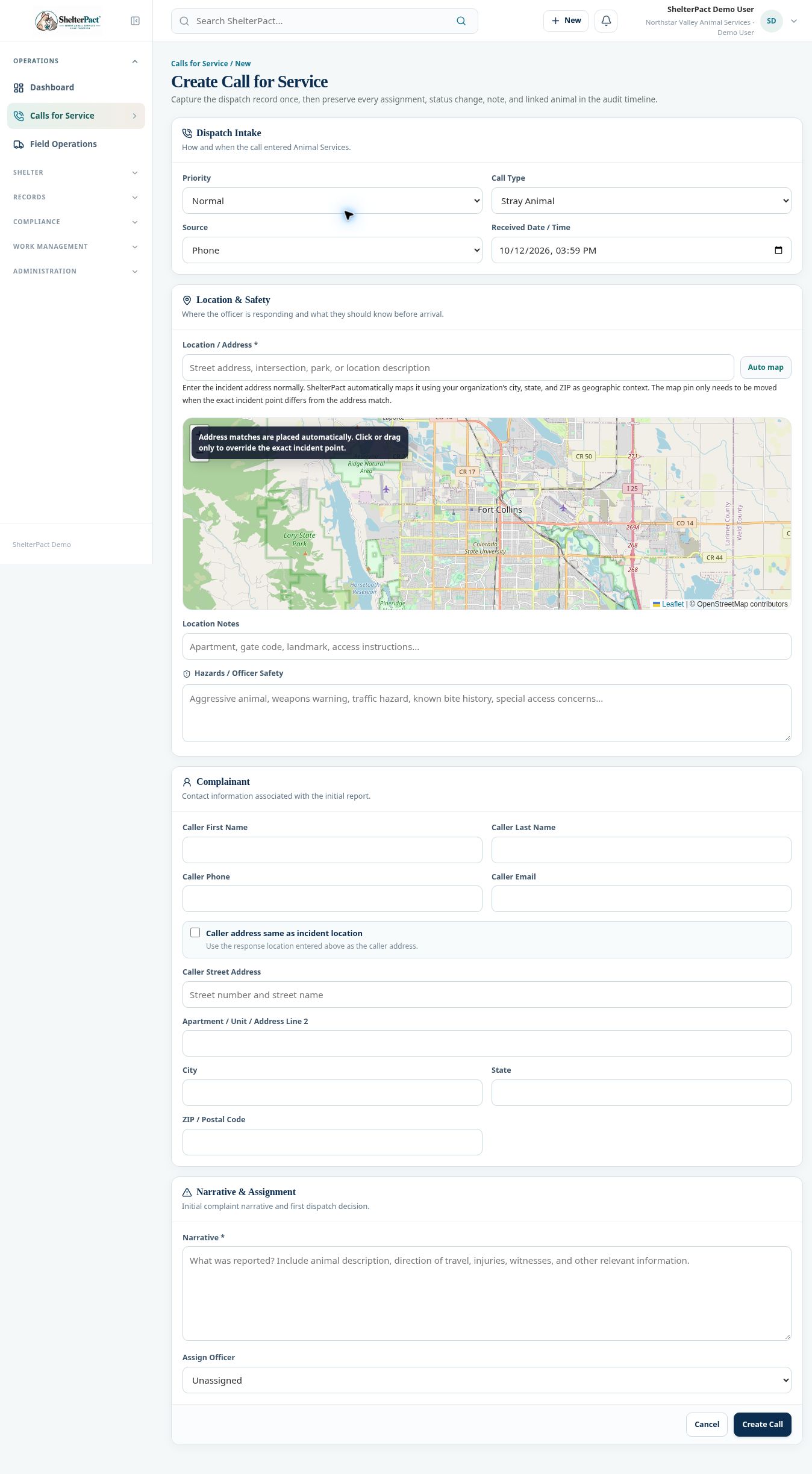
Calls for Service captures the initial dispatch report and preserves later assignments, status changes, notes, and links. Record the actual incident location and narrative once.
Before you beginOpen Operations → Calls for Service → New Call. Have caller information, incident details, known hazards, and initial priority available.
Step-by-step instructions
- In Dispatch Intake, choose Priority, Call Type, Source, and Received Date / Time. Confirm the received time reflects the report.
- Enter Location / Address. Review the automatically placed map pin; adjust the exact incident point only when the address match is not the response location.
- Enter Location Notes and Hazards / Officer Safety. Distinguish confirmed information from unverified reports.
- Enter Caller First Name, Last Name, Phone, and Email as known. Choose caller address same as incident location only when accurate.
- If the caller address differs, enter the separate street, unit, city, state, and ZIP fields.
- Record Narrative with the initial report and choose Assign Officer or leave Unassigned for dispatch review.
- Select Create Call. Review the assigned call number, location, priority, narrative, and assignment, then manage response through the call record.
Screenshots
Practical checks
The organization’s geographic context assists address mapping. Confirm the pin visually before relying on directions.
Troubleshooting
| What you see | What to check |
|---|---|
| The pin is incorrect | Verify the full address and adjust the incident point through the map controls. |
| The caller address was copied incorrectly | Correct it separately from the incident location; do not treat the two as interchangeable. |