
Use Field Operations Maps and Unit Status
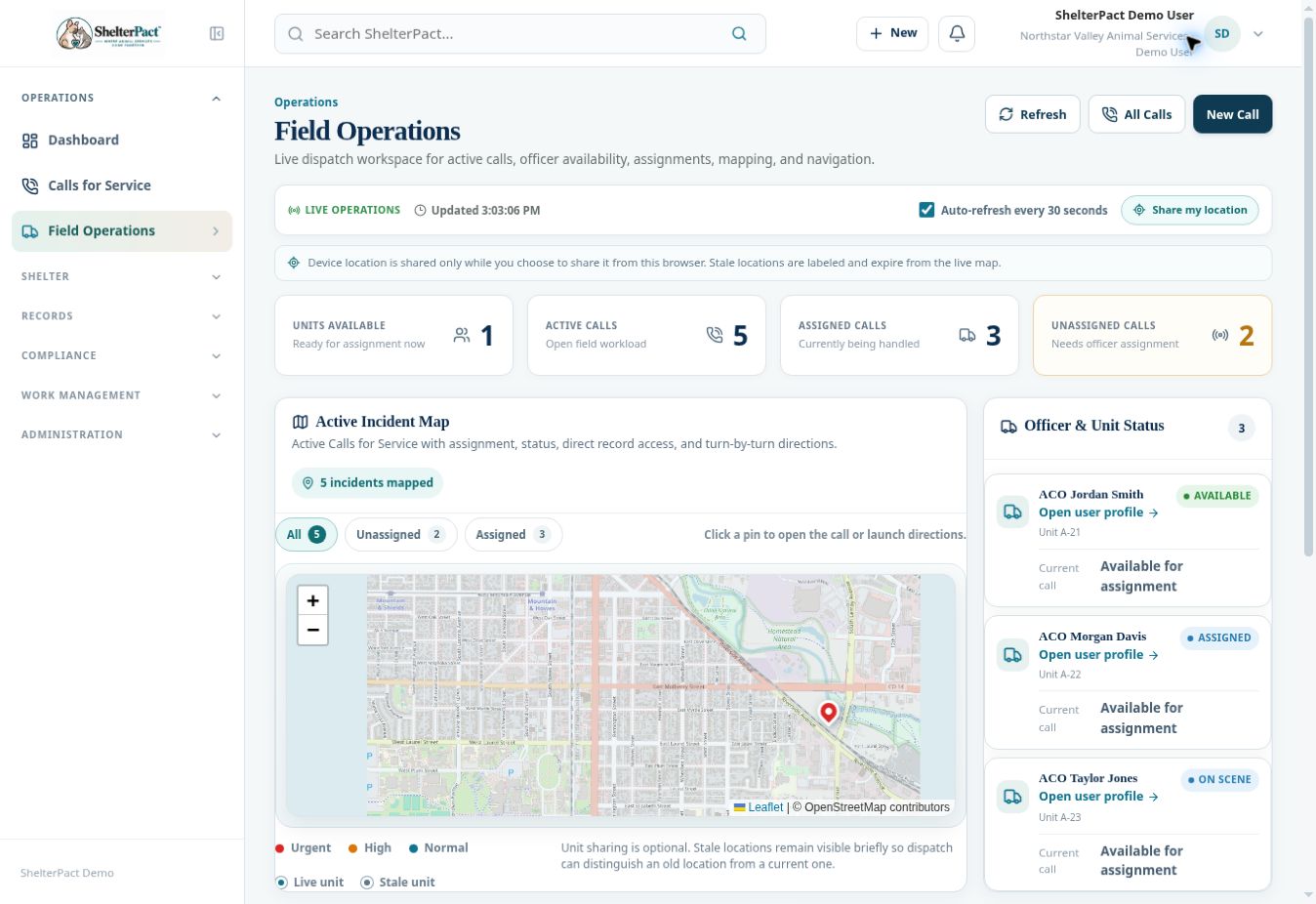
Field Operations brings the live call queue, officer/unit status, assignments, and incident map into one dispatch workspace.
Before you beginOpen Operations → Field Operations. Review whether the organization permits optional device location sharing; do not enable browser location access on someone’s behalf.
Step-by-step instructions
- Review available units, active calls, assigned calls, and unassigned calls to assess dispatch workload.
- Use Unassigned Queue to open a call needing assignment. Confirm priority, location, hazards, and required response before assigning an officer.
- Use Active Assignments to open work already allocated. Review actual call status rather than assuming a unit label reflects the complete incident state.
- Use map filters for All, Unassigned, or Assigned incidents. Select a pin to open its call or access directions.
- Check whether a unit position is live or stale. A stale location is labelled and expires; it should not be treated as a current position.
- If enabled and authorized, staff can choose Share my location from their own device. Sharing remains optional and begins only when chosen.
- Use Refresh when needed; the workspace also indicates automatic refresh. Record assignment and response updates in the call itself.
Screenshots
Practical checks
Map presence does not replace a safety briefing or confirmation of the actual response location.
Troubleshooting
| What you see | What to check |
|---|---|
| A call has no pin | Review its address and coordinates in the call map. |
| The unit position is stale | Confirm location through normal dispatch procedures and inspect the sharing state. |