
Issue a Citation and Manage Compliance Follow-Up
Citations links the responsible person, violation, relevant animal/case, due date, and financial balance. Compliance Operations gathers due or delinquent items for follow-up.
Before you beginConfirm the citation is authorized and have the responsible person, violation details, service method, dates, and fine information available.
Step-by-step instructions
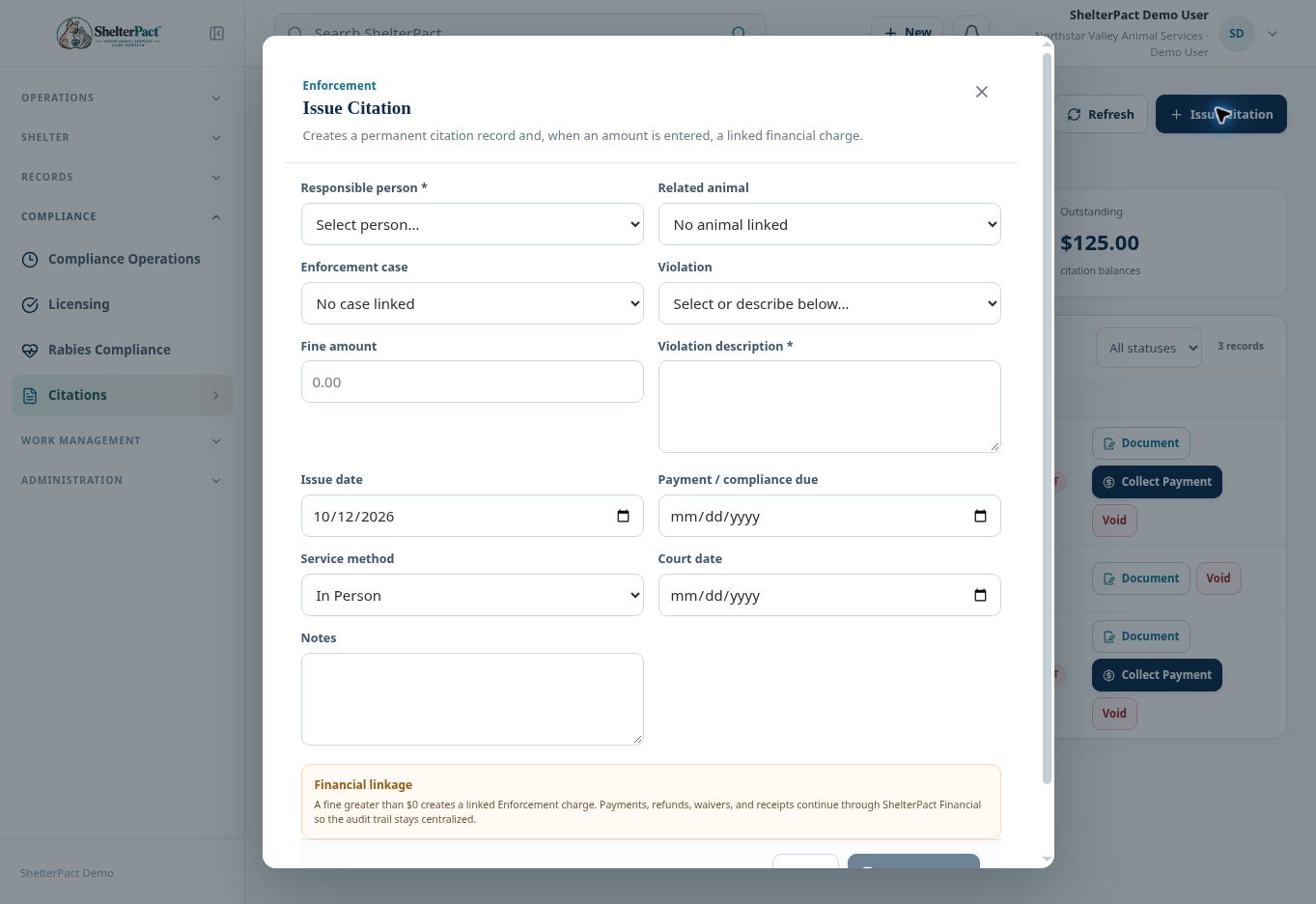
- Open Compliance → Citations → Issue Citation. Select Responsible person and any Related animal and Enforcement case.
- Choose Violation and enter Violation description. Record the actual Fine amount according to the authorized action.
- Enter Issue date, Payment / compliance due, Service method, Court date where applicable, and Notes.
- Review Financial linkage. A fine greater than zero creates a linked Enforcement charge; collection and corrections continue through Financial.
- Select Issue Citation when required information is correct. Review the citation number, status, balance, and links.
- Use Document to review the notice and complete required signing or document finalization. Collect Payment is available for eligible unpaid balances.
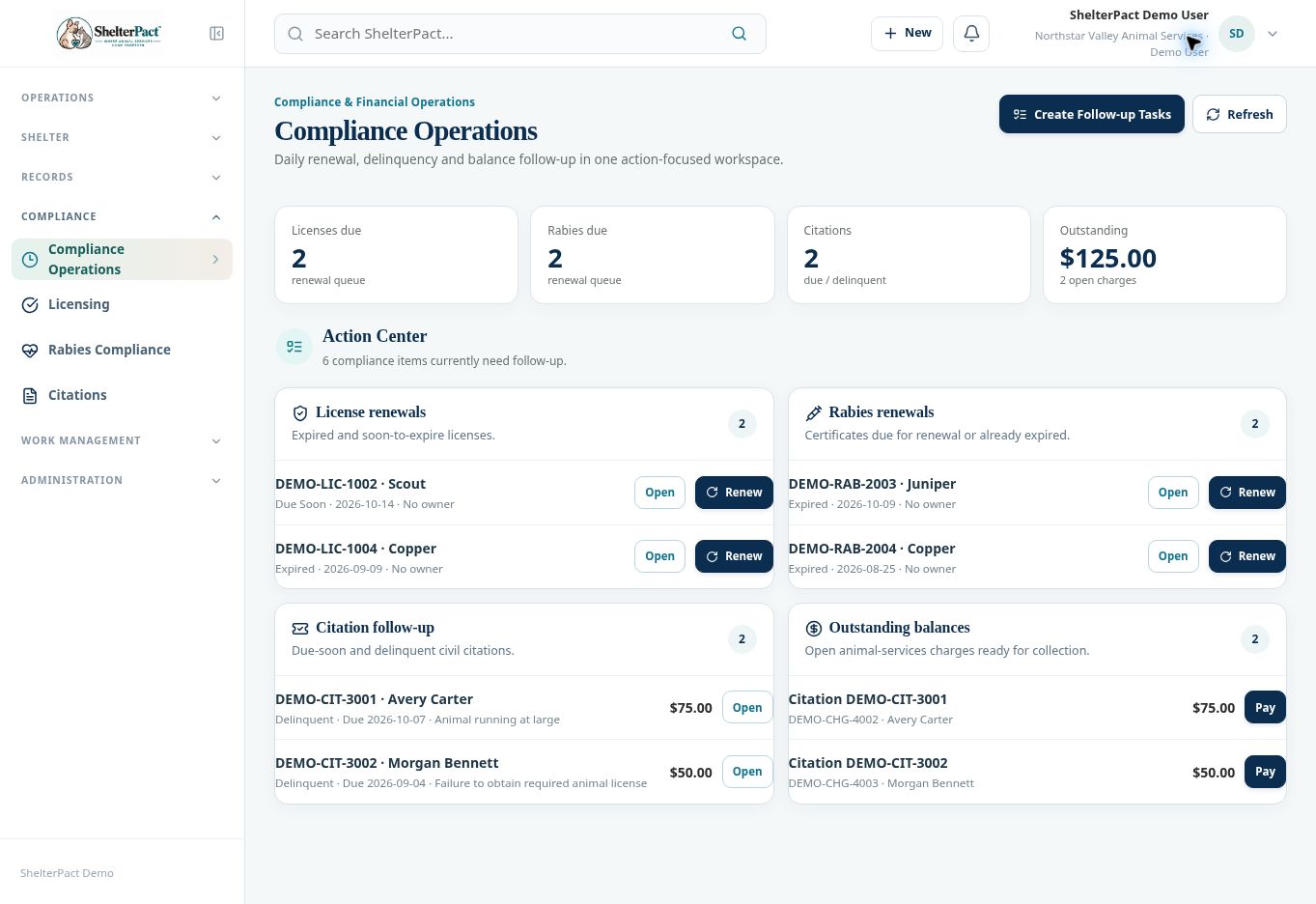
- Open Compliance Operations to review license, rabies, citation, and balance queues. Use Open, Renew, or Create Follow-up Tasks where authorized and appropriate.
- Review the source record after follow-up. Payment resolves a financial balance but may not complete separate compliance, court, or case requirements.
Screenshots
Practical checks
Keep actual source records current; completing a follow-up task does not automatically resolve a citation or case.
Troubleshooting
| What you see | What to check |
|---|---|
| Collect Payment is missing | Check whether the citation is paid, voided, has no balance, or your role lacks collection access. |
| A citation is paid but an investigation remains open | Review the separate case and nonfinancial requirements. |