
Complete an Adoption Through the Guided Workflow
The adoption pathway organizes eligibility, adopter selection, financial review, required documents, and final completion. It should be used for the actual disposition rather than a manual status change.
Before you beginOpen Shelter → Movements & Outcomes → Adoptions. Confirm the animal’s identity and that your organization has approved the adoption.
Step-by-step instructions
- Select the animal and Start Adoption, or open an existing item in Recent Adoption Workflows. Available animals are shown by default; Show All In Custody supports authorized exception review.
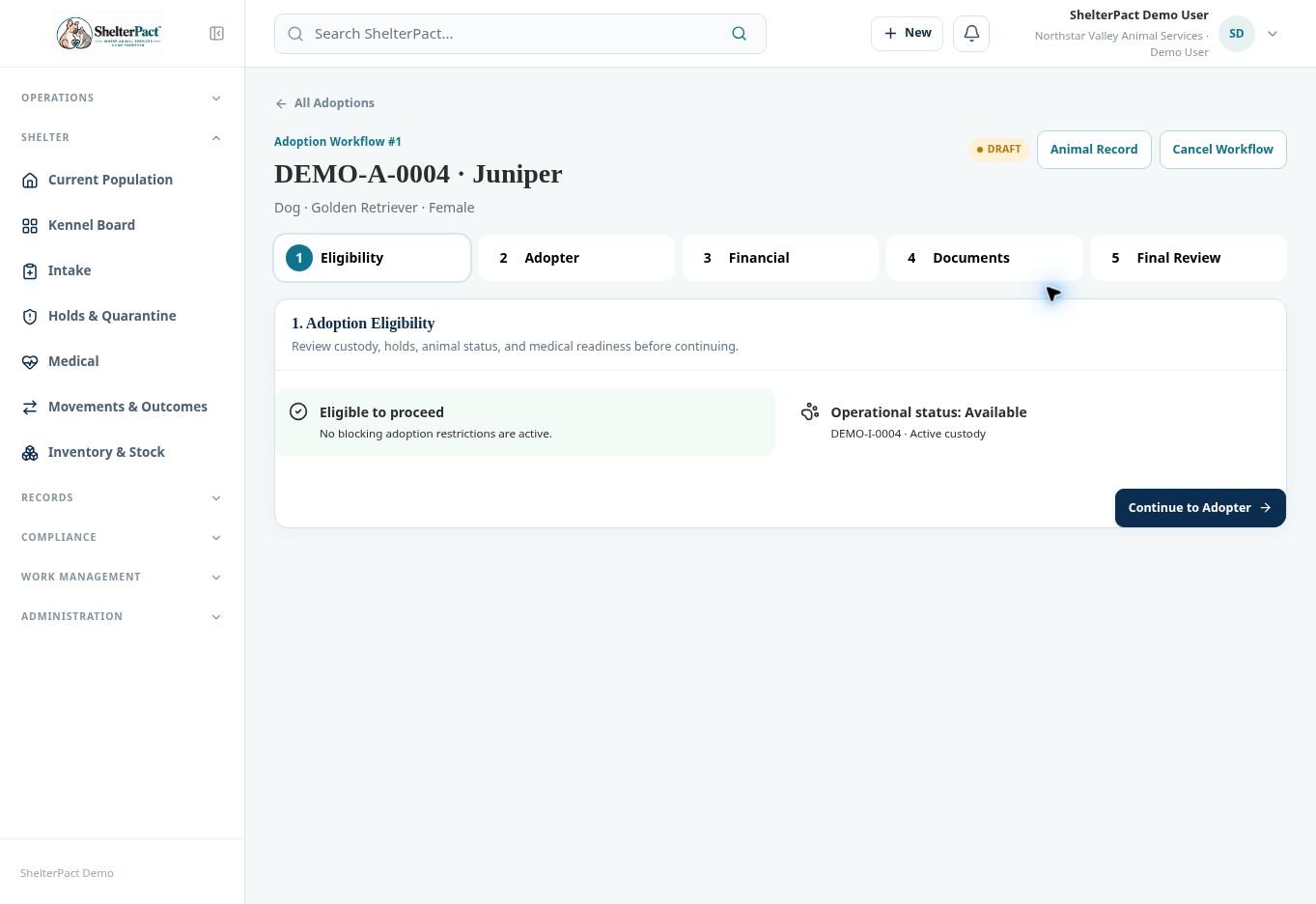
- At Eligibility, review active custody, status, holds, and medical readiness. Resolve blocking issues through their source workflows before continuing.
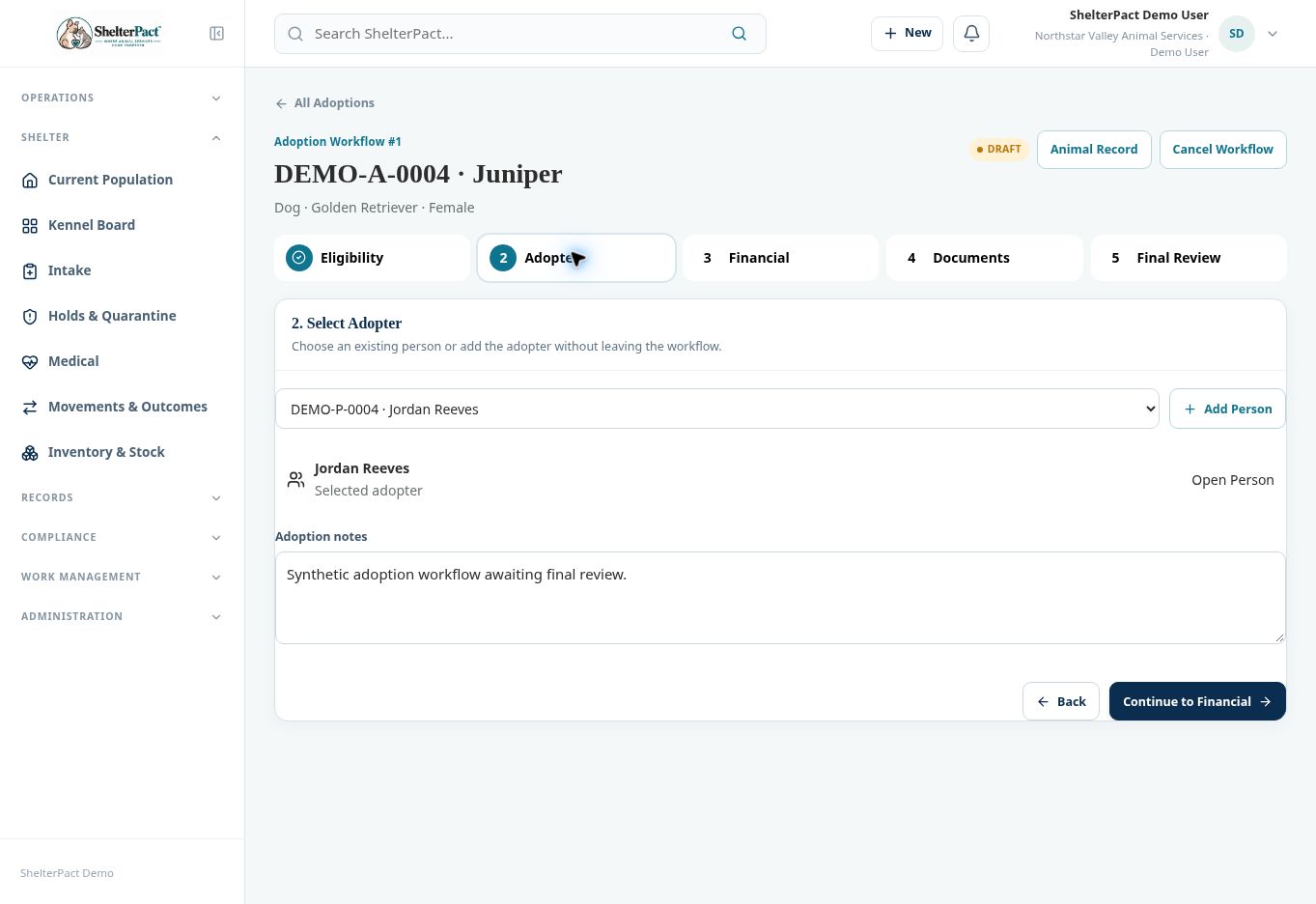
- At Adopter, select the existing person or use Add Person. Review Open Person, confirm the correct adopter, and add Adoption notes.
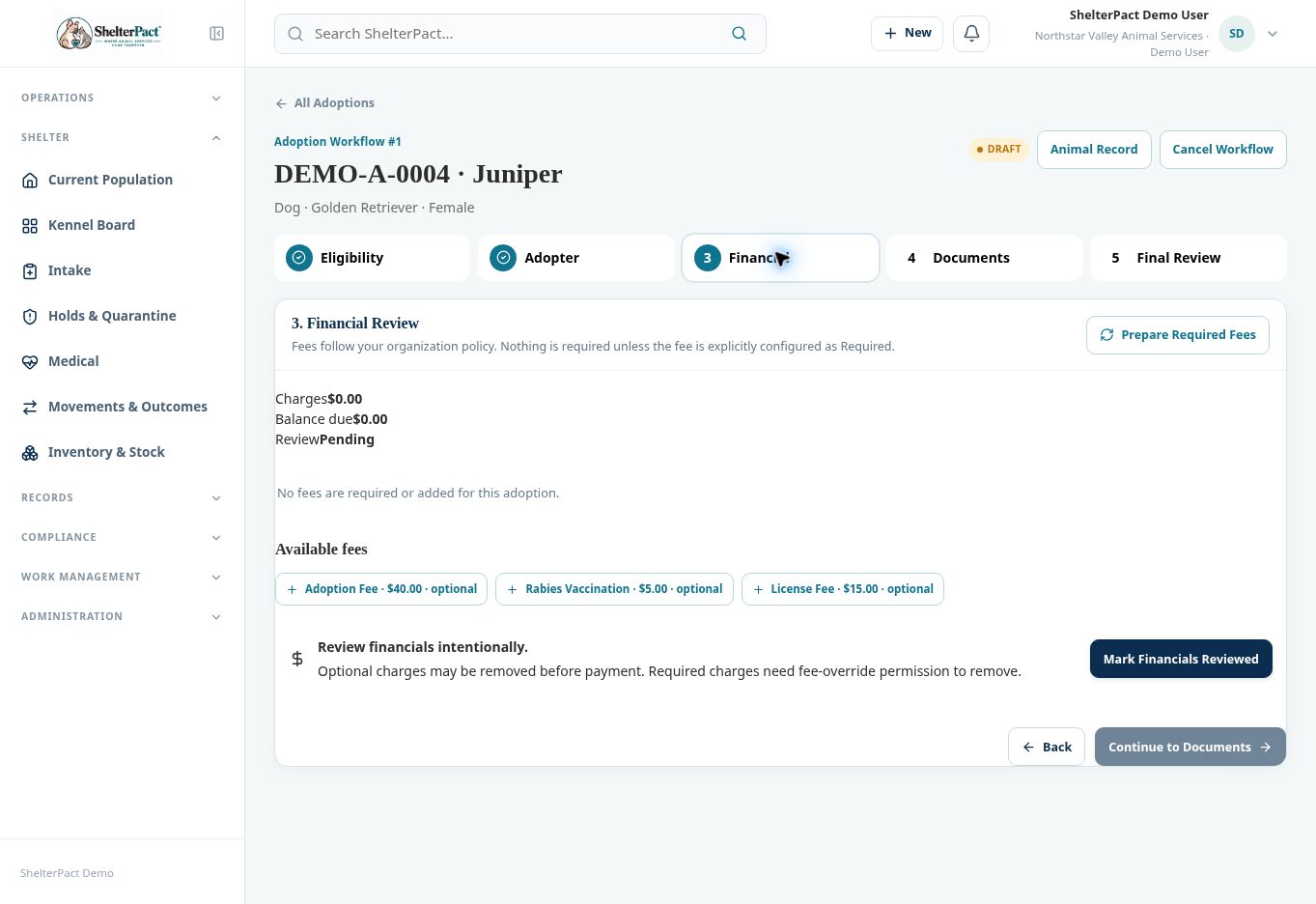
- At Financial, prepare required fees when applicable. Review charges, outstanding balance, and optional fees. Optional charges are not required simply because a fee exists in the catalog.
- Complete eligible payment or authorized correction actions through Financial when necessary. Select Mark Financials Reviewed after intentionally reviewing the charges and policy.
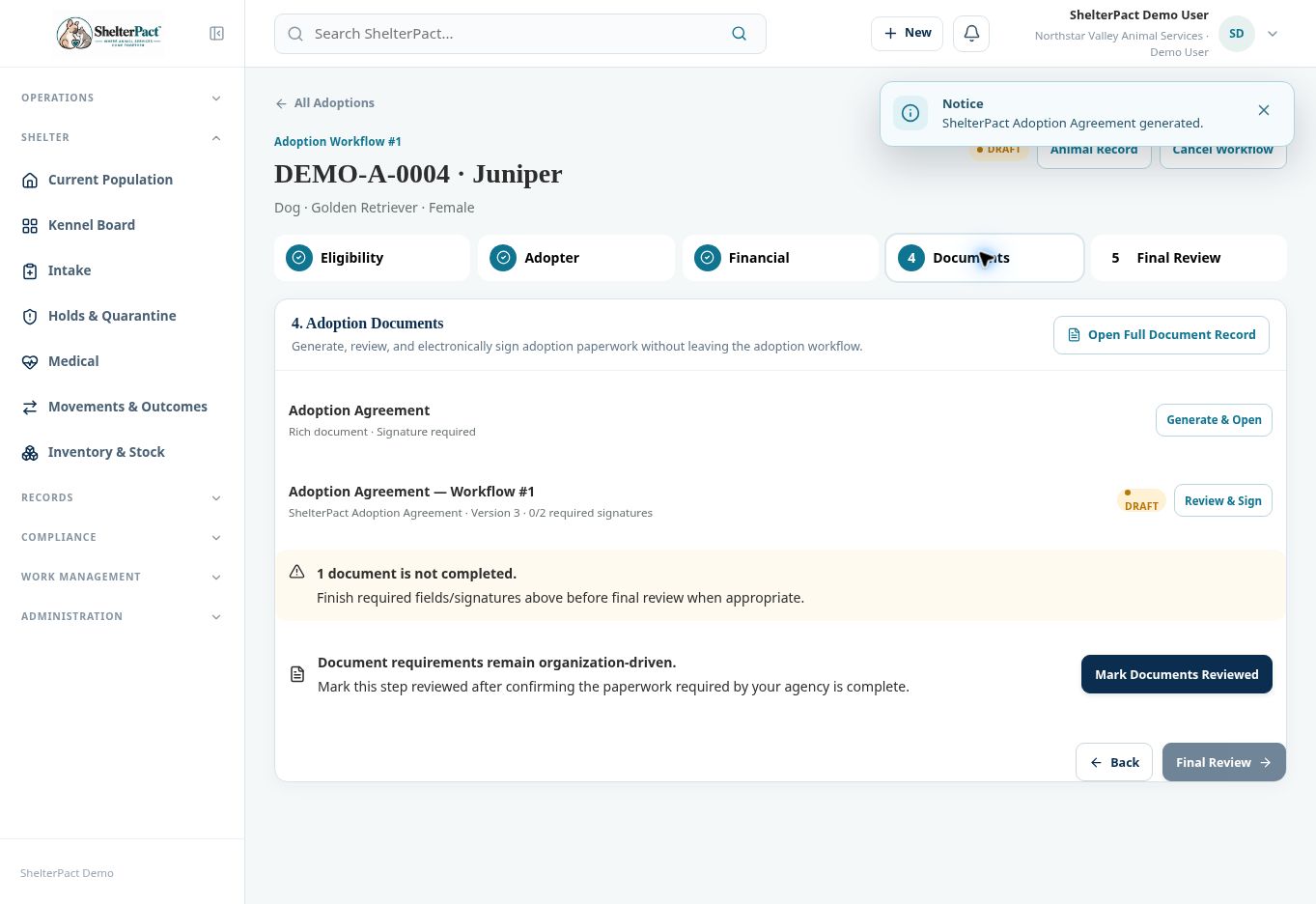
- At Documents, review the automatically generated agreement or use the available generation control. Select Review & Sign or Open Full Document Record to review content and signer slots.
- Finish the required fields, signatures, and document completion under your organization’s process. Mark Documents Reviewed only after the required paperwork is complete.
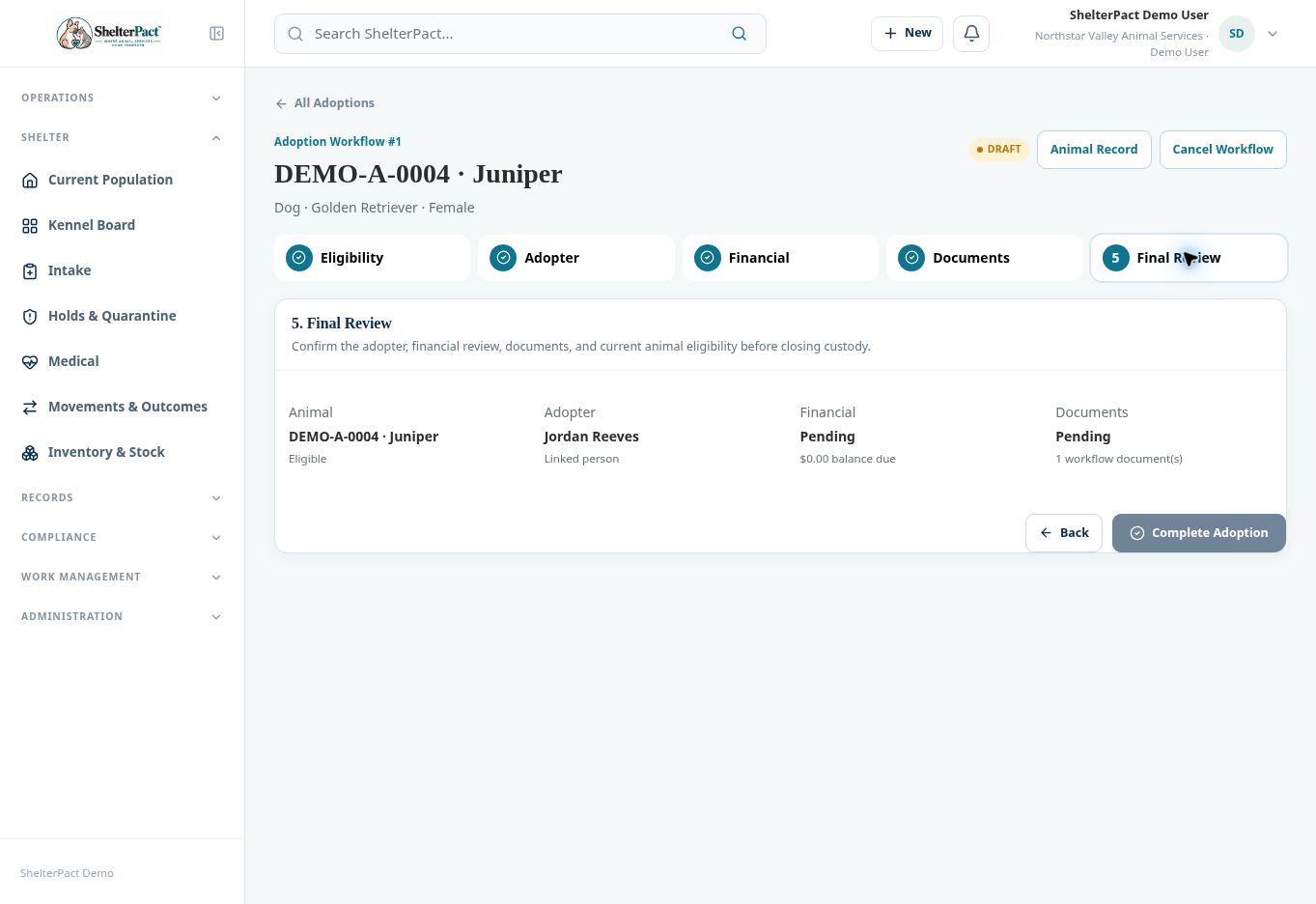
- At Final Review, confirm the animal, adopter, current eligibility, financial review, balance, and documents. Select Complete Adoption only when the event is authorized and ready.
- Verify the completed workflow and animal outcome/custody state. Provide the final document and receipt through the supported delivery process.
Screenshots
Practical checks
Entering Documents can generate an agreement automatically. Reopen the existing workflow rather than creating duplicate paperwork for the same adoption.
Troubleshooting
| What you see | What to check |
|---|---|
| The balance is zero but review is Pending | Intentionally review financials and use Mark Financials Reviewed; a zero balance is not the same as a completed review. |
| A document has 0/2 required signatures | Open it and complete the configured signer slots before finalization. |
| The animal cannot proceed | Resolve the current restriction; an exception requires the applicable authority and permissions. |