
Process an Owner Surrender
The guided surrender pathway verifies the animal and surrendering person, records the surrender details, reviews fees and documents, and creates the custody intake on completion.
Before you beginOpen Movements & Outcomes → Owner Surrenders. Verify that the person has authority to surrender the animal and that the animal does not already have an active custody episode.
Step-by-step instructions
- Select an existing animal outside active custody, or use Add Animal & Start Surrender when a permanent identity must be created.
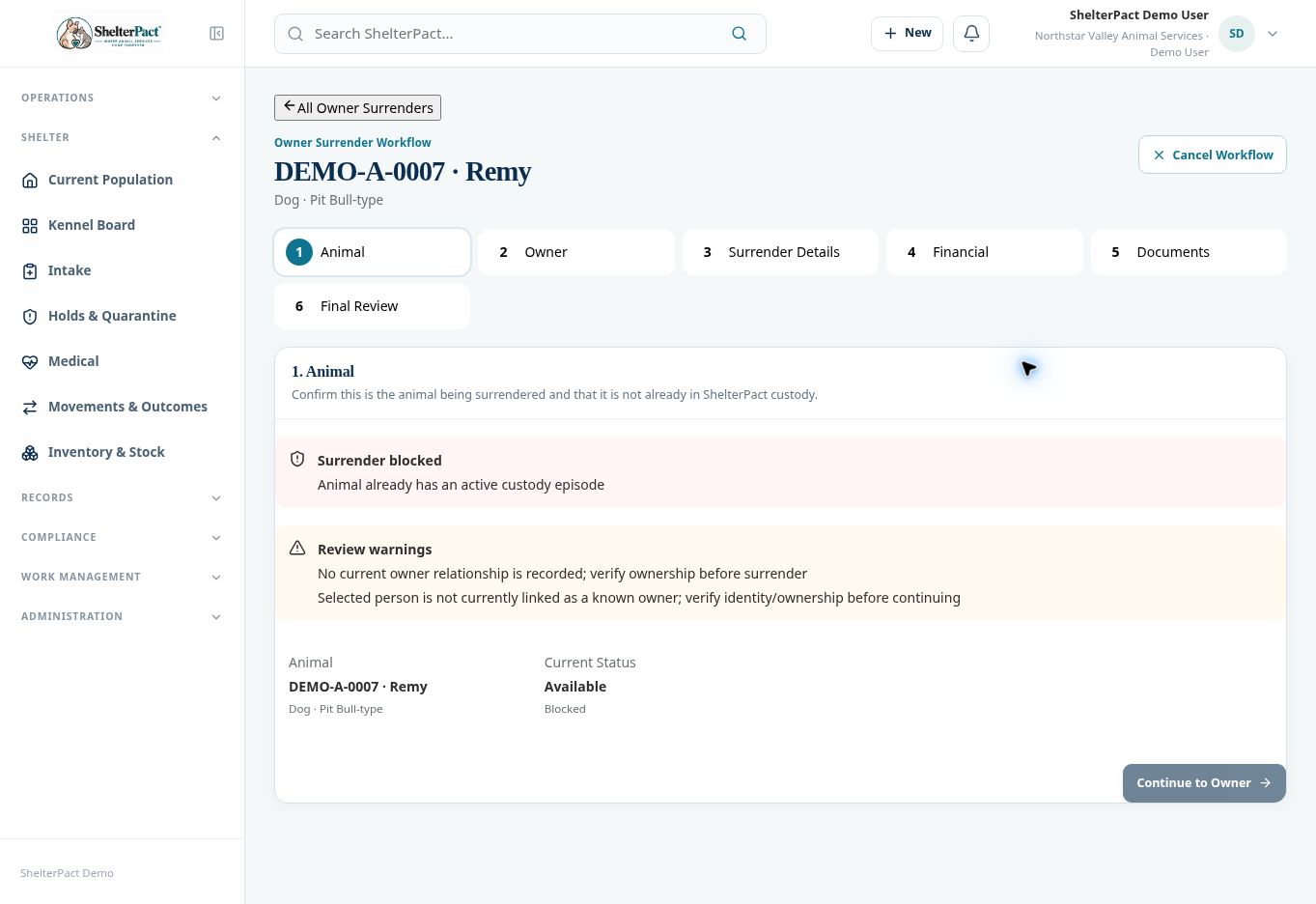
- At Animal, confirm the number and descriptors. Review any blocking active-custody condition and current ownership warnings.
- At Owner, select the surrendering person and verify ownership or lawful authority under agency policy. Reuse the person record when it exists.
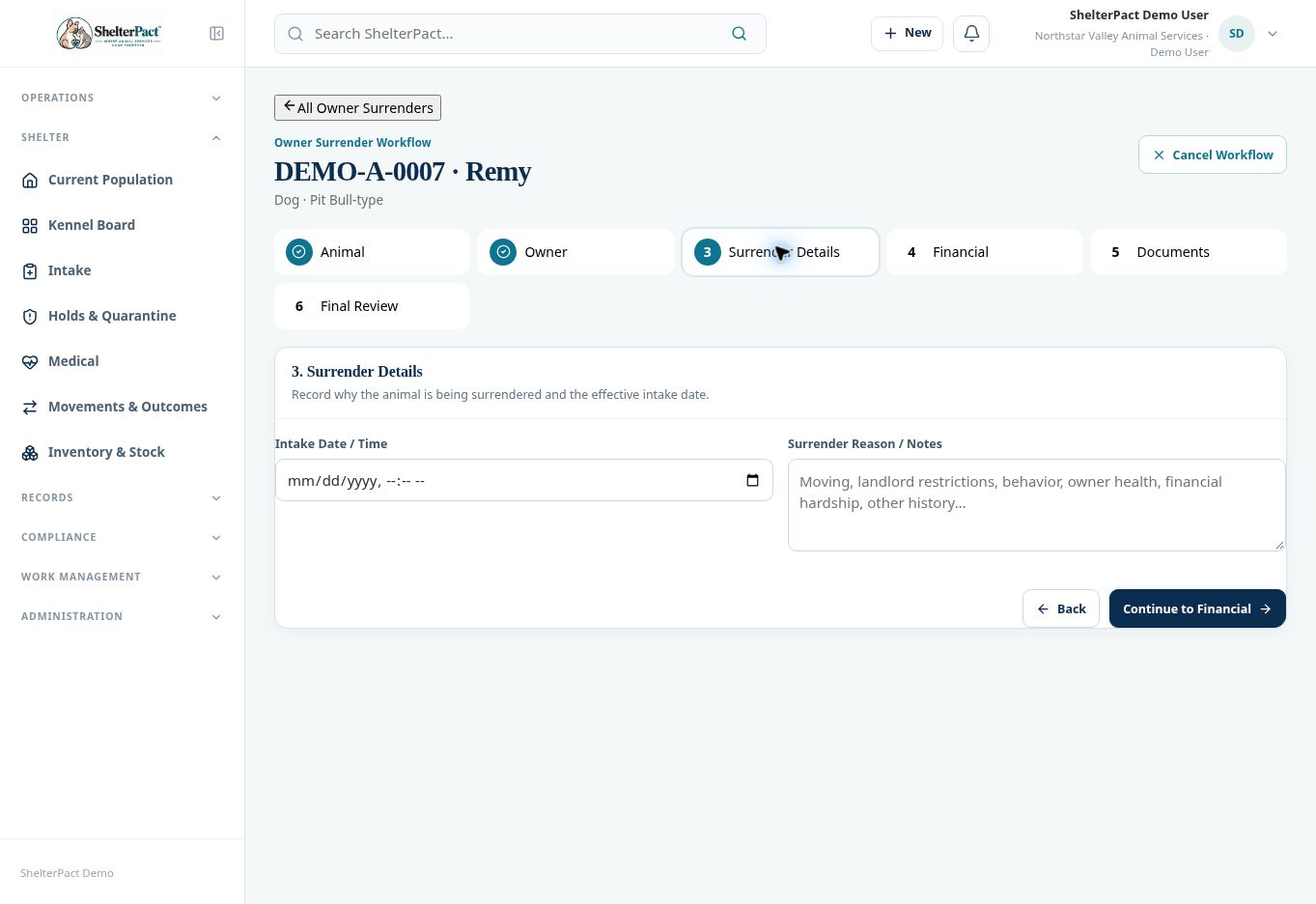
- At Surrender Details, enter the effective Intake Date / Time and Surrender Reason / Notes.
- At Financial, review required and optional surrender fees. Complete the appropriate collection or authorized adjustment and financial review.
- At Documents, review the surrender agreement and configured signature requirements. Complete the document before final review when required.
- At Final Review, confirm the animal, person, surrender details, financials, and paperwork. Complete the surrender only when authorized.
- Review the created intake/custody episode and animal state. Arrange housing, applicable restrictions, and intake care.
Screenshots
Practical checks
Creating a separate intake and then attempting a surrender for the same stay can produce an active-custody blocker. Use the correct pathway for the event.
Troubleshooting
| What you see | What to check |
|---|---|
| Animal already has an active custody episode | Review the existing admission; do not create a second episode just to complete surrender paperwork. |
| The person is not a current owner | Verify authority and document the basis before accepting the surrender. |