
Place an Animal in Foster Care and Manage Returns
Foster Care records temporary care with a caregiver while preserving shelter custody. Its placement dates, return timing, instructions, and paperwork remain part of the animal’s history.
Before you beginOpen Movements & Outcomes → Foster Care. Confirm the caregiver is approved under agency policy and the animal has appropriate custody and eligibility.
Step-by-step instructions
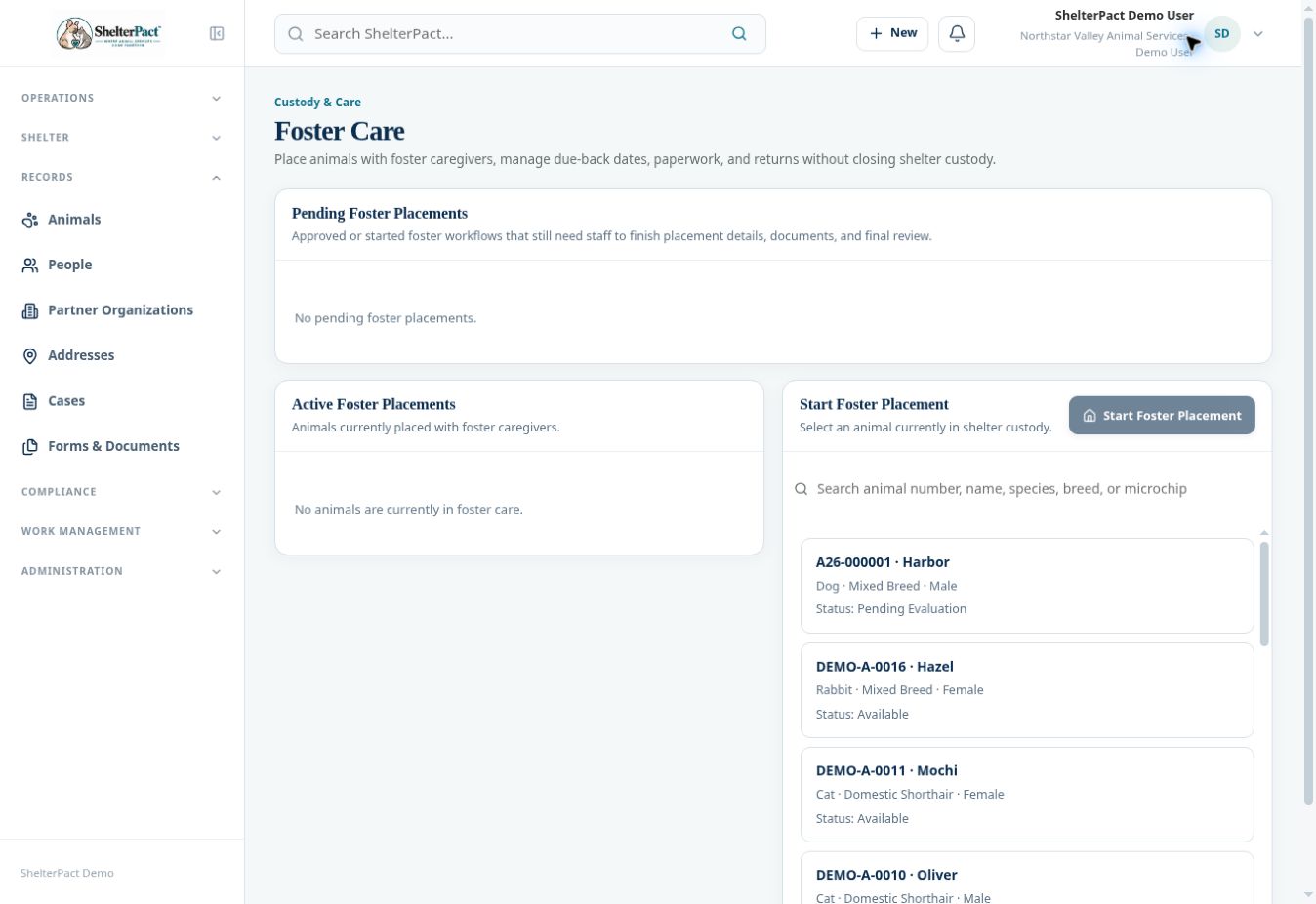
- Review Pending Foster Placements and Active Foster Placements before starting another workflow for the same animal.
- Select the animal and Start Foster Placement. Review its identity and any restriction or existing-placement warning.
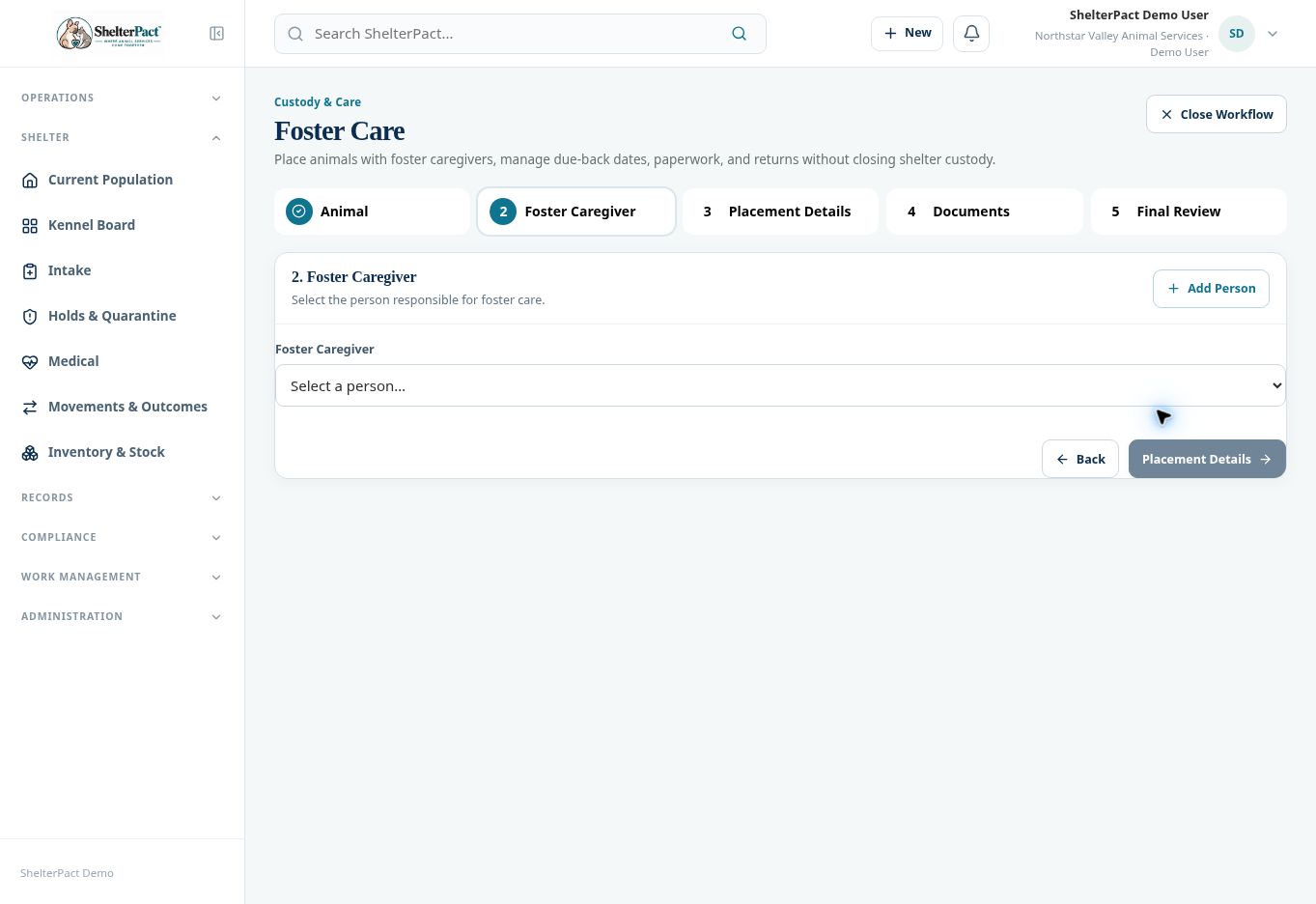
- At Foster Caregiver, choose the existing person or Add Person. Confirm the person and contact information before continuing.
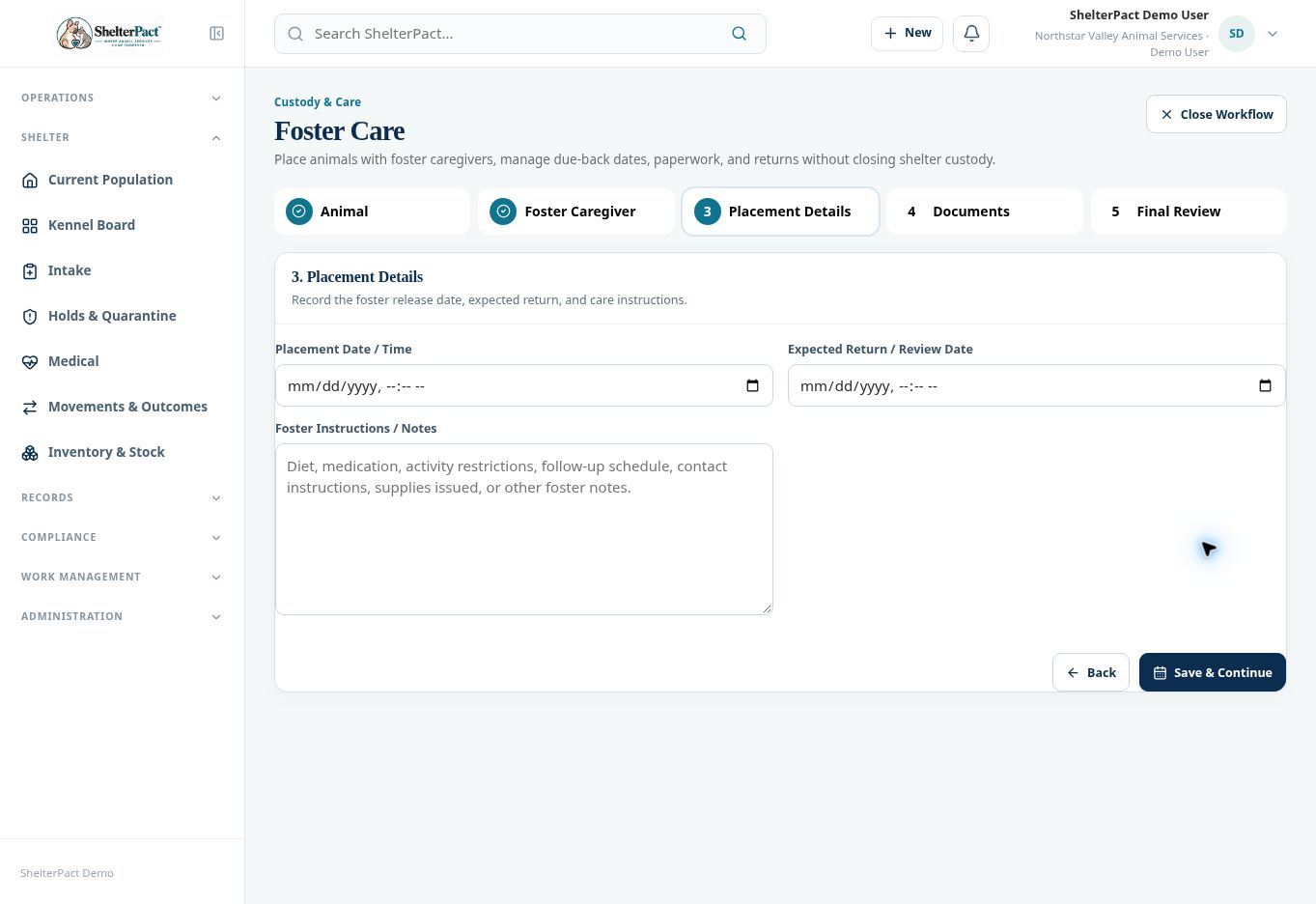
- At Placement Details, enter Placement Date / Time, Expected Return / Review Date, and Foster Instructions / Notes.
- Use Save & Continue to proceed when the details are correct. Review the foster agreement and complete its required fields and signatures.
- At Final Review, verify the animal, caregiver, placement dates, instructions, and documents before completing placement.
- Confirm the placement in Active Foster Placements and check that shelter custody remains open. Review expected-return or review dates as operational follow-up.
- When the animal returns, use the placement’s available return controls and record the actual return information. Review current housing and movement history afterward.
Screenshots
Practical checks
A person-animal Foster relationship alone does not complete a placement. A foster return is distinct from a new admission into custody.
Troubleshooting
| What you see | What to check |
|---|---|
| The animal is already in an active placement | Review the existing placement before starting another. If the visible list and blocker disagree, refresh and ask an administrator to review the record. |
| The next step will not open | Complete the required selection or details on the current step first. |