
Transfer an Animal to a Rescue or Partner Organization
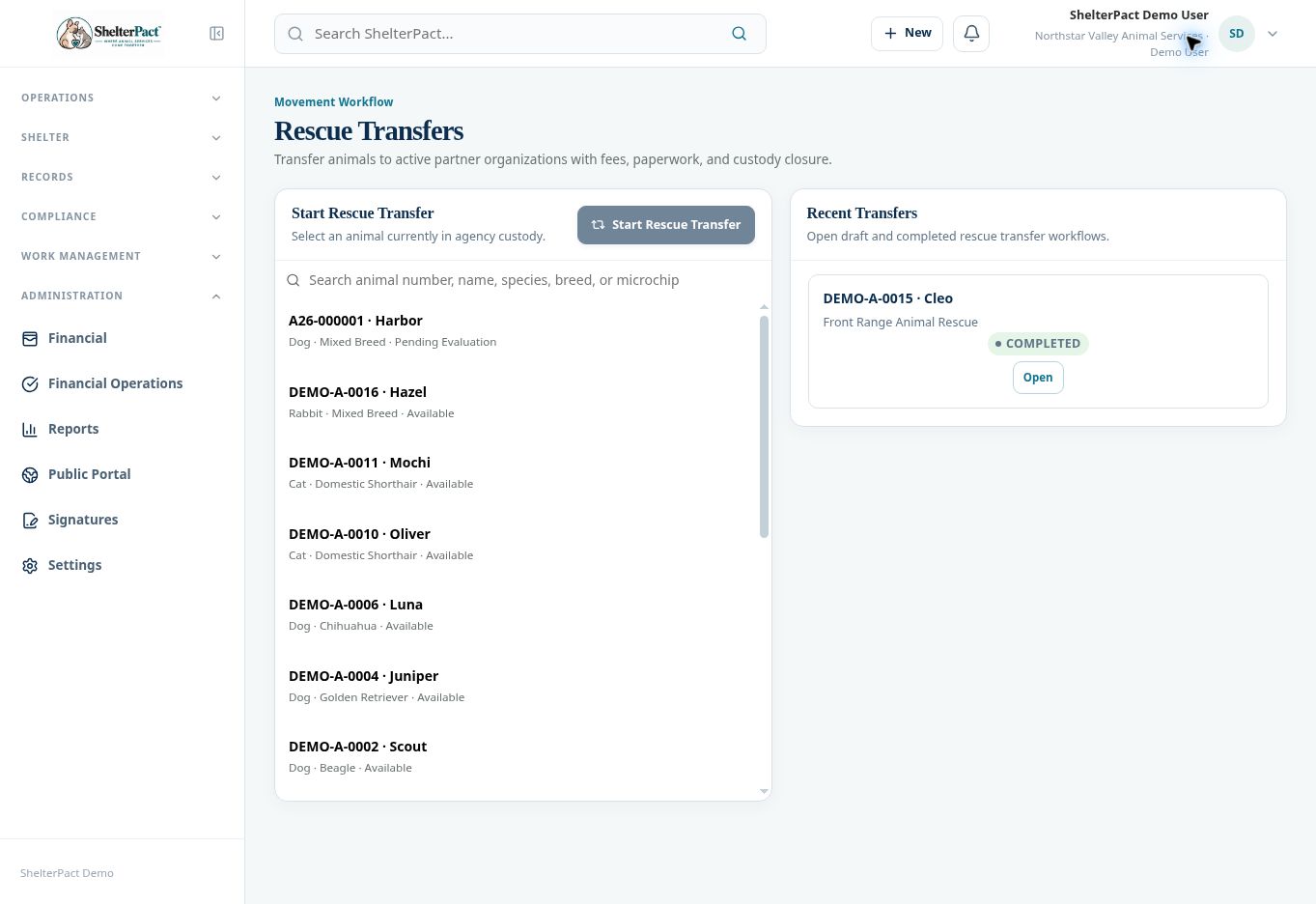
Rescue Transfers records a receiving organization, transfer details, financial review, documents, and final custody closure. Use the partner organization record as the destination.
Before you beginConfirm approval, the receiving organization’s active record and contacts, custody status, and release requirements. Open Movements & Outcomes → Rescue Transfers.
Step-by-step instructions
- Select the animal in agency custody and Start Rescue Transfer, or open a draft in Recent Transfers.
- At Animal, verify identity and custody. Resolve restrictions that block the transfer before final completion.
- At Receiving Organization, select the correct active partner. Confirm it is the organization actually receiving the animal.
- At Transfer Details, record the event information and notes required by the form. Confirm the effective date and destination details against the arrangement.
- At Financial, review configured fees and required financial actions. Complete the review intentionally even when no amount is due.
- At Documents, generate or review transfer paperwork and complete required signer slots and finalization.
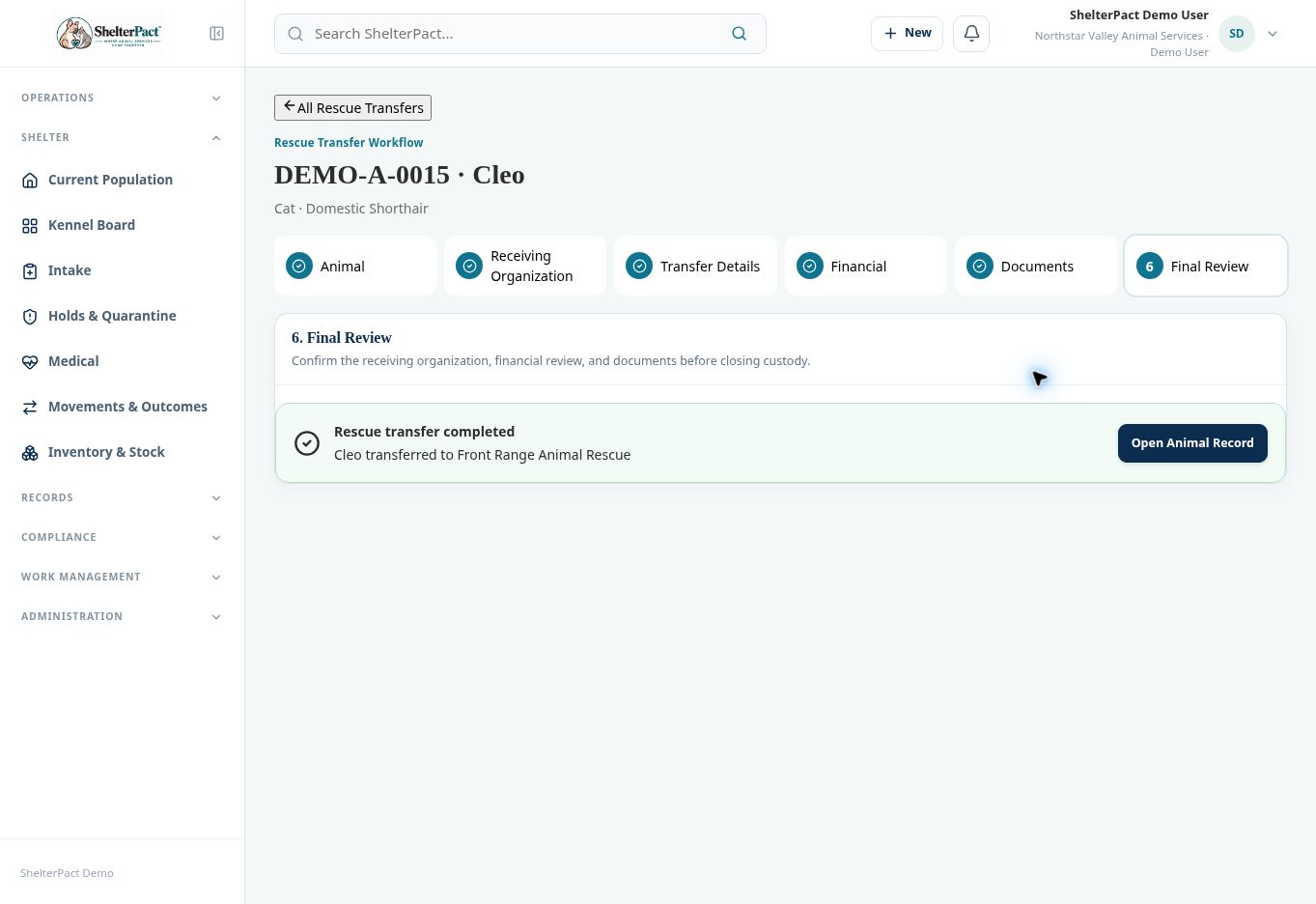
- At Final Review, verify receiving organization, financial review, documents, and current release readiness. Complete the transfer only when the handoff is authorized.
- Confirm the completed transfer and the correct custody/outcome state. Retain the final paperwork and contact links for future follow-up.
Screenshots
Practical checks
Do not substitute a person’s name for an organization destination when the workflow requires a partner record.
Troubleshooting
| What you see | What to check |
|---|---|
| The receiving partner is unavailable | Check Active status and the partner record before starting the transfer. |
| The workflow is still a draft | Complete its financial, document, and final review requirements; a draft is not a recorded custody closure. |