
Configure Facilities, Housing Locations, and Capacity
Locations & Kennels defines the physical hierarchy used for housing moves. Parent locations organize the structure; housing locations can receive animals and enforce capacity.
Before you beginOpen Settings → Locations & Kennels or Locations from a shelter workspace. Have the real facility structure and approved capacity available.
Step-by-step instructions
- Review Location Directory and existing paths before creating another location with the same purpose.
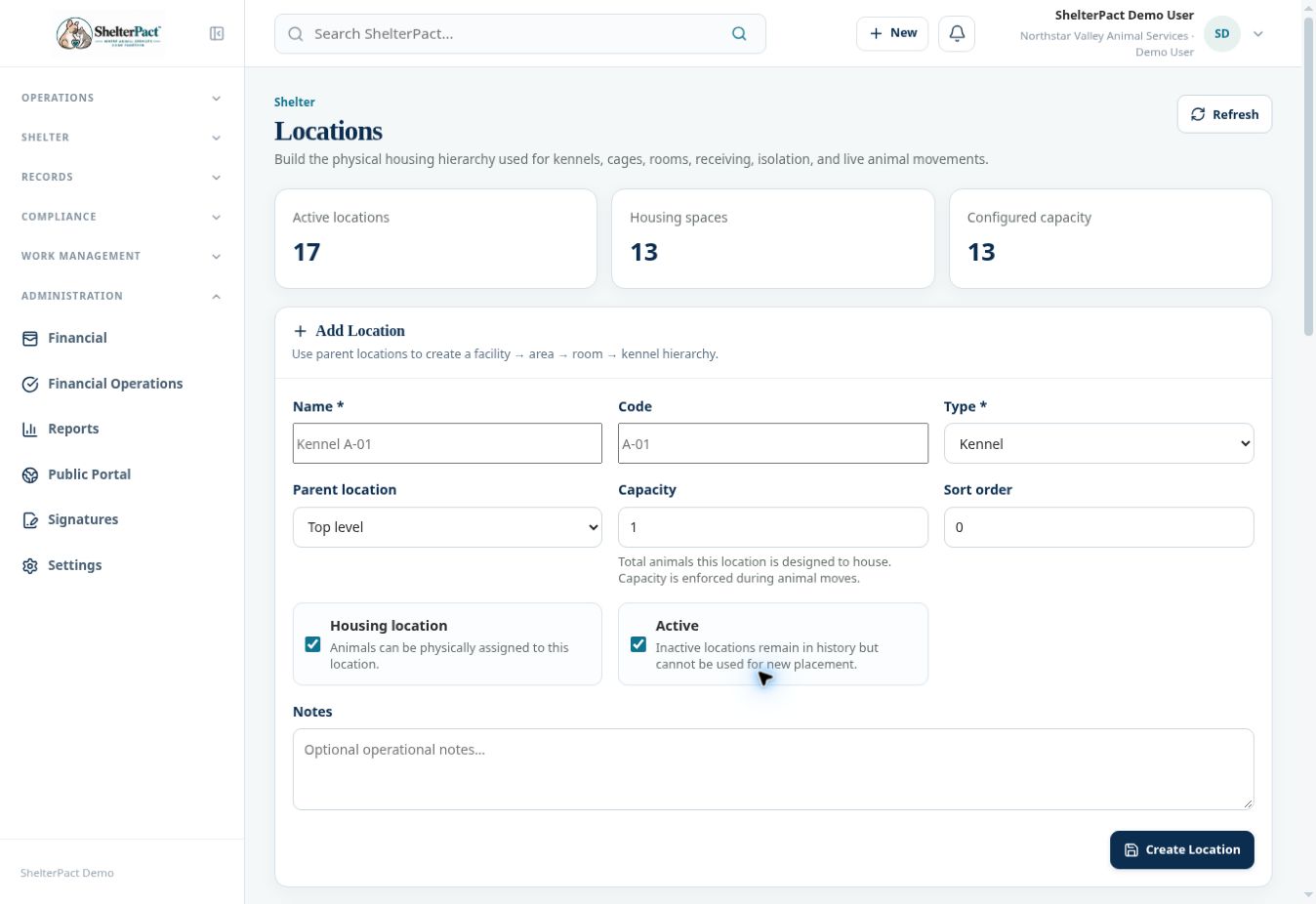
- In Add Location, enter Name, Code, and Type. Choose the correct Parent location, or Top level for a root location.
- Set Capacity to the approved number of animals the housing space is designed to hold. Review whether Housing location is enabled.
- Set Active, Sort order, and Notes appropriately, then Create Location when authorized.
- Review the directory path, housing flag, capacity, current occupancy, and child locations.
- Use Edit for a legitimate correction. Review occupied housing before deactivating it; inactive locations remain in history but cannot be used for new placement.
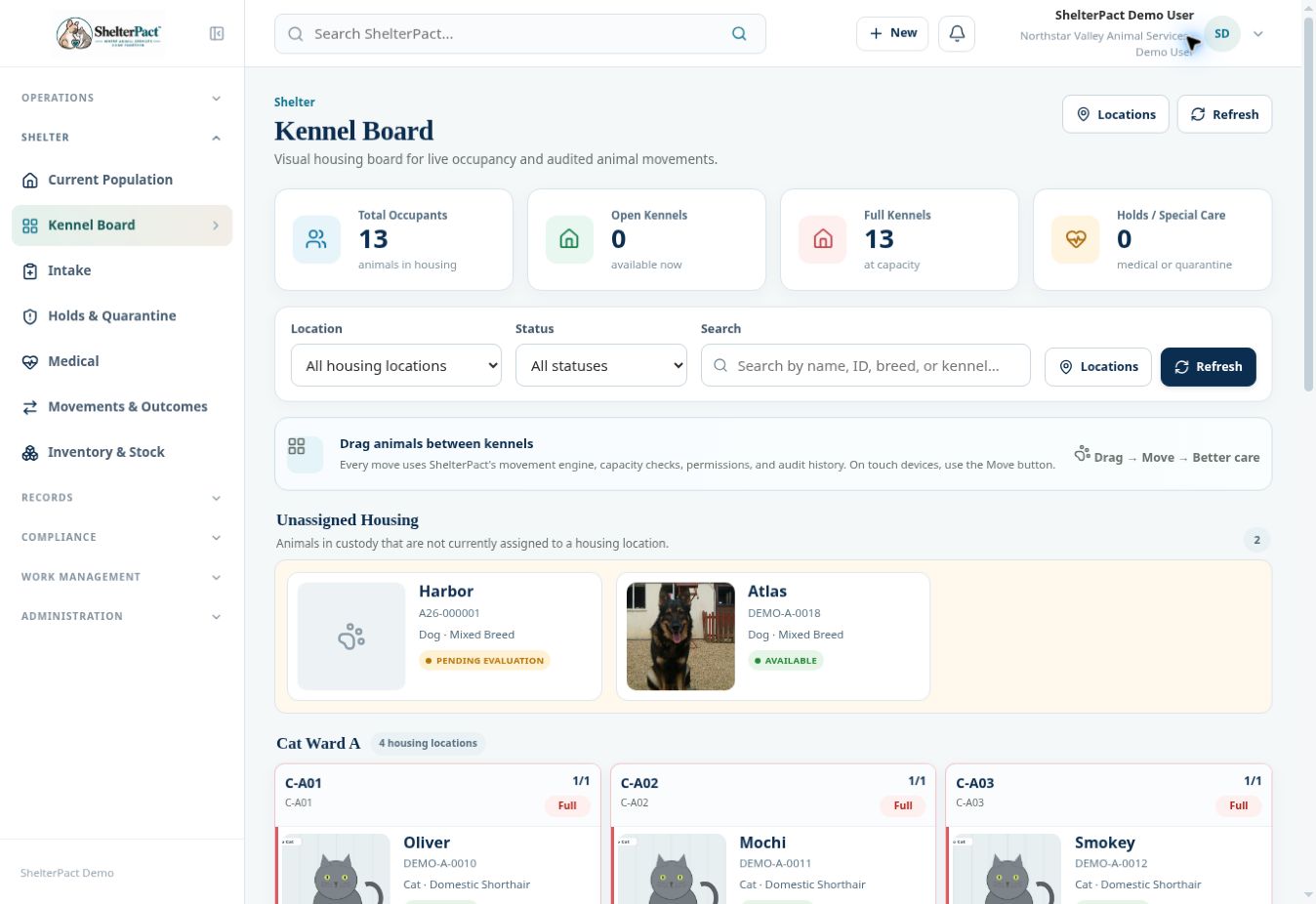
- Open Kennel Board or Current Population to confirm the configured housing appears as intended and that capacity checks reflect actual spaces.
Screenshots
Practical checks
A parent area and an assignable kennel are not necessarily the same kind of location. Review the Housing location setting.
Troubleshooting
| What you see | What to check |
|---|---|
| A location cannot receive an animal | Check Active status, Housing location, capacity, and applicable restrictions. |
| A path is confusing | Review its parent hierarchy and naming; avoid duplicating the same physical space. |