
Maintain Lookup Lists and Enabled Modules
Configuration controls form choices and feature visibility. Removing an option deactivates it while historical records retain the original value.
Before you beginOpen Settings → Configuration with the relevant management permission. Review the effect on staff forms before making changes.
Step-by-step instructions
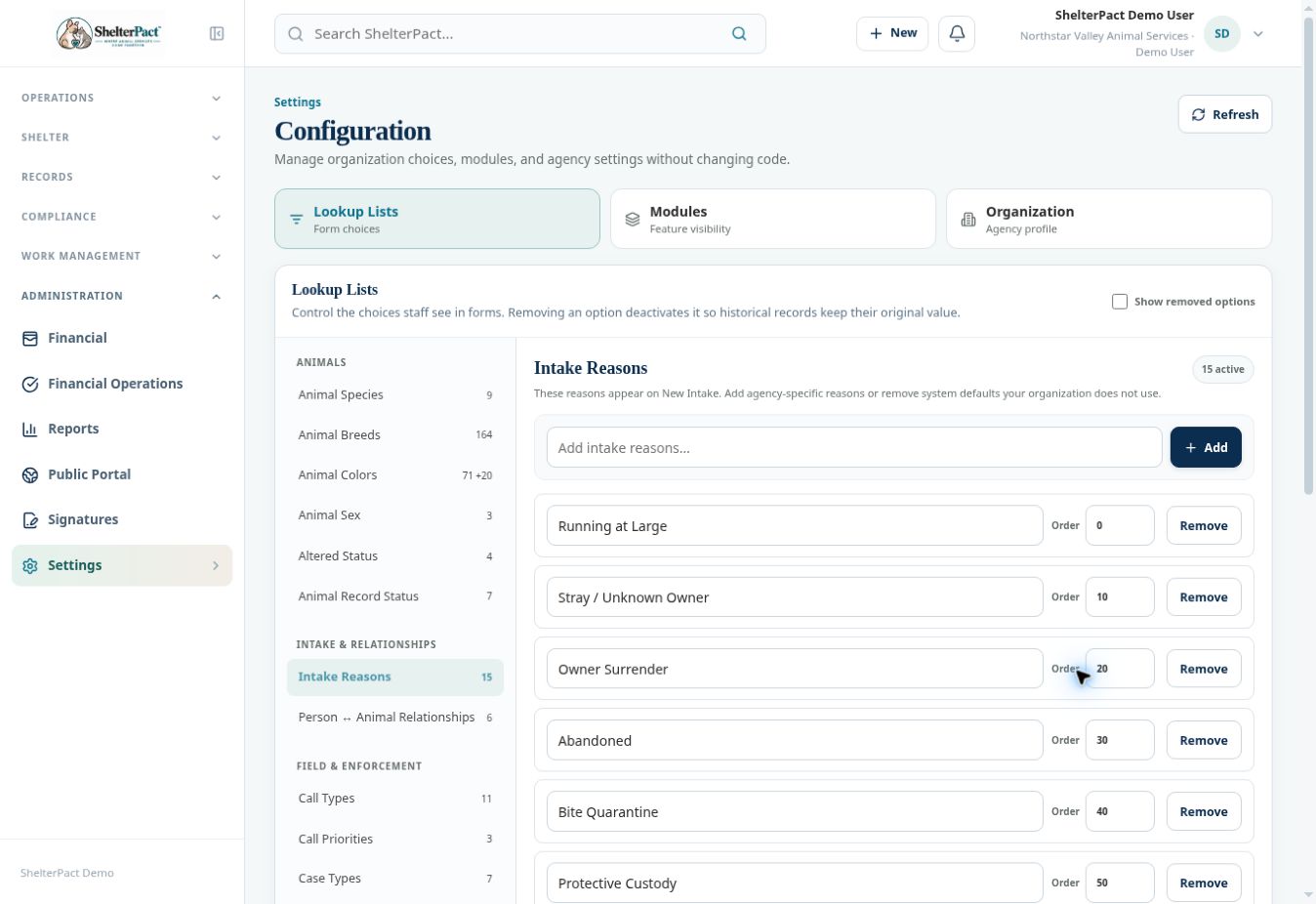
- Open Lookup Lists and select the relevant category, such as species, breeds, colors, intake reasons, relationships, call types, priorities, medical entry types, or payment methods.
- Review existing active values and Show removed options before adding another spelling of the same choice.
- Use Add for an approved new value and its displayed ordering controls where applicable. Verify species-scoped choices such as breeds or colors in the intended forms.
- Use Remove only when an option should stop appearing for new selections. Historical values remain attached to existing records.
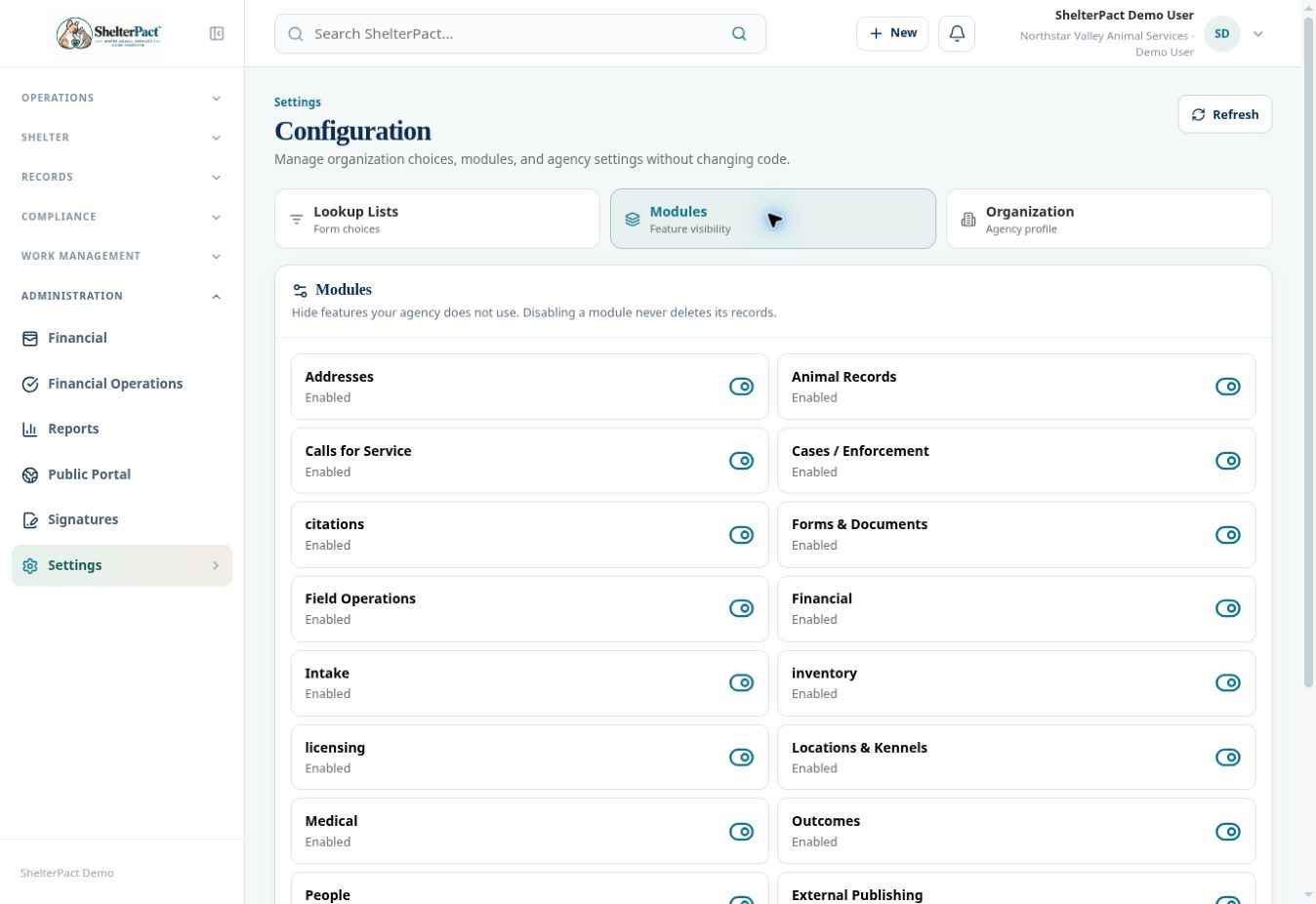
- Open Modules to review enabled features. Disabling a module hides functionality and does not delete its records.
- Review the effect on workspaces, report availability, and staff workflows before any approved module change.
- Open the affected form or navigation afterward to confirm the choices and visibility are correct. Keep staff permissions separate from module settings.
Screenshots
Practical checks
Removing a choice is not the same as correcting an existing record containing that choice.
Troubleshooting
| What you see | What to check |
|---|---|
| The new choice is missing | Check its active state, category, scope, ordering, and the form’s refreshed data. |
| A module is enabled but the page is absent | Review the staff role’s view permission as well. |