
Configure Hold, Outcome, and Financial Rules
Organization rules define default timing and information requirements. They must reflect approved policy rather than demonstration values.
Before you beginOpen the relevant Settings card with authorized access: Hold Types & Rules, Outcome Types & Rules, or Compliance & Financial Rules.
Step-by-step instructions
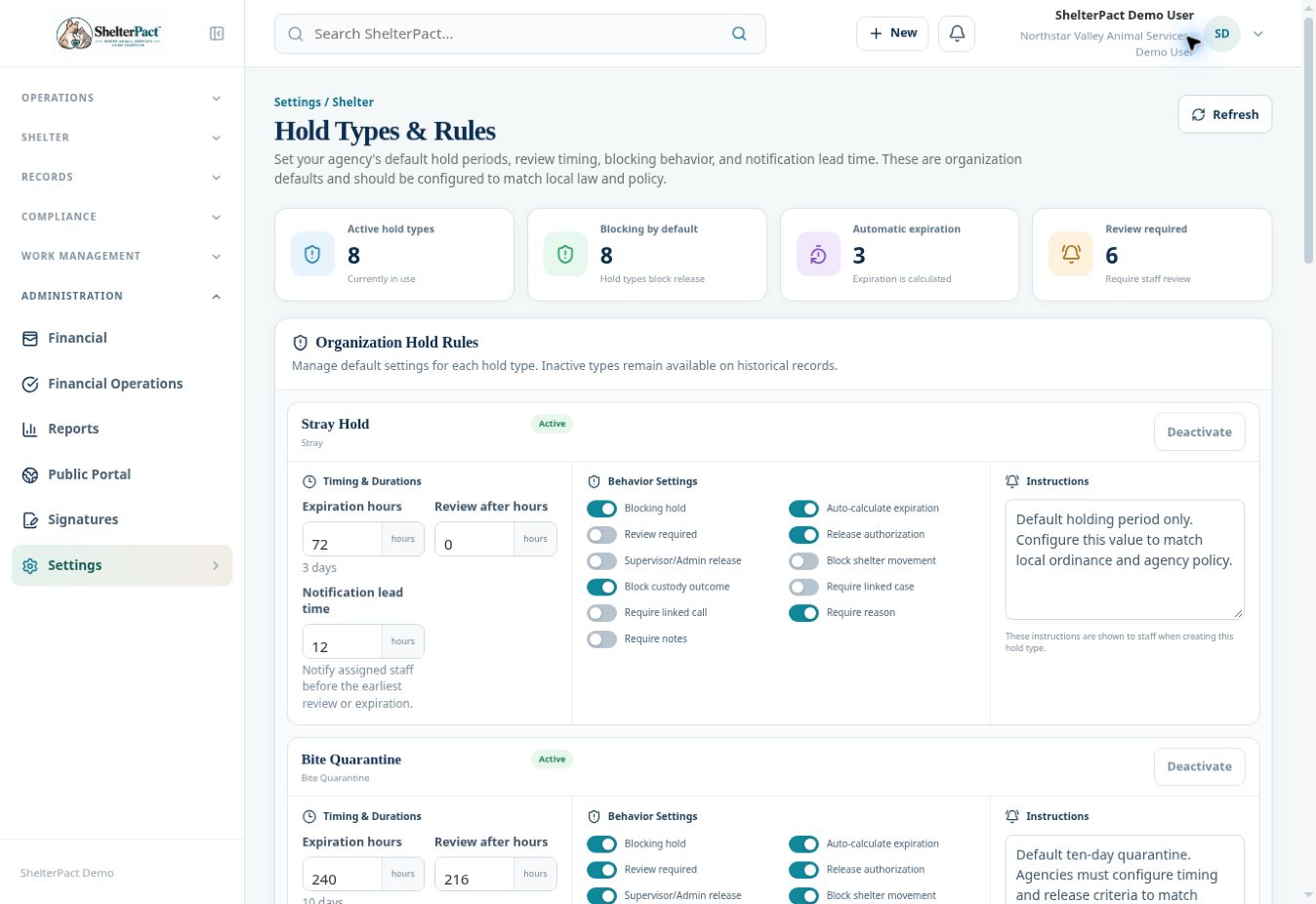
- In Hold Types & Rules, review each active type’s expiration, review interval, notification lead time, and default blocking behavior.
- Review release authorization, movement/outcome blocking, required case or call, required reason, notes, and instructions. Save only approved changes.
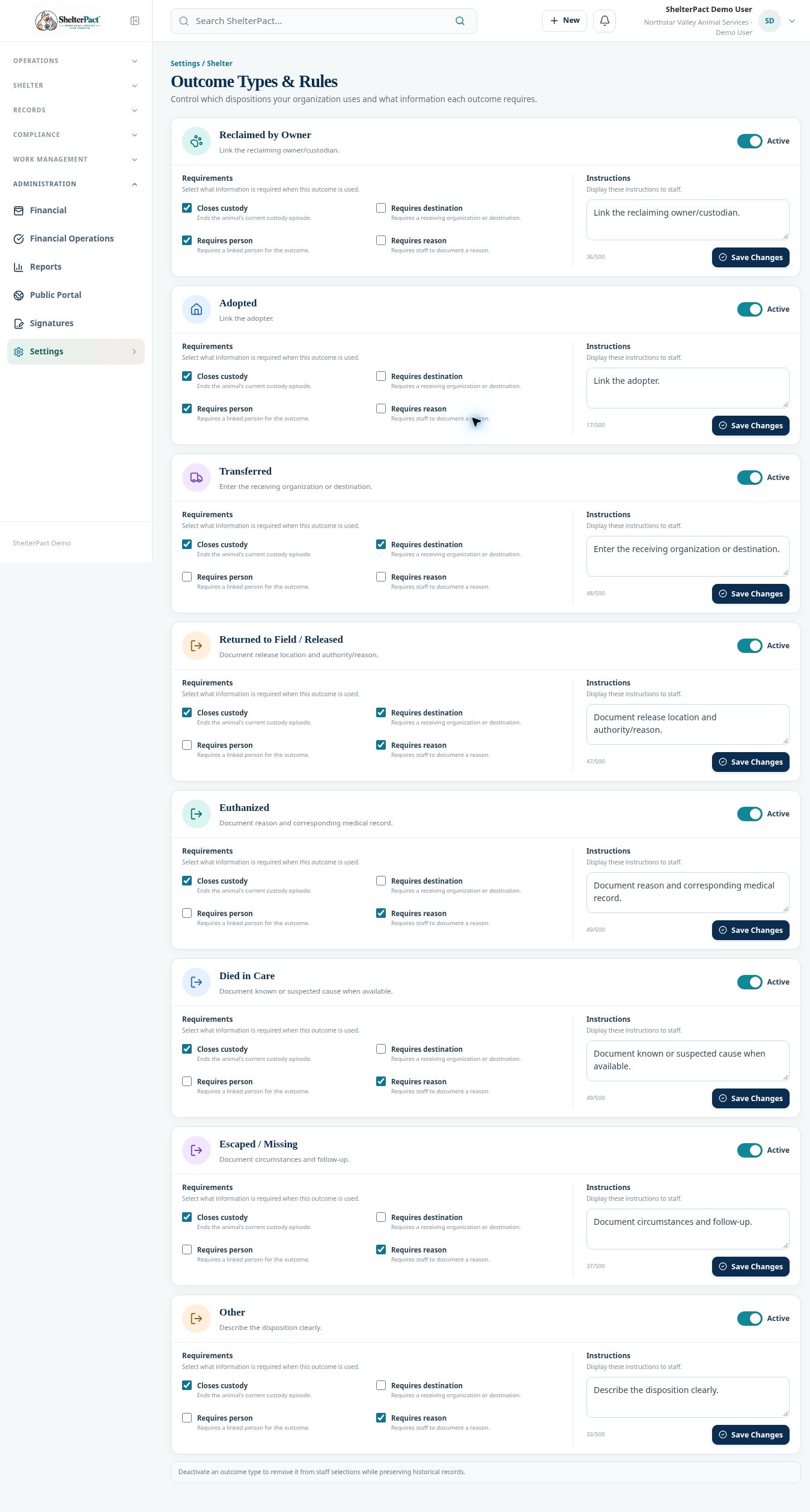
- In Outcome Types & Rules, review active disposition types and whether each closes custody or requires a destination, person, or reason.
- Review the Instructions displayed to staff. Use Save Changes for the intended type, and preserve accurate requirements for actual events.
- Open Compliance & Financial Rules with configuration-management access to review renewal windows, citation timing, deposit behavior, and cashier review requirements. This management screen is restricted in the shared demo.
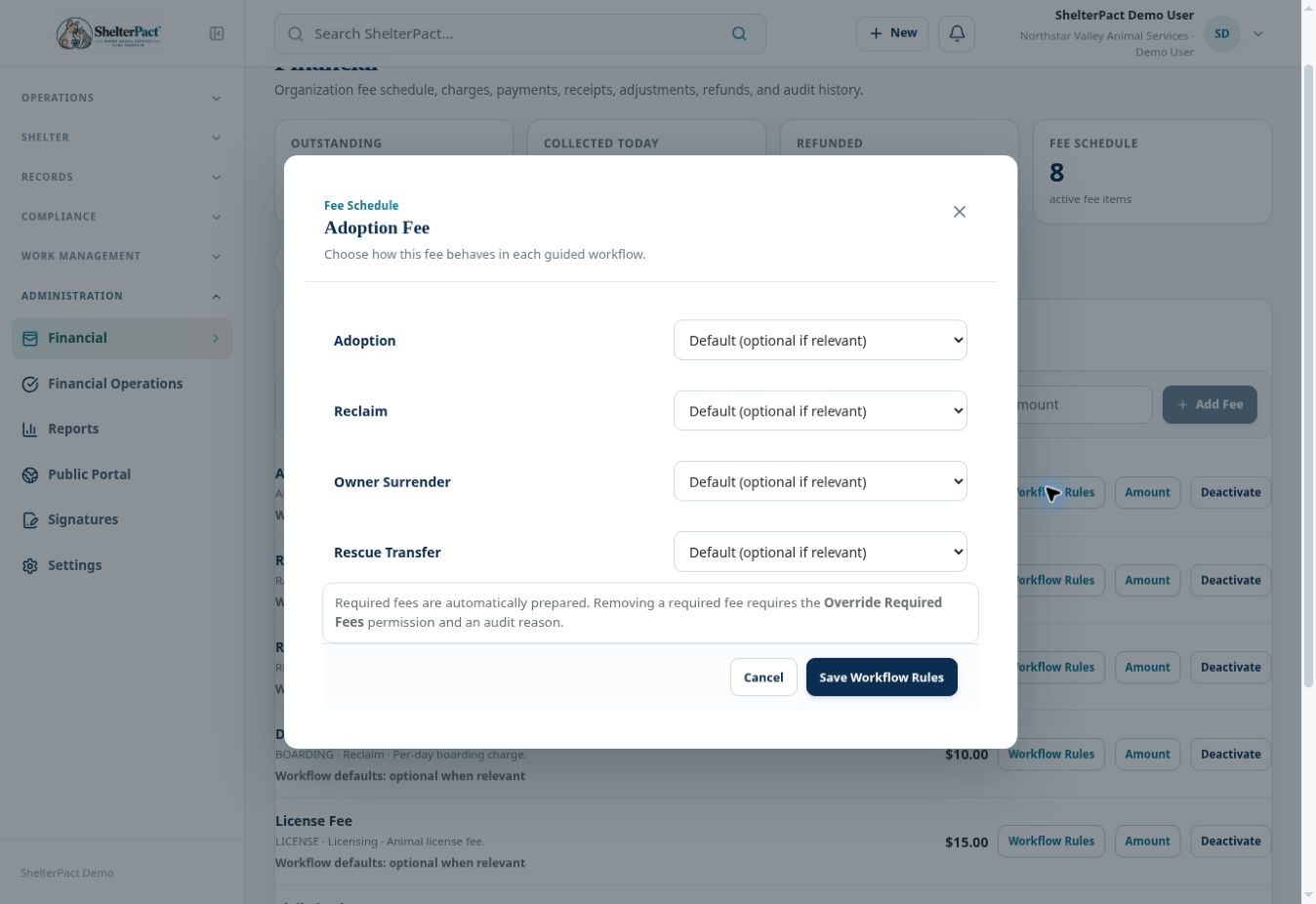
- Review Fee Schedule separately for Optional, Required, or Disabled workflow fee behavior.
- After approved changes, inspect a suitable test workflow for expected deadlines, blocking behavior, required fields, fees, and review requirements. Existing history should remain available.
Screenshots
Practical checks
A review reminder, expiration calculation, release authorization, and custody-closure rule are separate controls.
Troubleshooting
| What you see | What to check |
|---|---|
| A workflow unexpectedly blocks | Review its individual record and the rules governing that type. |
| A setting is unavailable in the demo | Use a permissioned administrator in the customer environment; do not treat a visible Settings card as edit authorization. |