
Review Organization Setup, Profile, and Subscription
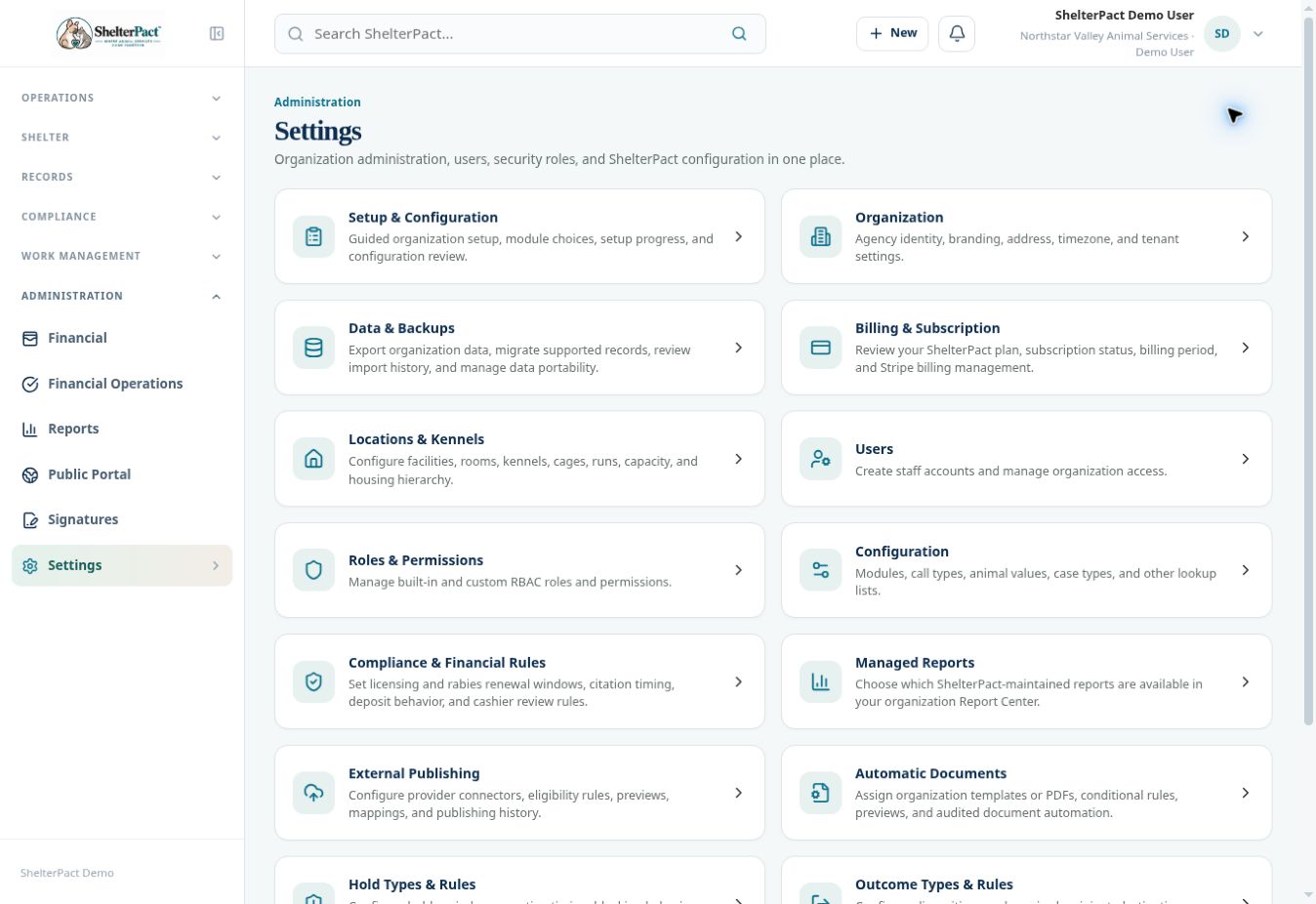
Settings is the organization administration index. Setup & Configuration, Organization, and Billing & Subscription serve different purposes and can require management permission.
Before you beginOpen Administration → Settings. Confirm the agency and role shown in the staff menu before reviewing organization-wide controls.
Step-by-step instructions
- Open Setup & Configuration to review guided setup and progress with an authorized organization manager. The shared demo account cannot open its management workflow.
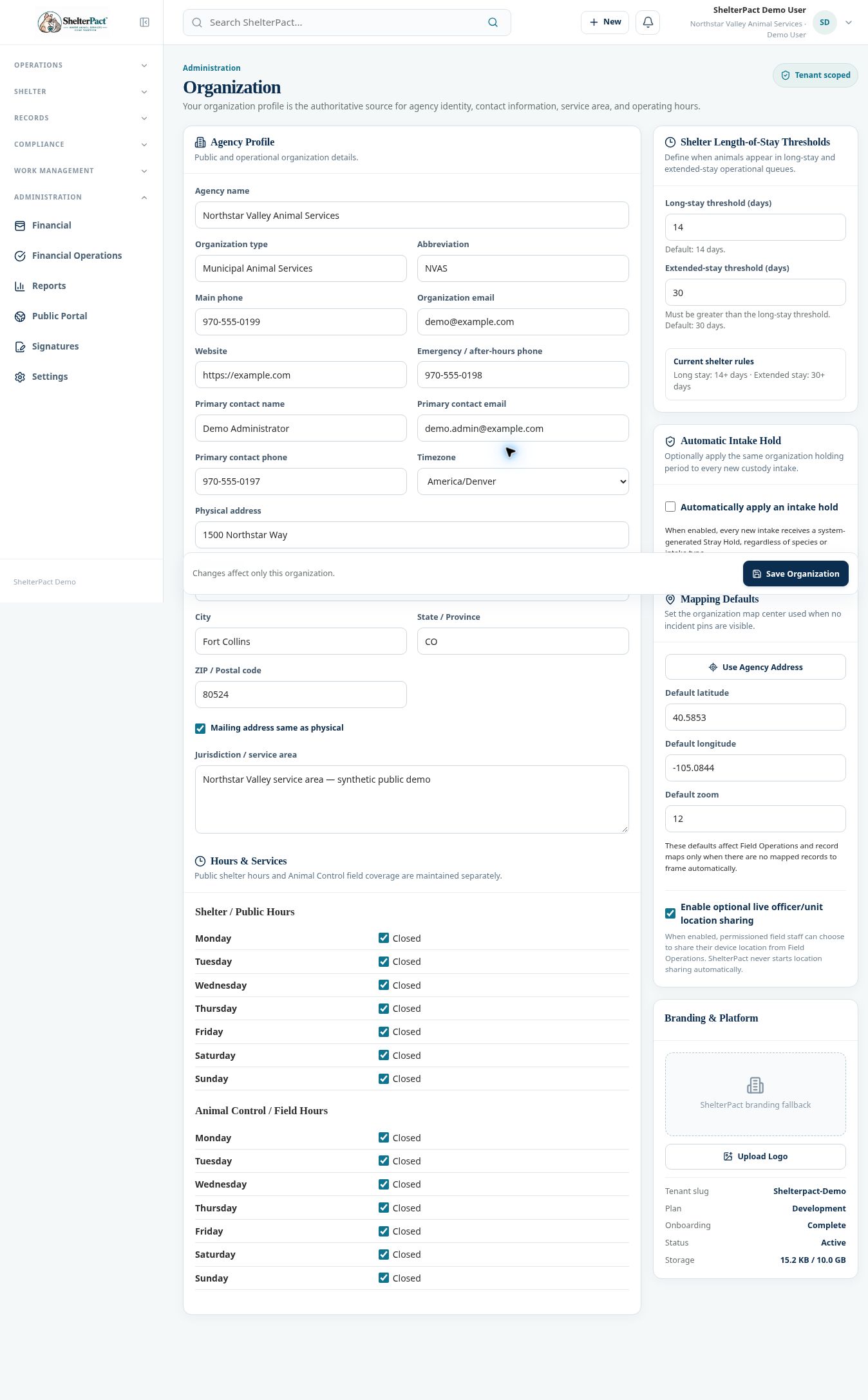
- Open Organization for agency name/type, abbreviation, contact information, physical and mailing addresses, jurisdiction, and timezone.
- Review Shelter / Public Hours and Animal Control / Field Hours separately so public access and field coverage are described correctly.
- Review Long-stay and Extended-stay thresholds, optional Automatic Intake Hold, and mapping defaults. These settings affect operational queues and new events.
- Review branding, tenant state, onboarding, plan, and storage information shown on the profile. Save Organization only when authorized changes are intended.
- Open Billing & Subscription with management access to review plan, subscription status, billing period, and available billing management.
- After approved configuration changes, review the affected public information and operational screens. A subscription or billing action should be completed by the authorized account holder.
Screenshots
Practical checks
Setup and billing management are permission-restricted in the shared demo. This article identifies their destinations without implying those management actions were performed in the demo.
Troubleshooting
| What you see | What to check |
|---|---|
| Permission required: organization.manage | Use an authorized organization manager; do not broaden your role simply to bypass the restriction. |
| Map defaults or public hours are incorrect | Review the Organization profile and verify the relevant geographic or hours fields. |