
Create Templates and Assign Automatic Documents
Forms & Documents maintains reusable templates. Automatic Documents assigns them to workflow events, with conditional rules, organization defaults, and built-in fallbacks.
Before you beginOpen Records → Forms & Documents → Templates with document-management access. Have approved document wording, merge data requirements, and signer roles available.
Step-by-step instructions
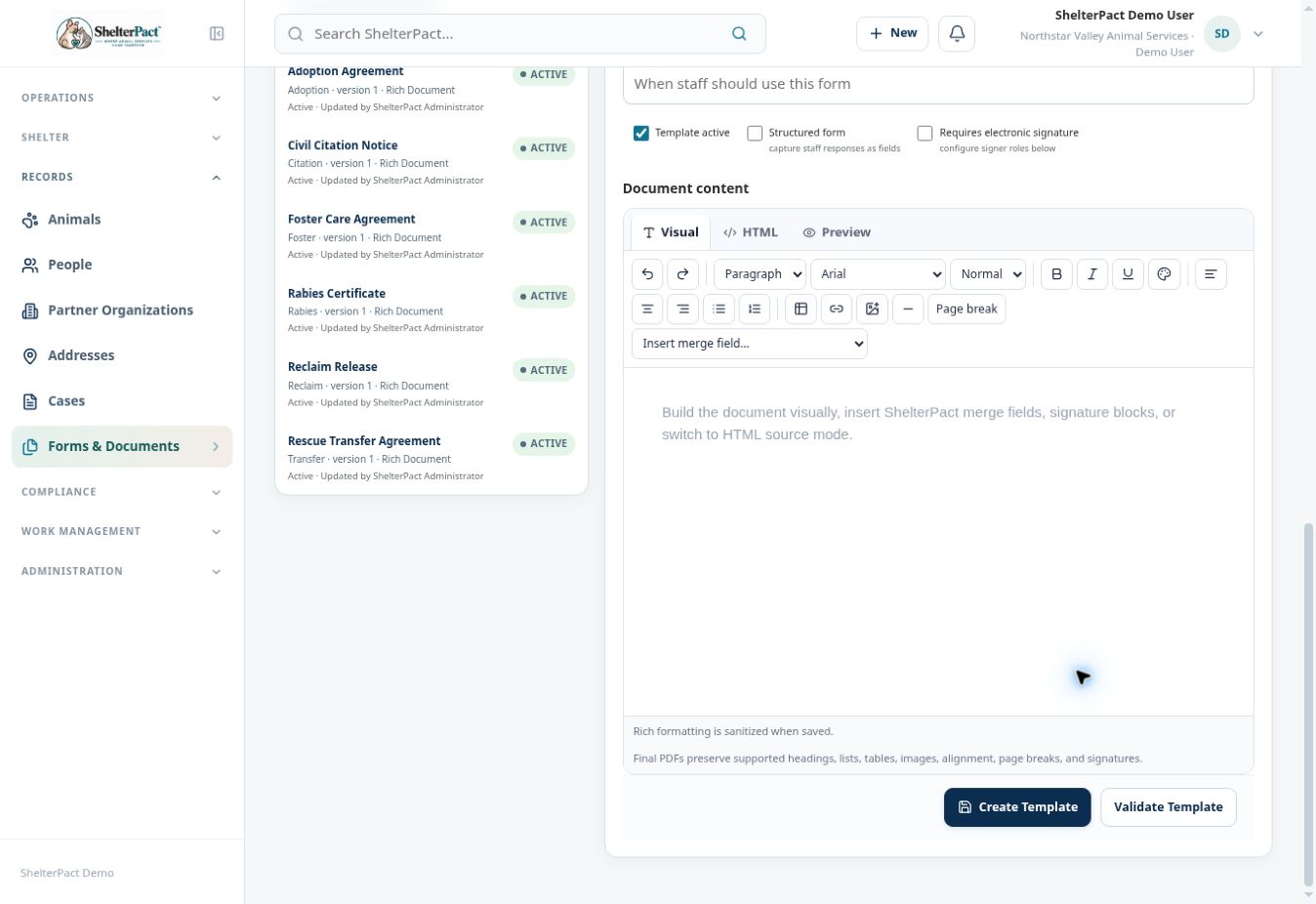
- Review existing templates before creating a new one. Select New Rich Template for an editable ShelterPact document or Upload Standard PDF for a supported existing fillable PDF.
- Enter Template name, Category, Description, and Template active state. Use Structured form when staff responses should be captured as fields.
- For required signing, enable Requires electronic signature and configure signer Key, Label, Role, and Required state. Keep signer keys unique and meaningful.
- Use the Visual editor for supported headings, lists, tables, alignment, and page breaks. Insert supported merge fields from the selector rather than guessing field names.
- Insert signature blocks using the configured signer slots. Review Validate Template and the available preview controls before saving a valid template.
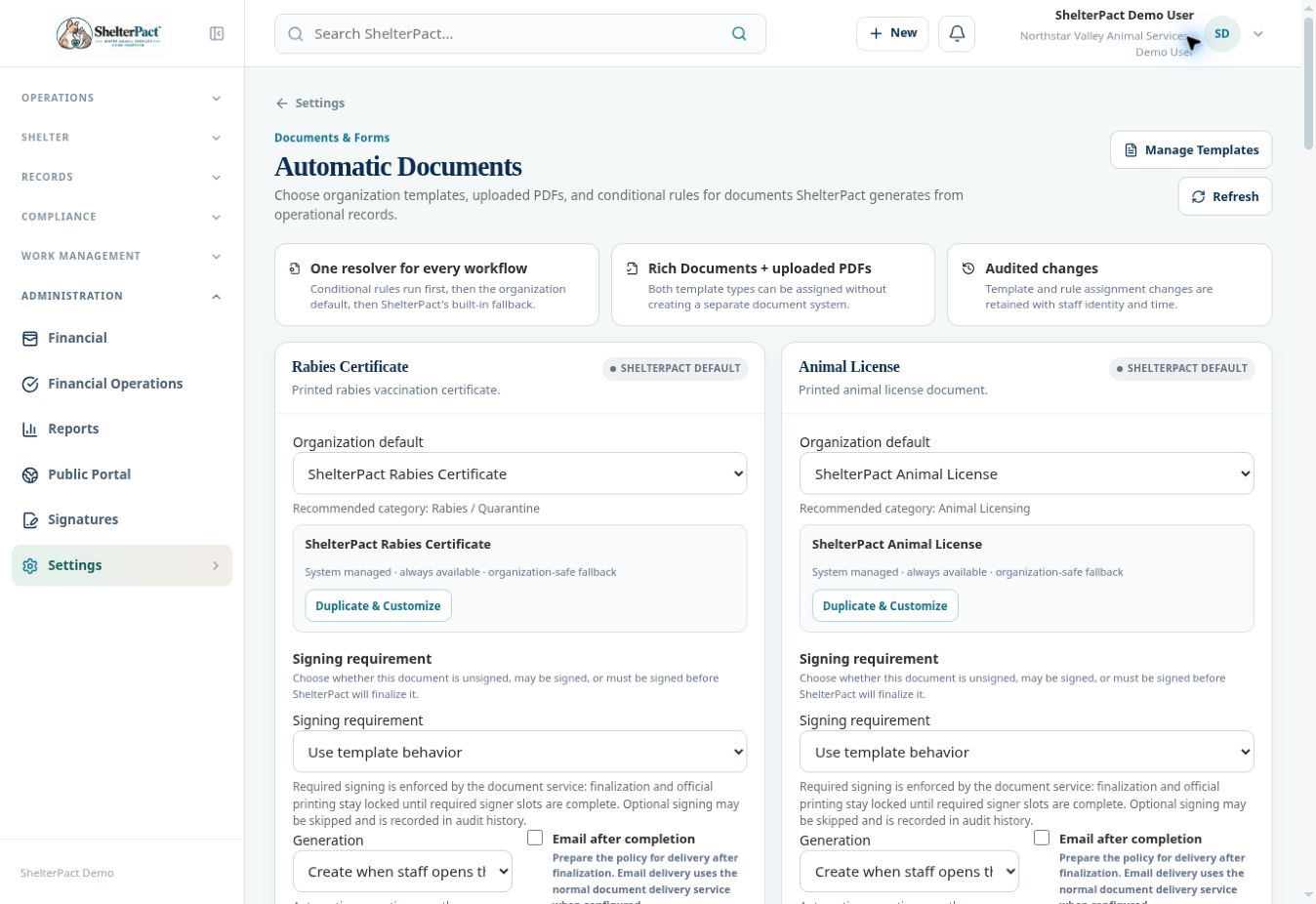
- Open Settings → Automatic Documents. Select the workflow document and choose the organization default template or uploaded PDF.
- Review signing requirement, generation timing, completion delivery policy, and any ordered conditional rules. Conditional rules run first, then the organization default, then the built-in fallback.
- Save Automation when authorized. Test generation on a suitable nonproduction record and review merged values, signer slots, final PDF, and audit history.
Screenshots
Practical checks
Existing generated documents preserve their template and merge-data snapshots. Editing a template does not silently revise an already generated agreement.
Troubleshooting
| What you see | What to check |
|---|---|
| Validation reports an unsupported template type | Use a supported rich-text or fillable-PDF template and have an administrator review the invalid template; do not assume a failed preview proves the template is usable. |
| A merge field is blank | Review the selected field, actual linked source record, and required record data. |
| The wrong document is generated | Review conditional rule order, organization default, and fallback selection. |