
Export Organization Data and Review Supported Imports
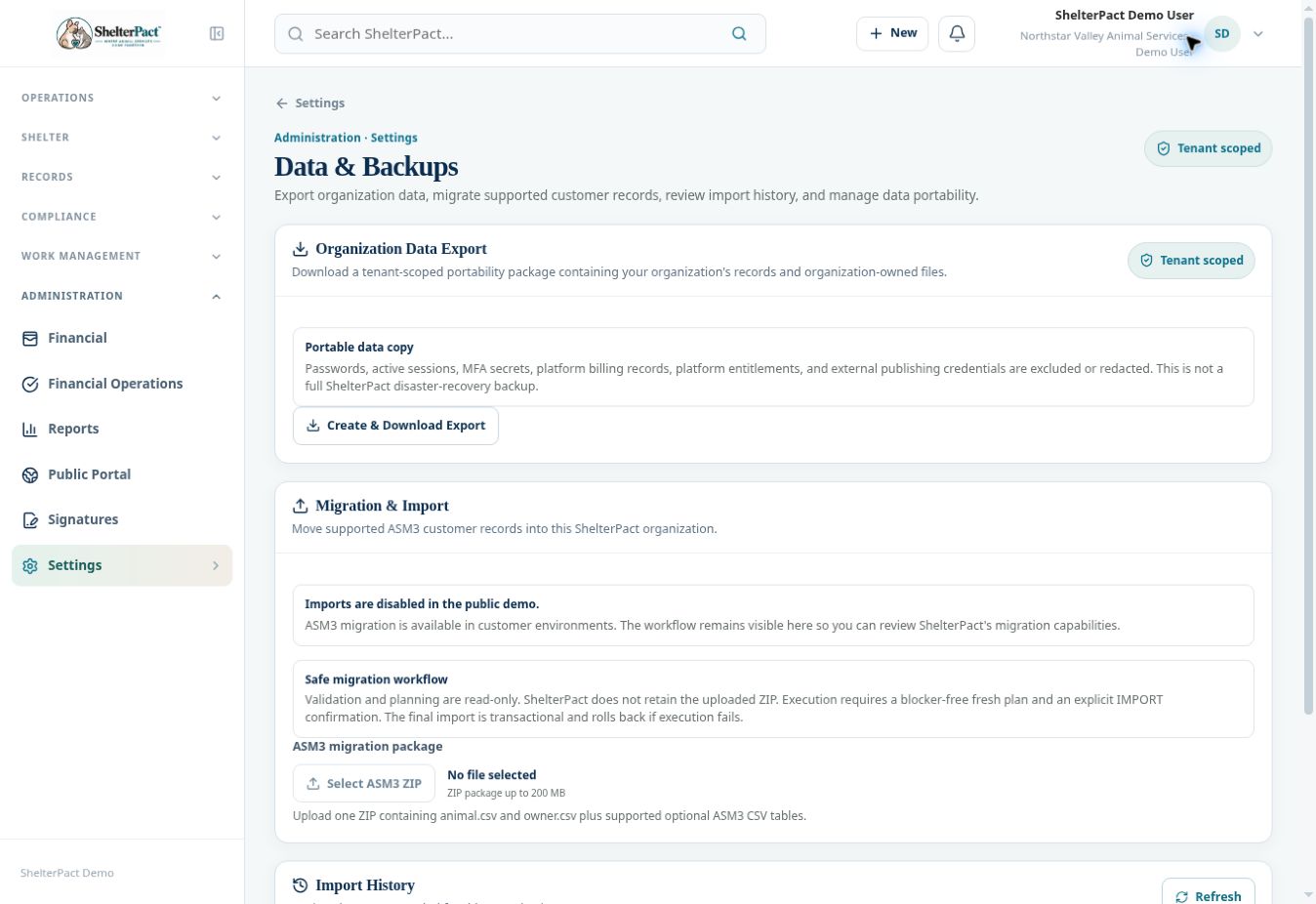
Data & Backups separates a portability export from supported customer migration and disaster-recovery backup controls. Know which type of package you are using.
Before you beginOpen Settings → Data & Backups with appropriate access. Have a secure approved destination for exported organization data.
Step-by-step instructions
- Read Organization Data Export and its exclusions. Create & Download Export produces a tenant-scoped portability package of organization records and organization-owned files.
- Treat the exported package according to your agency’s data-handling policy. It may contain operational data even though passwords and some platform/security information are excluded.
- Do not treat the portability package as a complete ShelterPact disaster-recovery backup. Full backup/restore controls appear only when that feature is enabled.
- For supported ASM3 migration in a customer environment, prepare one ZIP containing animal.csv and owner.csv plus supported optional ASM3 CSV tables.
- Use the migration workflow to validate and plan before execution. Resolve blockers and review source mappings and proposed records.
- Execute only with a fresh blocker-free plan and the explicit IMPORT confirmation required by the workflow. The public demo disables import execution.
- Review Import History and verify important imported records, relationships, counts, and source mappings after a completed migration. Retain the approved migration evidence.
Fields and meanings
| Field / control | What to review |
|---|---|
| Portability export | Organization records and organization-owned files. |
| Excluded/redacted | Passwords, sessions, MFA secrets, platform billing/entitlements, and publishing credentials. |
| ASM3 package | animal.csv and owner.csv plus supported optional CSV tables; displayed ZIP limit 200 MB. |
| Execution | A fresh plan without blockers and explicit IMPORT confirmation; disabled in the demo. |
Screenshots
Practical checks
Review migration in a suitable customer test environment before importing operational data. Do not assume every table from another product is supported.
Troubleshooting
| What you see | What to check |
|---|---|
| The import controls are disabled | That is intentional in the public demo. |
| Required CSV files are missing | Correct the package structure before validation. |
| A portability export is offered as a restore backup | Clarify the package type and actual disaster-recovery capability before relying on it. |